aster.cloud aster.cloud
  • /
  • Platforms
    • Public Cloud
    • On-Premise
    • Hybrid Cloud
    • Data
  • Architecture
    • Design
    • Solutions
    • Enterprise
  • Engineering
    • Automation
    • Software Engineering
    • Project Management
    • DevOps
  • Programming
    • Learning
  • Tools
  • About
  • /
  • Platforms
    • Public Cloud
    • On-Premise
    • Hybrid Cloud
    • Data
  • Architecture
    • Design
    • Solutions
    • Enterprise
  • Engineering
    • Automation
    • Software Engineering
    • Project Management
    • DevOps
  • Programming
    • Learning
  • Tools
  • About
aster.cloud aster.cloud
  • /
  • Platforms
    • Public Cloud
    • On-Premise
    • Hybrid Cloud
    • Data
  • Architecture
    • Design
    • Solutions
    • Enterprise
  • Engineering
    • Automation
    • Software Engineering
    • Project Management
    • DevOps
  • Programming
    • Learning
  • Tools
  • About
  • Technology
  • Tools

4 Linux Tools To Erase Your Data

  • root
  • October 18, 2021
  • 3 minute read

Erase data from your hard disk drive with these open source tools.
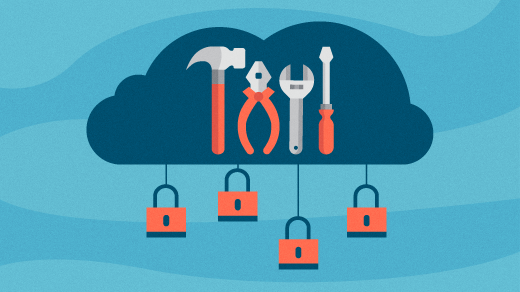
Image by : Opensource.com

One of the best ways to keep your data secure is by only writing data to an encrypted hard drive. On a standard drive, it’s possible to view data just by mounting the drive as if it were a thumb drive, and it’s even possible to display and recover even deleted data with tools like Scalpel and Testdisk. But on an encrypted drive, data is unreadable without a decryption key (usually a passphrase you enter when mounting the drive.)


Partner with aster.cloud
for your next big idea.
Let us know here.


From our partners:

CITI.IO :: Business. Institutions. Society. Global Political Economy.
CYBERPOGO.COM :: For the Arts, Sciences, and Technology.
DADAHACKS.COM :: Parenting For The Rest Of Us.
ZEDISTA.COM :: Entertainment. Sports. Culture. Escape.
TAKUMAKU.COM :: For The Hearth And Home.
ASTER.CLOUD :: From The Cloud And Beyond.
LIWAIWAI.COM :: Intelligence, Inside and Outside.
GLOBALCLOUDPLATFORMS.COM :: For The World's Computing Needs.
FIREGULAMAN.COM :: For The Fire In The Belly Of The Coder.
ASTERCASTER.COM :: Supra Astra. Beyond The Stars.
BARTDAY.COM :: Prosperity For Everyone.

Encryption can be established when you install your OS, and some operating systems even make it possible to activate encryption any time after installation.

What do you do when you’re selling a computer or replacing a drive that never got encrypted in the first place, though?

The next best thing to encrypting your data from the start is by erasing the data when you’re finished with the drive.


Responsible caretaker

I’m frequently called on to help clients upgrade an old computer. Invariably, they’re more than willing to help me recycle them so that they can be used by someone else. I’m happy to refurbish these older computers and refit them with a newer solid-state drive, dramatically improving performance.

However, it’s not a good idea to just throw an old drive in the trash. It needs to be erased and then disposed of properly. Rather than leave the drives in the original computer, I remove them, place them in a drive enclosure, and connect them to my Linux computer. Several Linux utilities can easily accomplish this. One of them is the Gnu Shred tool.

Read More  Media And Entertainment Giant Significantly Expands Darktrace Coverage Across Its Business


GNU Shred

<span class="co4">$ </span><span class="kw2">sudo</span> <span class="kw2">shred</span> <span class="re5">-vfz</span> <span class="sy0">/</span>dev<span class="sy0">/</span>sdX

Shred has many options:

  • n – the number of overwrites. The default is three.
  • u – overwrite and delete.
  • s – the number of bytes to shred.
  • v – show extended information.
  • f – force the change of permissions to allow writing if necessary.
  • z – add a final overwrite with zeros to hide shredding.

Use shred --help for more information


ShredOS

ShredOS is a live Linux distribution with the sole purpose of erasing the entire contents of a drive. It was developed after a similar distribution, called DBAN, was discontinued. It uses the nwipe application, which is a fork of DBAN’s dwipe. You can make a bootable USB drive by downloading the 32 bit or 64 bit image and writing it to a drive with the dd command on Linux and macOS:

<span class="co4">$ </span><span class="kw2">sudo</span> <span class="kw2">dd</span> <span class="re2">if</span>=shredos.img <span class="re2">of</span>=<span class="sy0">/</span>dev<span class="sy0">/</span>sdX <span class="re2">bs</span>=4M <span class="re2">status</span>=progress

Alternately, you can use the Etcher tool on Linux, macOS, and Windows.


The dd command

A common method for erasing drives is with the Linux dd command. Nearly every Linux installation comes with the dd utility installed. Make sure that the drive is not mounted.

<span class="co4">$ </span><span class="kw2">sudo</span> <span class="kw2">umount</span> <span class="sy0">/</span>dev<span class="sy0">/</span>sdXY <span class="re5">-l</span>

If you want to write zeros over your entire target disk, issue the following command. It will probably be an overnight job.

<span class="co4">$ </span><span class="kw2">sudo</span> <span class="kw2">dd</span> <span class="re2">if</span>=<span class="sy0">/</span>dev<span class="sy0">/</span>urandom <span class="re2">of</span>=<span class="sy0">/</span>dev<span class="sy0">/</span>sdX <span class="re2">bs</span>=10M

Warning: Be sure that you know where you are on your system and target the correct drive so that you don’t accidentally erase your own data.

Read More  Intel Advances vRAN, Launches Xeon For Network And Edge, And Enhances Edge Software


Nvme-cli

If your computer contains one of the newer NVMe drives, you can install the nvme-cli utilities and use the sanitize option to erase your drive.

The command nvme sanitize help command provides you with a list of sanitize options, which include the following:

  • –no-dealloc, -d – No deallocate after sanitize.
  • –oipbp, -i – Overwrite invert pattern between passes.
  • –owpass=, -n – Overwrite pass count.
  • –ause, -u – Allow unrestricted sanitize exit.
  • –sanact=, -a – Sanitize action.
  • –ovrpat=, -p – Overwrite pattern.

Here is the command I use:

<span class="co4">$ </span><span class="kw2">sudo</span> nvme sanitize <span class="sy0">/</span>dev<span class="sy0">/</span>nvme0nX

The same warnings apply here as with the format process: back up important data first because this command erases it!


Information management

The information you keep on your computer is important. It belongs to you and to know one else. When you’re selling off a computer or disposing of a hard drive, make sure you’ve cleared it of your data with one of these great tools.

This article was republished from opensource.com


For enquiries, product placements, sponsorships, and collaborations, connect with us at [email protected]. We'd love to hear from you!

Our humans need coffee too! Your support is highly appreciated, thank you!

root

Related Topics
  • Data
  • Linux
  • Redhat
  • Scalpel
  • ShredOS
  • Testdisk
  • The dd command
You May Also Like
View Post
  • Technology

IBM Study: One in Four Malicious Breaches are AI-Enabled, Costing Companies $6 Million on Average

  • July 29, 2026
View Post
  • Technology

3 Questions: Neural transparency and the future of AI design

  • July 17, 2026
View Post
  • Technology

IBM and Red Hat Expand Lightwell with New Offerings to Build the Trust Infrastructure for AI-Era Open Source

  • July 8, 2026
View Post
  • Technology

The AI investment surge hasn’t produced the expected results yet. That could change in 2026

  • June 26, 2026
zedreviews-valerion
View Post
  • Gears
  • Technology

Father’s Day Outdoors – Build Dad the Ultimate Backyard Watch Party

  • June 20, 2026
zedreviews-fathers-day-50830
View Post
  • Gears
  • Technology
  • Tools

Father’s Day Outdoors, Round Two – Gear for the Action, the Tailgate, and Beating the Heat

  • June 20, 2026
zedreviews-fathers-day-2147684744
View Post
  • Gears
  • Technology
  • Tools

The Ultimate Father’s Day Gift Guide – Home Entertainment Upgrades Dad Actually Wants

  • June 20, 2026
zedreviews-fathers-day-21306
View Post
  • Gears
  • Technology

A Father’s Day Gift Guide for Every Dad – Timepieces and Travel Gear

  • June 20, 2026

Stay Connected!
LATEST
  • 1
    IBM Study: One in Four Malicious Breaches are AI-Enabled, Costing Companies $6 Million on Average
    • July 29, 2026
  • 2
    Accelerating the frontiers of scientific discovery: Google’s $40M commitment to the Genesis Mission
    • July 26, 2026
  • 3
    3 Questions: Neural transparency and the future of AI design
    • July 17, 2026
  • 4
    Intel Invests €5 Billion to Expand Manufacturing in Europe
    • July 13, 2026
  • 5
    IBM and Red Hat Expand Lightwell with New Offerings to Build the Trust Infrastructure for AI-Era Open Source
    • July 8, 2026
  • 6
    When I Was Young
    • July 4, 2026
  • 7
    The Fastest AI Fried Chicken In The World
    • June 29, 2026
  • 8
    Zed Approves | How to Stay Cool in Extreme Heat
    • June 29, 2026
  • 9
    The AI investment surge hasn’t produced the expected results yet. That could change in 2026
    • June 26, 2026
  • 10
    Zed Approves | It’s Prime Day 2026! Time to Upgrade Your World Cup Viewing Setup and Beat the Heat
    • June 25, 2026
about
Hello World!

We are aster.cloud. We’re created by programmers for programmers.

Our site aims to provide guides, programming tips, reviews, and interesting materials for tech people and those who want to learn in general.

We would like to hear from you.

If you have any feedback, enquiries, or sponsorship request, kindly reach out to us at:

[email protected]
Most Popular
  • 1
    Zed Approves | The Best Prime Day PC Deals: Top Gaming Rigs, Workstations, and Everyday Laptops
    • June 24, 2026
  • neon-cart 2
    Zed Approves: How to Gear Up for GTA 6 This Amazon Prime Day (2026 Quick Guide)
    • June 22, 2026
  • zedreviews-valerion 3
    Father’s Day Outdoors – Build Dad the Ultimate Backyard Watch Party
    • June 20, 2026
  • zedreviews-fathers-day-50830 4
    Father’s Day Outdoors, Round Two – Gear for the Action, the Tailgate, and Beating the Heat
    • June 20, 2026
  • zedreviews-fathers-day-2147684744 5
    The Ultimate Father’s Day Gift Guide – Home Entertainment Upgrades Dad Actually Wants
    • June 20, 2026
  • /
  • Technology
  • Tools
  • About
  • Contact Us

Input your search keywords and press Enter.