aster.cloud aster.cloud
  • /
  • Platforms
    • Public Cloud
    • On-Premise
    • Hybrid Cloud
    • Data
  • Architecture
    • Design
    • Solutions
    • Enterprise
  • Engineering
    • Automation
    • Software Engineering
    • Project Management
    • DevOps
  • Programming
    • Learning
  • Tools
  • About
  • /
  • Platforms
    • Public Cloud
    • On-Premise
    • Hybrid Cloud
    • Data
  • Architecture
    • Design
    • Solutions
    • Enterprise
  • Engineering
    • Automation
    • Software Engineering
    • Project Management
    • DevOps
  • Programming
    • Learning
  • Tools
  • About
aster.cloud aster.cloud
  • /
  • Platforms
    • Public Cloud
    • On-Premise
    • Hybrid Cloud
    • Data
  • Architecture
    • Design
    • Solutions
    • Enterprise
  • Engineering
    • Automation
    • Software Engineering
    • Project Management
    • DevOps
  • Programming
    • Learning
  • Tools
  • About
  • Programming
  • Software
  • Technology
  • Tools

How To Package Your Python Code

  • Aelia Vita
  • November 22, 2021
  • 3 minute read

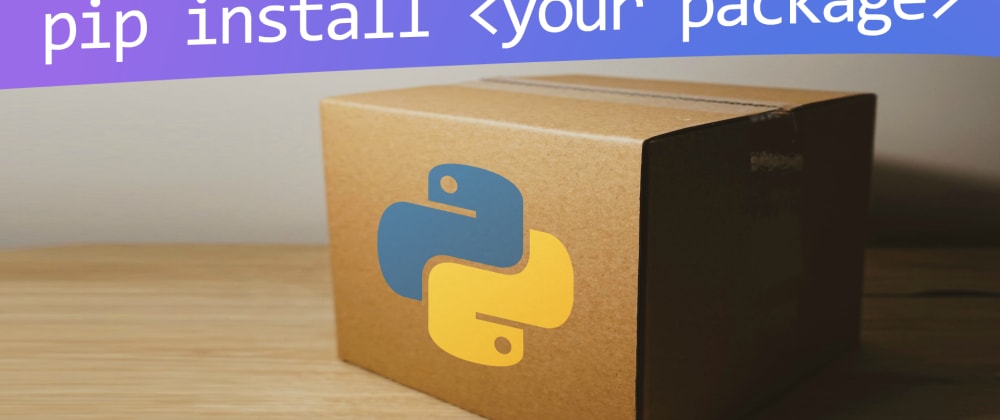
Use setuptools to deliver Python code to users.

You’ve spent weeks perfecting your code. You’ve tested it and sent it to some close developer friends for quality assurance. You’ve posted all the source code on your personal Git server, and you’ve received helpful bug reports from a few brave early adopters. And now you’re ready to make your Python code available to the world.

And that’s when it hits you. You have no idea how to deliver the product.Delivering code to its target is a big deal. It’s a whole branch of software development, it’s the “D” in CI/CD, and yet many people forget all about, at least until the end. I’ve written articles about Autotools and Cmake, but some languages have their own methods to help you make your code readily available to users. For Python, a common way to deliver code to users is with setuptools.


Partner with aster.cloud
for your next big idea.
Let us know here.


From our partners:

CITI.IO :: Business. Institutions. Society. Global Political Economy.
CYBERPOGO.COM :: For the Arts, Sciences, and Technology.
DADAHACKS.COM :: Parenting For The Rest Of Us.
ZEDISTA.COM :: Entertainment. Sports. Culture. Escape.
TAKUMAKU.COM :: For The Hearth And Home.
ASTER.CLOUD :: From The Cloud And Beyond.
LIWAIWAI.COM :: Intelligence, Inside and Outside.
GLOBALCLOUDPLATFORMS.COM :: For The World's Computing Needs.
FIREGULAMAN.COM :: For The Fire In The Belly Of The Coder.
ASTERCASTER.COM :: Supra Astra. Beyond The Stars.
BARTDAY.COM :: Prosperity For Everyone.

Install setuptools

The easiest way to install and update setuptools is with pip:

<span class="co4">$ </span><span class="kw2">sudo</span> python <span class="re5">-m</span> pip <span class="kw2">install</span> <span class="re5">--upgrade</span> setuptools

Example library

Create a simple Python library called myhellolib for some example code in need of packaging. This library accepts a string and then prints the string in capital letters.
It’s two lines of code, but project structure is important, so first create the directory tree:

<span class="co4">$ </span><span class="kw2">mkdir</span> <span class="re5">-p</span> myhellolib.git<span class="sy0">/</span>myhellolib

To confirm that this project is an importable library (a Python “module”), create the empty file __init__.py in the code directory, along with the file that contains the code:

$ touch myhellolib.git/myhellolib/__init__.py
$ touch myhellolib.git/myhellolib/myhellolib.py

In the myhellolib.py file, enter this simple Python code:

def greeter(s):
print(s.upper())

That’s the library written.

Read More  6 Incredible Productivity Tools For Programmers

Test it

Before packaging it up, test your library. Create a myhellolib.git/test.py file and enter this code:

import myhellolib.myhellolib as hello

hello.greeter(“Hello Opensource.com.”)

Run the script:

$ cd myhellolib.git
$ python ./test.py
HELLO OPENSOURCE.COM

It works, so now you can package it up.

Setuptools

To package a project with setuptools, you must create a .toml file identifying setuptools as the build system. Place this text in a file called myhellolib.toml in your project directory:

[build-system] requires = [“setuptools”, “wheel”] build-backend = “setuptools.build_meta”

Next, create a file called setup.py, containing metadata about your project:

from setuptools import setup

setup(
name=‘myhellolib’,
version=‘0.0.1’,
packages=[‘myhellolib’],
install_requires=[
‘requests’,
‘importlib; python_version == “3.8”‘,
],
)

Believe it or not, that’s all the setup setuptools requires. Your project is ready for packaging.

Packaging Python

To create your Python package, you need a builder. A common tool is build, which you can install with pip:

<span class="co4">$ </span>python <span class="re5">-m</span> pip <span class="kw2">install</span> build <span class="re5">--user</span>

Build your project:

<span class="co4">$ </span>python <span class="re5">-m</span> build

After a few moments, the build completes, and there’s a new directory in your project folder called dist. This folder contains a .tar.gz and a .whl file.
Your very first Python package! Here’s what each one contains:

$ tar –list –file dist/myhellolib-0.0.1.tar.gz
myhellolib-0.0.1/
myhellolib-0.0.1/PKG-INFO
myhellolib-0.0.1/myhellolib/
myhellolib-0.0.1/myhellolib/__init__.py
myhellolib-0.0.1/myhellolib/myhellolib.py
myhellolib-0.0.1/myhellolib.egg-info/
myhellolib-0.0.1/myhellolib.egg-info/PKG-INFO
myhellolib-0.0.1/myhellolib.egg-info/SOURCES.txt
myhellolib-0.0.1/myhellolib.egg-info/dependency_links.txt
myhellolib-0.0.1/myhellolib.egg-info/requires.txt
myhellolib-0.0.1/myhellolib.egg-info/top_level.txt
myhellolib-0.0.1/setup.cfg
myhellolib-0.0.1/setup.py$ unzip -l dist/myhellolib-0.0.1-py3-none-any.whl
Archive:  dist/myhellolib-0.0.1-py3-none-any.whl
Name
—-
myhellolib/__init__.py
myhellolib/myhellolib.py
myhellolib-0.0.1.dist-info/METADATA
myhellolib-0.0.1.dist-info/WHEEL
myhellolib-0.0.1.dist-info/top_level.txt
myhellolib-0.0.1.dist-info/RECORD
——-
6 files

Making it available

Now that you know how easy it is to package up your Python package, you can either automate the process using Git hooks, GitLab webhooks, Jenkins, or a similar automation tool. You can even upload your project to PyPi, the popular repository for Python modules. Once it’s on PyPi, users can install it using pip, the same way you installed setuptools and build for this article!

Read More  How To Use Flask Project As A Python API Application

It’s not often the first thing you think about when sitting down to develop an application or library, but packaging code is an important aspect of programming. Python developers put a lot of thought into how programmers can make their work available to the world, and it doesn’t get much easier than setuptools. Try it out, use it, and keep coding in Python!

This feature was republished from Opensource.

For enquiries, product placements, sponsorships, and collaborations, connect with us at [email protected]. We'd love to hear from you!

Our humans need coffee too! Your support is highly appreciated, thank you!

Aelia Vita

Related Topics
  • Cmake
  • Open Source
  • Programming
  • Python
  • Python library
You May Also Like
View Post
  • Gears
  • Technology

Samsung Art Store Brings Art Basel to Homes Worldwide With New Curated Collection

  • June 15, 2026
View Post
  • Technology

The consequences of relying on AI for accurate news

  • June 10, 2026
View Post
  • Gears
  • Technology

WWDC26: Apple unveils next generation of Apple Intelligence, Siri AI, powerful parental controls, and an expansive set of software improvements

  • June 8, 2026
View Post
  • Technology

IBM and Google Cloud Announce Strategic Partnership to Scale AI with Human Expertise and AI‑Powered Delivery

  • June 4, 2026
View Post
  • Technology

Banks race to patch new cyber vulnerabilities, and other cybersecurity news

  • May 25, 2026
pope-leo-xiv-cq5dam-1500.844
View Post
  • Technology

Pope Leo XIV to Publish First Encyclical on Artificial Intelligence and Human Dignity on 25 May

  • May 22, 2026
View Post
  • Technology

Portfolio to Clients, and is Strengthened by Ongoing Project Glasswing Work

  • May 20, 2026
reMarkable Paper Pure
View Post
  • Gears
  • Technology

Everything The reMarkable Paper Pure Actually Does

  • May 14, 2026

Stay Connected!
LATEST
  • 1
    Expectations vs. Reality: The AI We Thought We’d Have in 10 Years
    • June 19, 2026
  • digital-nomad-freelancer-worker-2151205464 2
    One paperwork problem – Get your Digital Nomad Visa employment documents fast from UK, EU or Singapore
    • June 16, 2026
  • 3
    Samsung Art Store Brings Art Basel to Homes Worldwide With New Curated Collection
    • June 15, 2026
  • 4
    You Do Not Need to Invest in the IPO of SpaceX, Anthropic, and OpenAI
    • June 10, 2026
  • 5
    The consequences of relying on AI for accurate news
    • June 10, 2026
  • 6
    Connecting AI agents with unstructured data using Google Cloud Storage MCP Servers
    • June 10, 2026
  • 7
    WWDC26: Apple unveils next generation of Apple Intelligence, Siri AI, powerful parental controls, and an expansive set of software improvements
    • June 8, 2026
  • 8
    IBM and Google Cloud Announce Strategic Partnership to Scale AI with Human Expertise and AI‑Powered Delivery
    • June 4, 2026
  • Data center 9
    Data Sovereignty in Spain. It’s Not Just About the Law, It’s About Efficiency
    • June 3, 2026
  • 10
    Ink vs Pixels. What you miss versus what you are actually missing.
    • June 1, 2026
about
Hello World!

We are aster.cloud. We’re created by programmers for programmers.

Our site aims to provide guides, programming tips, reviews, and interesting materials for tech people and those who want to learn in general.

We would like to hear from you.

If you have any feedback, enquiries, or sponsorship request, kindly reach out to us at:

[email protected]
Most Popular
  • 1
    Banks race to patch new cyber vulnerabilities, and other cybersecurity news
    • May 25, 2026
  • pope-leo-xiv-cq5dam-1500.844 2
    Pope Leo XIV to Publish First Encyclical on Artificial Intelligence and Human Dignity on 25 May
    • May 22, 2026
  • 3
    Portfolio to Clients, and is Strengthened by Ongoing Project Glasswing Work
    • May 20, 2026
  • reMarkable Paper Pure 4
    Everything The reMarkable Paper Pure Actually Does
    • May 14, 2026
  • 5
    Scaling cloud and AI: Microsoft Azure’s commitment to Europe’s digital future
    • May 11, 2026
  • /
  • Technology
  • Tools
  • About
  • Contact Us

Input your search keywords and press Enter.