
Security Command Center (SCC) is Google Cloud’s security and risk management platform that helps manage and improve your cloud security and risk posture. It is used by organizations globally to protect their environments providing visibility into cloud assets, discovering misconfigurations and vulnerabilities, detecting threats, and helping to maintain compliance with industry standards and benchmarks.
SCC is constantly evolving, adding new capabilities to make your security operations and management processes more efficient. To help, we’re excited to announce a new “Mute Findings” capability in SCC that helps you more effectively manage findings based on your organization’s policies and requirements. SCC presents potential security risks in your cloud environment as ‘findings’ inclusive of misconfigurations, vulnerabilities, and threats. A high volume of findings can make it difficult for your security teams to effectively identify, triage, and remediate the most critical risks to your organization. In these cases, you may wish to tune the incoming volume of findings, as some findings may not be relevant for a given project or organization based on your company’s policies or risk appetite. This mute findings capability enables organizations to make Security Command Center findings more reflective of their particular risk model and prioritization.
From our partners:
Enabling operational efficiencies for your security
With the launch of ‘mute findings’ capability, you gain a way to reduce findings volume and focus on the security issues that are highly relevant to you and your organization by suppressing findings that fit certain criteria. It saves you time from reviewing or responding to findings that you identify as acceptable risks within your environment. For example, alerts for assets that are isolated or fall within acceptable business parameters may not need to be responded to immediately or remediated at all.
Once muted, findings continue to be logged for audit and compliance purposes, and muted findings are still available for review at any time. However, they are hidden by default in the SCC dashboard and can be configured to avoid creating pub/sub notifications, allowing your teams to focus on addressing issues highlighted by non-muted findings.
Sample Use Cases for muting findings
The following are a few sample use cases or scenarios in which the new mute findings capability can be helpful:
- Assets within non-production environments where stricter requirements may not be applicable.
- Recommendations to use customer-managed encryption keys in projects that don’t contain critical data.
- When granting broad access to a datastore, which intentionally is open to the public in order to disseminate public information.
- Findings not relevant to your organization based on your company’s security policies.
How to mute findings in SCC
With this release, SCC findings now have one of the following three states:
- Muted – Findings that have been either manually muted by a user or automatically muted by a mute rule
- Unmuted – Findings that have been unmuted by a user
- Undefined – Findings that been never been neither muted nor unmuted
You can quickly set this up for your Google Cloud environment and take advantage of this capability:
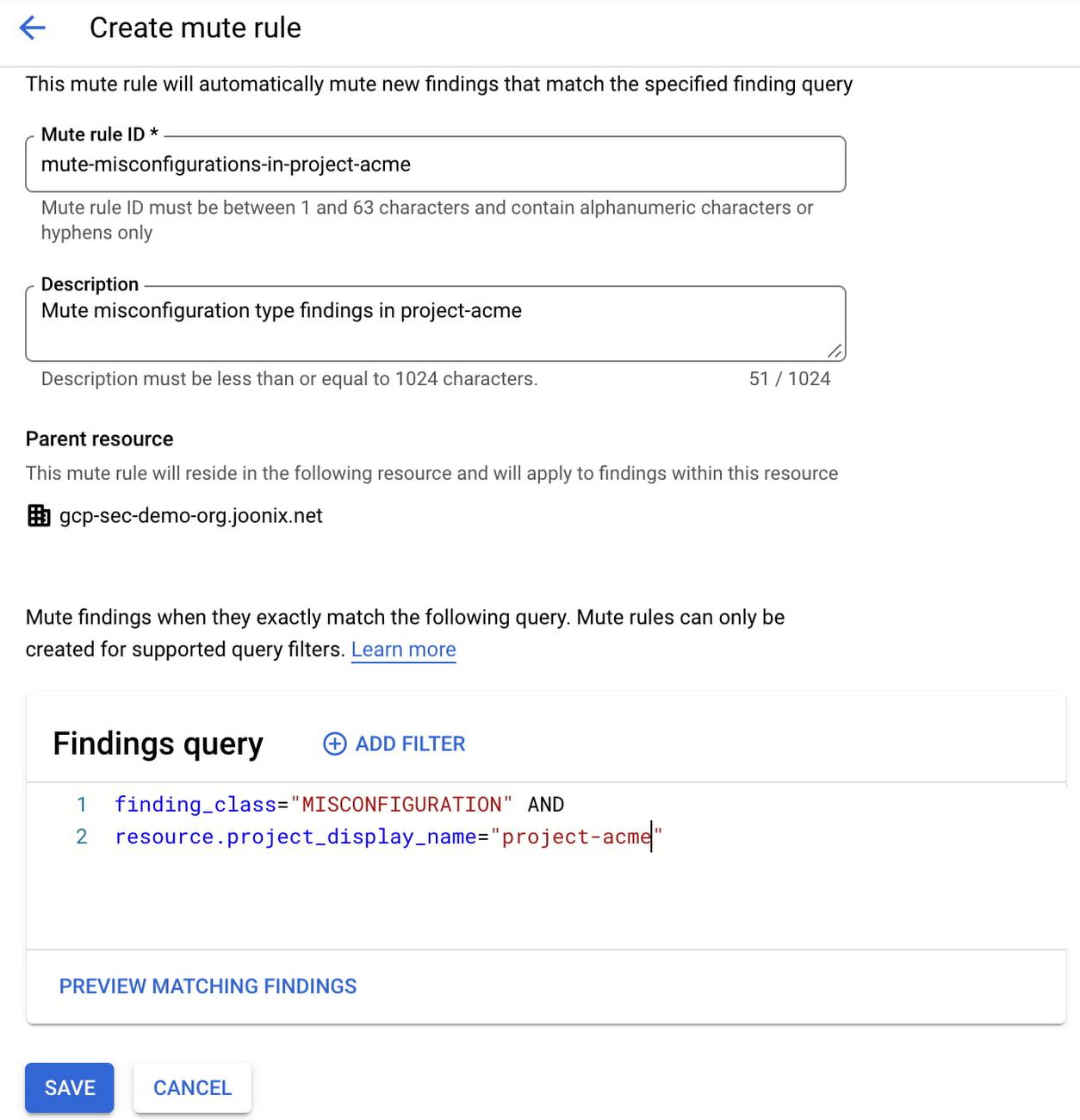
1: Automatically mute findings using mute rules
Mute rules enable you to scale and streamline your security operations process by automatically muting findings. You can create mute rules in SCC to silence findings based on criteria you specify. Any new, updated, or existing findings are automatically muted if they match the mute rule conditions.
2. Manual option to mute findings
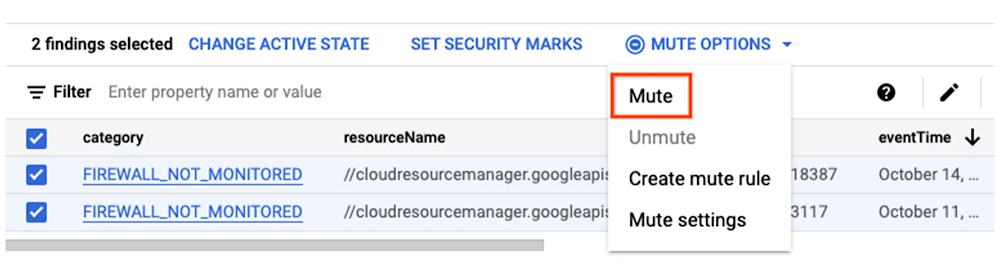
The manual option enables you to review and silence individual findings. You can select one or more findings in your findings view and manually mute them.
3. Unmuting findings
As your organization policy changes, there maybe scenarios where you would want to unmute findings that have been silenced in the past. For findings that have been muted either by a mute rule or manually earlier, but are now important for your environment, you can simply unmute them in the findings view. Once unmuted, they remain in that state and will not be automatically muted again by any mute rule. However, you can use the manual option to mute them again.
4. Auditing mute operations
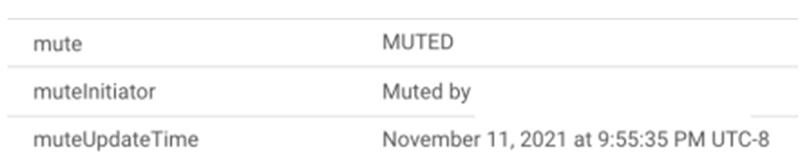
There are two additional attributes ‘mute initiator’ and ‘mute update time’ available in the findings. These attributes store the information on which mute rule or user took the mute/unmute action, along with a timestamp when the action was taken, providing you visibility for future auditing and investigation.
5. Findings view
The findings view in SCC provides a consolidated view of findings across threats, misconfigurations, and vulnerabilities. Muted findings are hidden in the default view. But to view muted findings, you can quickly and easily click on More Options > Include muted findings.
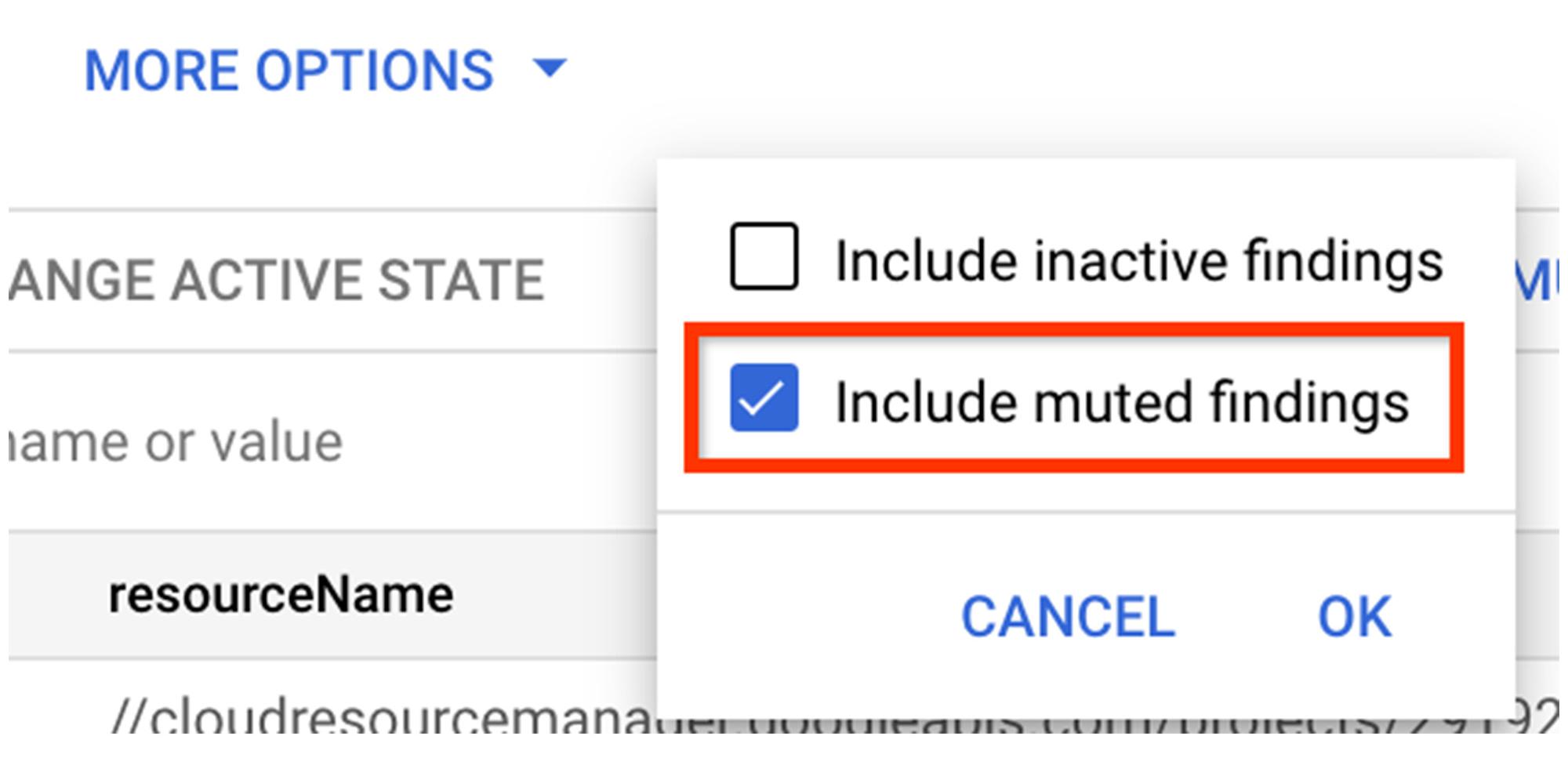
If you wish to see ONLY muted findings, simply add a filter for mute=MUTED
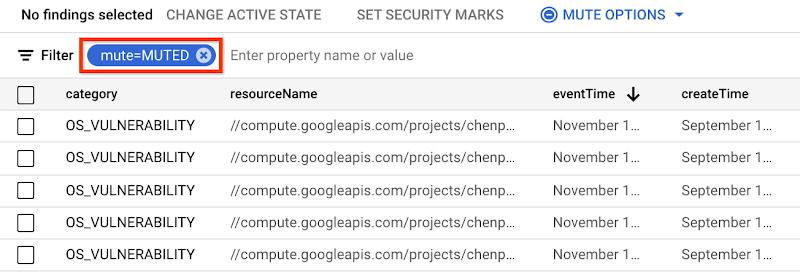
Getting started with muting findings in SCC
Mute findings functionality is now available in SCC through the Google Cloud Platform console, gcloud tool, and API. You can get started with these new capabilities today using our product documentation.
And, you can learn more about using SCC to comprehensively manage security and risk across your GCP footprint in our Getting Started video series.
By: Anoop Kapoor (Product Manager, Google Cloud) and Anil Nandigam (Product Marketing Lead, Google Cloud Security)
Source: Google Cloud Blog
For enquiries, product placements, sponsorships, and collaborations, connect with us at [email protected]. We'd love to hear from you!
Our humans need coffee too! Your support is highly appreciated, thank you!