Introduction
In this post, you’ll learn to build a Java based Cloud Function that will connect to a Cloud SQL for SQL Server database using the Cloud SQL Connector for Java. This solution will help you learn to build event driven lightweight solutions for any stand-alone functionality with Cloud SQL database that respond to Cloud events without needing to manage a server or runtime environment.
What is Cloud SQL?
Cloud SQL is a fully-managed database service that makes it easy to set up, maintain, manage, and administer your relational databases on Google Cloud Platform. It has 99.95% availability and supports up to 64 TB of storage available, with the ability to automatically increase storage size as needed. For a list of detailed features, refer to the documentation here.
From our partners:
What is Cloud Functions?
Cloud Functions is a lightweight serverless compute solution for developers to create single-purpose, stand-alone functions that respond to Cloud events without needing to manage a server or runtime environment.
What you’ll build
You’ll write a Cloud Function in Java. The function:
- Creates a Cloud SQL for SQL Server instance
- Connects to a Cloud SQL for SQL Server Database instance using a Cloud SQL Connector method
- Creates a table in the database
What you’ll learn
- How to create a Cloud SQL for SQL Server instance
- How to access the Cloud Functions web UI in the Google Cloud Console
- How to create a Cloud Function
- How to test a Cloud Function
- How to connect to a Cloud SQL database instance (SQL Server) using Java
- How to run DDL operations on a Cloud SQL database using Java and Cloud SQL Connector method
Requirements
- A browser, such as Chrome or Firefox
- A Google Cloud Platform project that contains your Cloud SQL instance
- The next section has the list of steps to create a Cloud SQL for SQL Server instance
1. Create the Cloud SQL – SQL Server instance
- From Google Cloud console, go to Cloud SQL
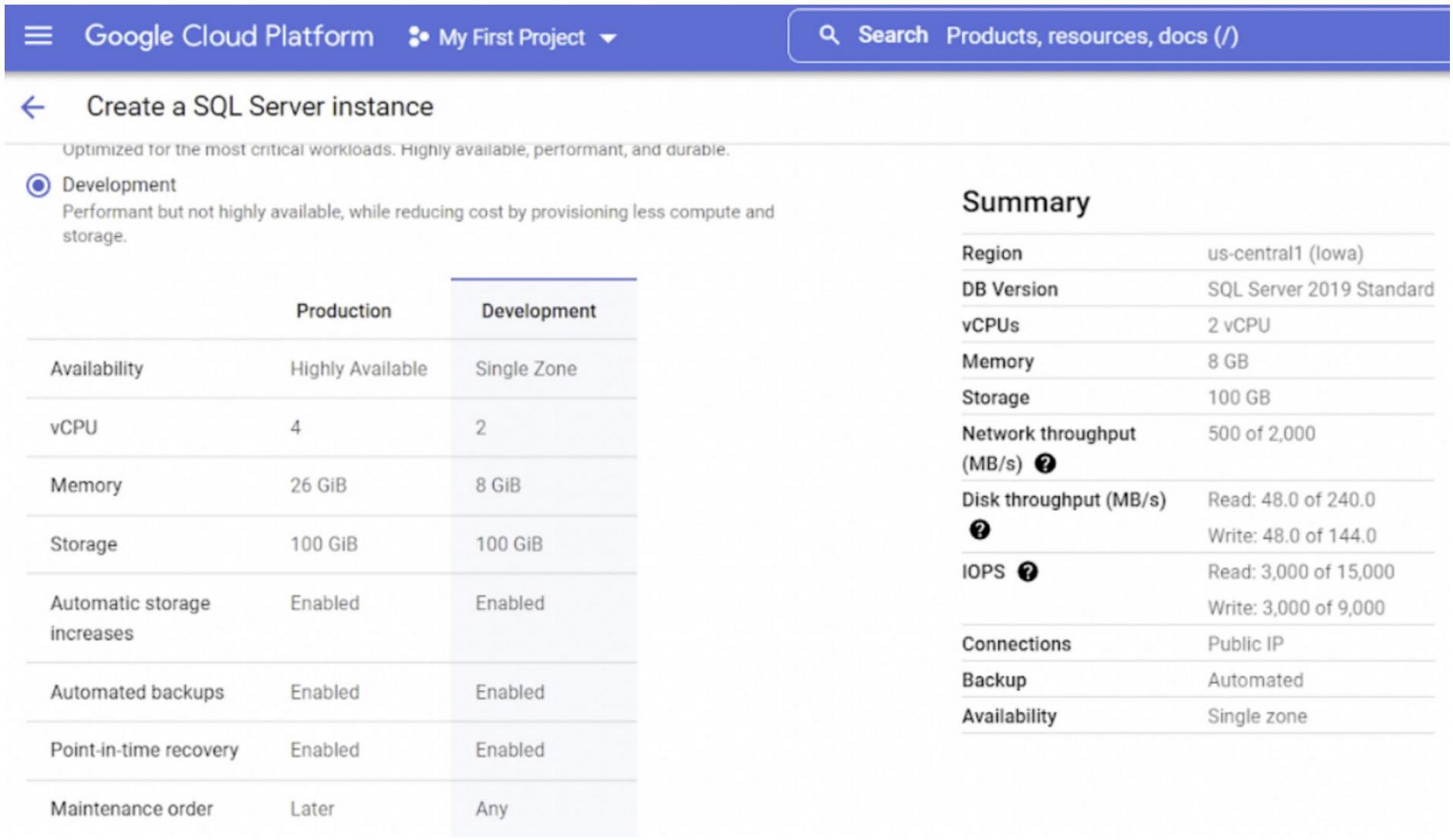
- Select SQL Server, and choose the SQL Server 2019 Standard as the Database version
- Choose from Development instance with default compute size and memory (you can change it later if needed) and make sure you leave the Public IP in the Networking section enabled
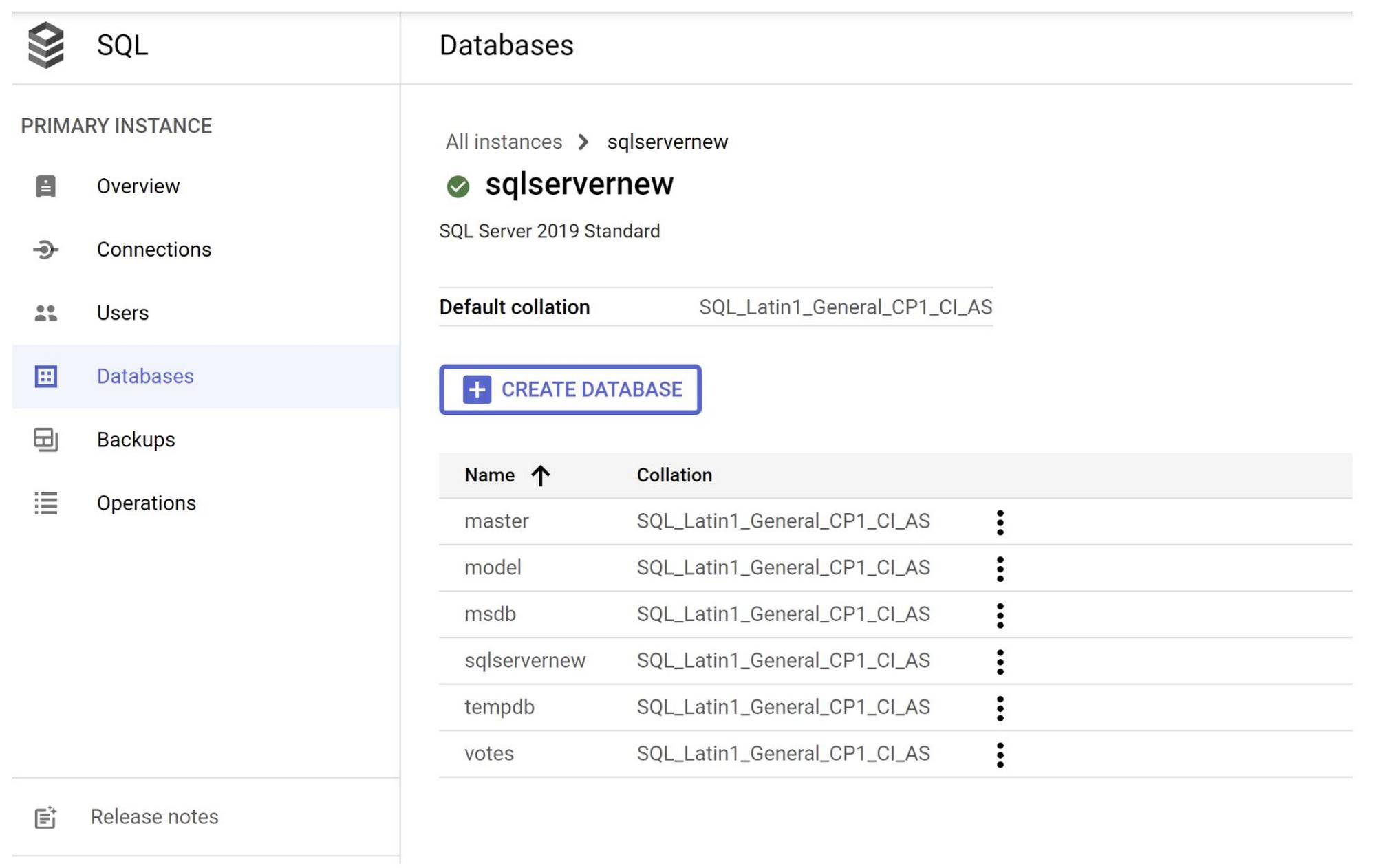
- Go to Databases on the left side menu once the instance is created and create a database
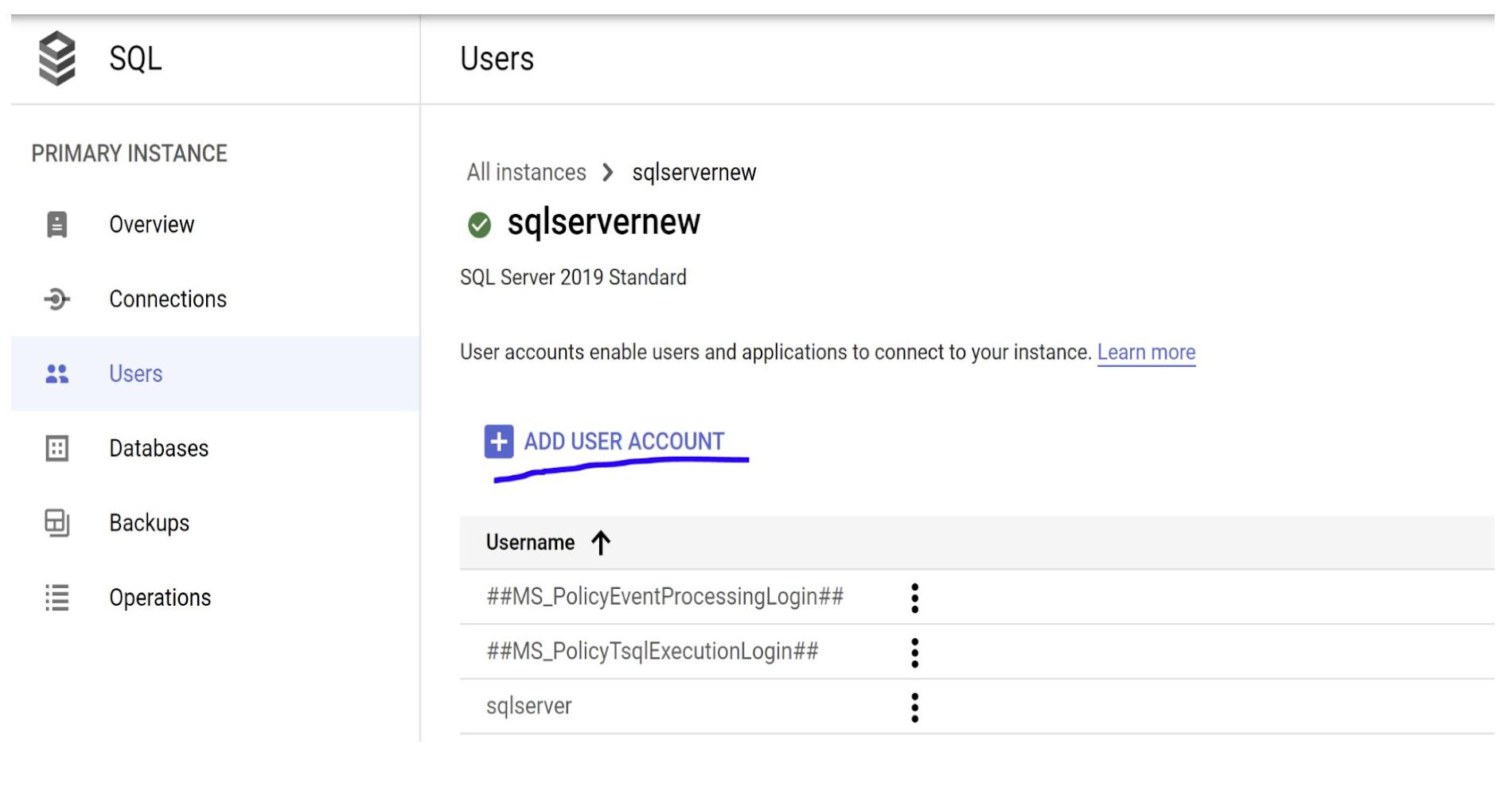
- Go to Users on the left side menu and configure a new user account (with a username and password) for the instance. You can alternatively use the default user as well.
2. Prepare code and create Cloud Function
Prepare Code
The Cloud Function code for connecting to a Cloud SQL database is available below. Some variable values depend on your Cloud SQL database configuration, and depend on your own database information. The function connects to SQL Server database using Cloud SQL Connector JDBC for SQL Server and creates a table in the database.
The Cloud Functions UI in the Cloud Console includes a text editor. You can copy/paste and edit the code there, or edit the code locally first, and then copy/paste it into the UI.
/pom.xml
You can find the pom.xml file in the repository: https://github.com/AbiramiSukumaran/CloudFunctions_CloudSQL/blob/main/pom.xml
The Java class for implementing the functionality:
https://github.com/AbiramiSukumaran/CloudFunctions_CloudSQL/blob/main/src/main/java/com/example/Example.java
/src/main/java/com/example/Example.java
package com.example;import com.google.cloud.functions.HttpFunction;import com.google.cloud.functions.HttpRequest;import com.google.cloud.functions.HttpResponse;import java.io.BufferedWriter;import com.zaxxer.hikari.HikariConfig;import com.zaxxer.hikari.HikariDataSource;import edu.umd.cs.findbugs.annotations.SuppressFBWarnings;import java.sql.Connection;import java.sql.PreparedStatement;import java.sql.SQLException;import javax.servlet.ServletContext;import javax.servlet.ServletContextEvent;import javax.servlet.ServletContextListener;import javax.servlet.annotation.WebListener;import javax.sql.DataSource;import java.sql.PreparedStatement;import java.sql.ResultSet;import java.util.ArrayList;import java.util.List;import java.util.Properties;import java.util.UUID;import java.util.concurrent.TimeUnit;public class Example implements HttpFunction {@Overridepublic void service(HttpRequest request, HttpResponse response) throws Exception {createConnectionPool();BufferedWriter writer = response.getWriter();writer.write("Hello. I have successfully completed your work - created table in SQL Server!");}/* Saving credentials in environment variables is convenient, but not secure - consider a more secure solution such as https://cloud.google.com/kms/ to help keep secrets safe. */private static final String INSTANCE_CONNECTION_NAME ="YOUR_CONNECTION";private static final String DB_USER = "YOUR_USERNAME";private static final String DB_PASS = "YOUR_PASSWORD";private static final String DB_NAME = "testdatabase";private HikariDataSource connectionPool;private String tableName;public void createConnectionPool() throws SQLException {HikariConfig config = new HikariConfig();config.setDataSourceClassName("com.microsoft.sqlserver.jdbc.SQLServerDataSource");config.setUsername(DB_USER);config.setPassword(DB_PASS);config.addDataSourceProperty("databaseName", DB_NAME);config.addDataSourceProperty("socketFactoryClass","com.google.cloud.sql.sqlserver.SocketFactory");config.addDataSourceProperty("socketFactoryConstructorArg", INSTANCE_CONNECTION_NAME);config.addDataSourceProperty("encrypt", "true");config.addDataSourceProperty("trustServerCertificate","true");config.setMaximumPoolSize(5);config.setMinimumIdle(5);config.setConnectionTimeout(10000); // 10 secondsconfig.setIdleTimeout(600000); // 10 minutesconfig.setMaxLifetime(1800000); // 30 minutesDataSource pool = new HikariDataSource(config);this.connectionPool = new HikariDataSource(config);this.tableName = String.format("books_%s", UUID.randomUUID().toString().replace("-", ""));// Create tabletry (Connection conn = connectionPool.getConnection()) {String stmt = String.format("CREATE TABLE %s (", this.tableName)+ " ID CHAR(20) NOT NULL,"+ " TITLE TEXT NOT NULL"+ ");";try (PreparedStatement createTableStatement = conn.prepareStatement(stmt)) {createTableStatement.execute();}}}}
3. Create Cloud Function
Create the function
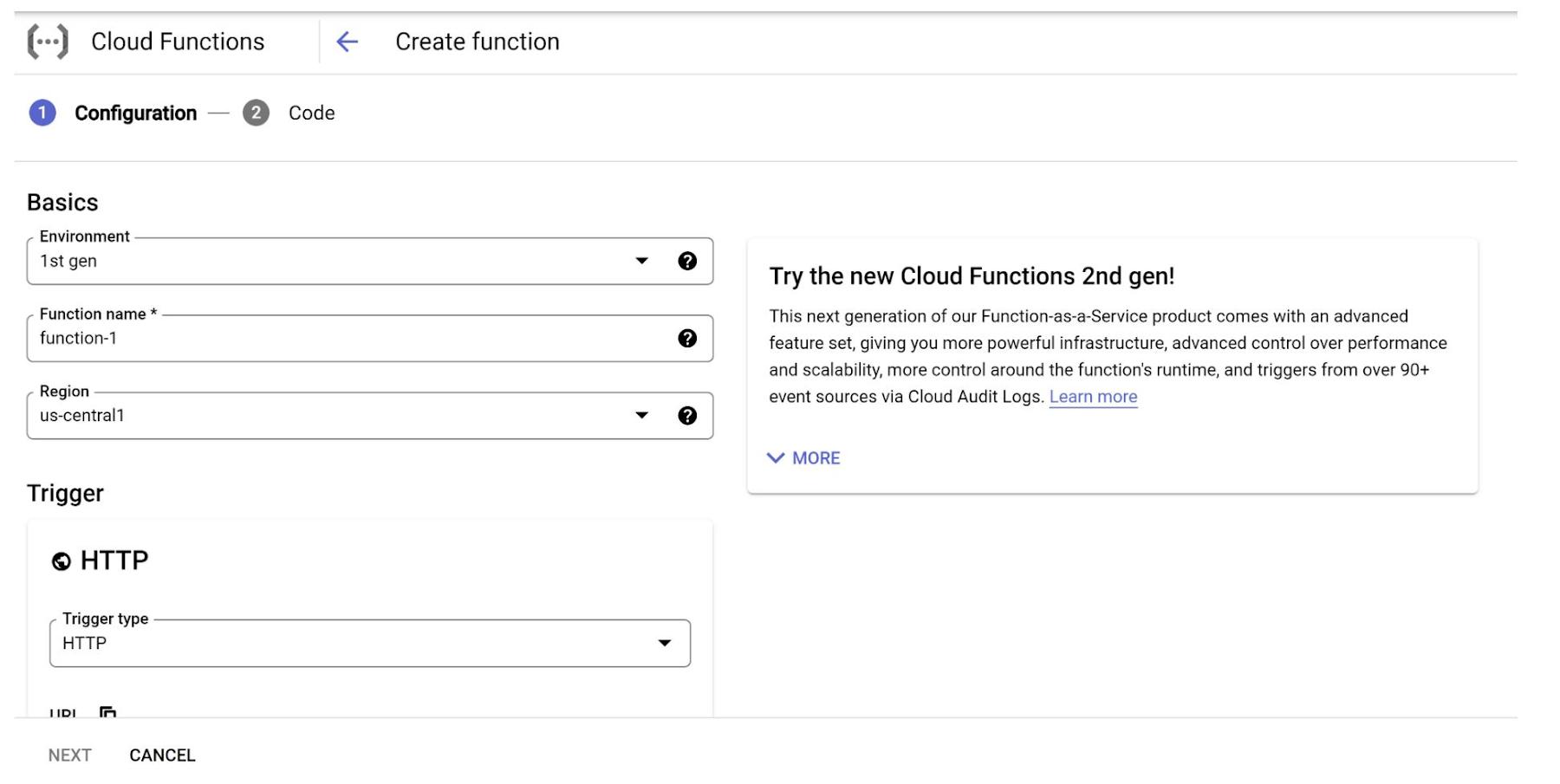
1. In a browser, go to the Google Cloud Platform Console UI
2. Select Cloud Functions from the Navigation menu
3. Click CREATE FUNCTION on the button bar
4. Enter a name for the function
5. Select the HTTP trigger. (Make a note of the URL displayed beneath the trigger item. It will be in this format: https://REGION-PROJECT_ID.cloudfunctions.net/FUNCTION_NAME)
6. Under Authentication, select Allow unauthenticated invocations to make the function public in this example, to make it accessible to test from the browser by clicking the URL in Trigger tab of the Functions console
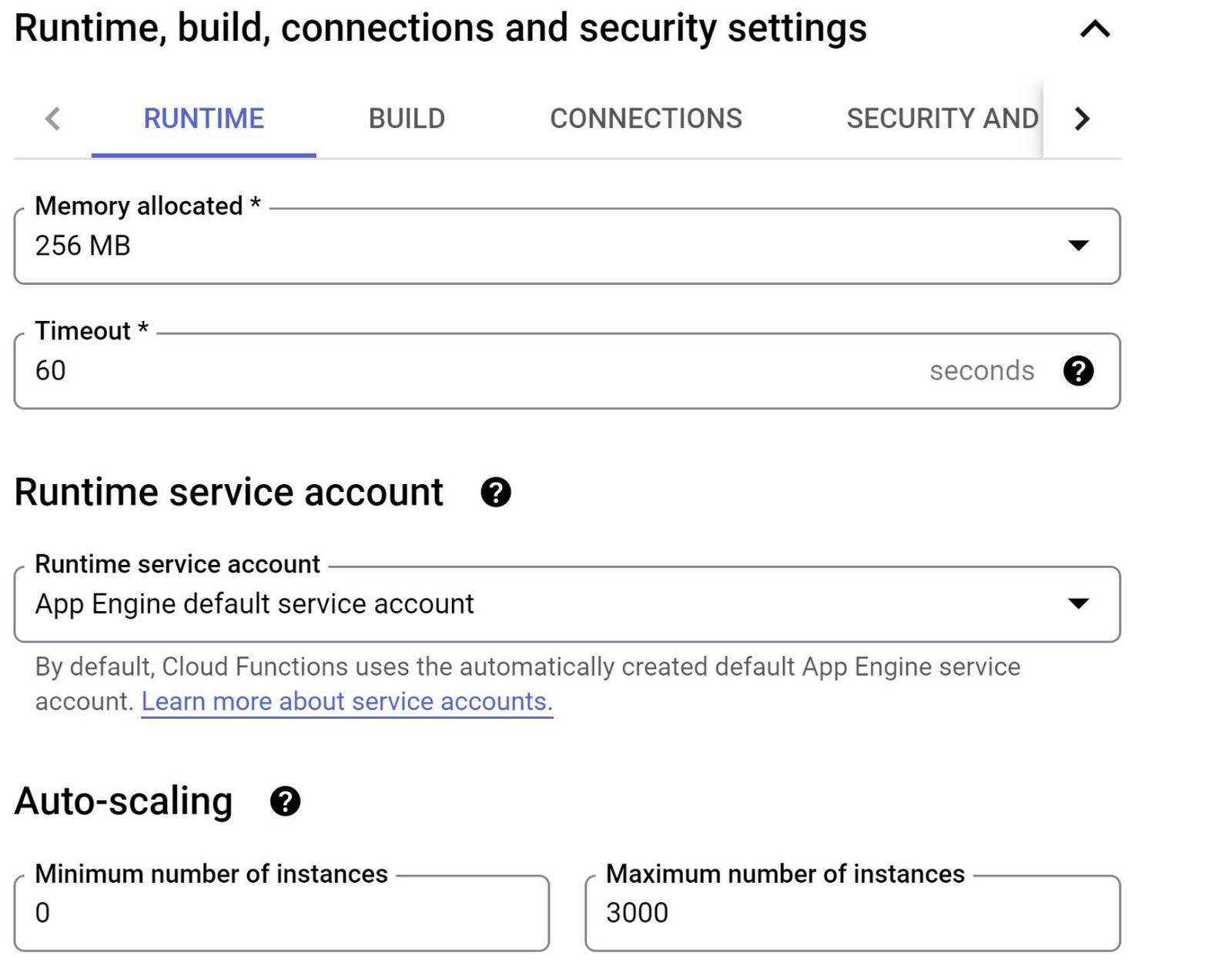
7. Expand the Runtime, Build and Connections Settings In Runtime service account, select a service account that has the Cloud SQL Client role
8. Click the NEXT button
9. Select Runtime : Java 11 for the runtime option
10. Select Inline editor for the source code option
11. Select the source code editor windows, delete the existing content for both pom.xml and Example.java, and replace them with your edited versions of the code above
12. Enter “ CF-CloudSQL” as the name of the Entry point
13. Click Deploy and wait while the function is created. The spinner stops spinning and a green check appears on the subsequent page when the function is ready to use
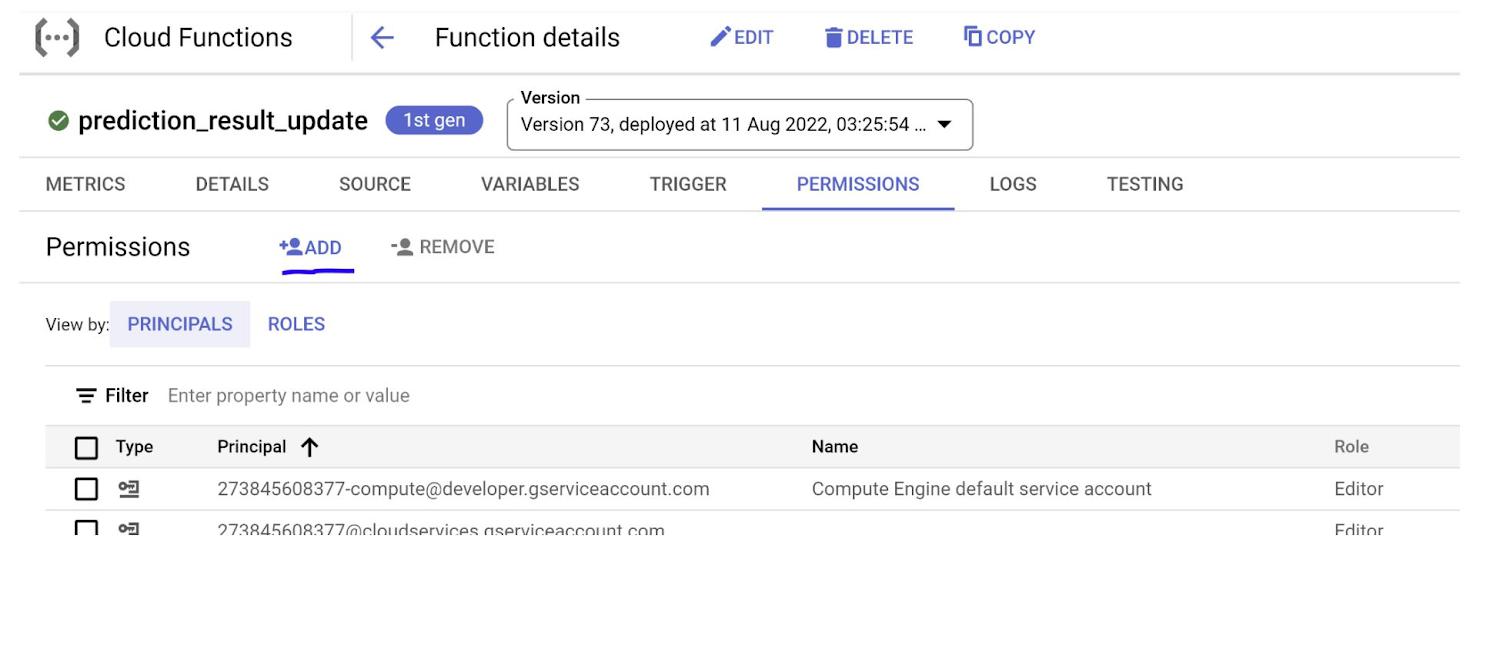
14. Add permission for “allUsers” principal to “Cloud Functions Invoker” role
Note:
1. Now that we are GA, it is highly recommended to use Gen 2 for Cloud Functions Environment. Refer documentation at https://cloud.google.com/functions/docs/release-notes#August_03_2022
This experiment was drafted when it was still not GA, so you’ll see screenshots using Gen 1 Functions, but take Gen 2 as the recommendation.
2. The testing tab does differ slightly for 2nd gen where you will not see the “test function” button. Testing improvements are still in development for 2nd gen. In the meantime, you can paste into your terminal.
3. For storing credentials like DB passwords, we recommend using Secrets Manager configuration in the Security and Image Repo Tab on the Runtime, Build, Connection and Security Settings of the Cloud Functions configuration screen.
4. Test the function
1. Click on the name of the function you created in the above steps
2. Select the TESTING link in the middle of the page
3. Select TEST THE FUNCTION
4. The result should appear. If the test fails, you’ll see a stack trace to help with debugging
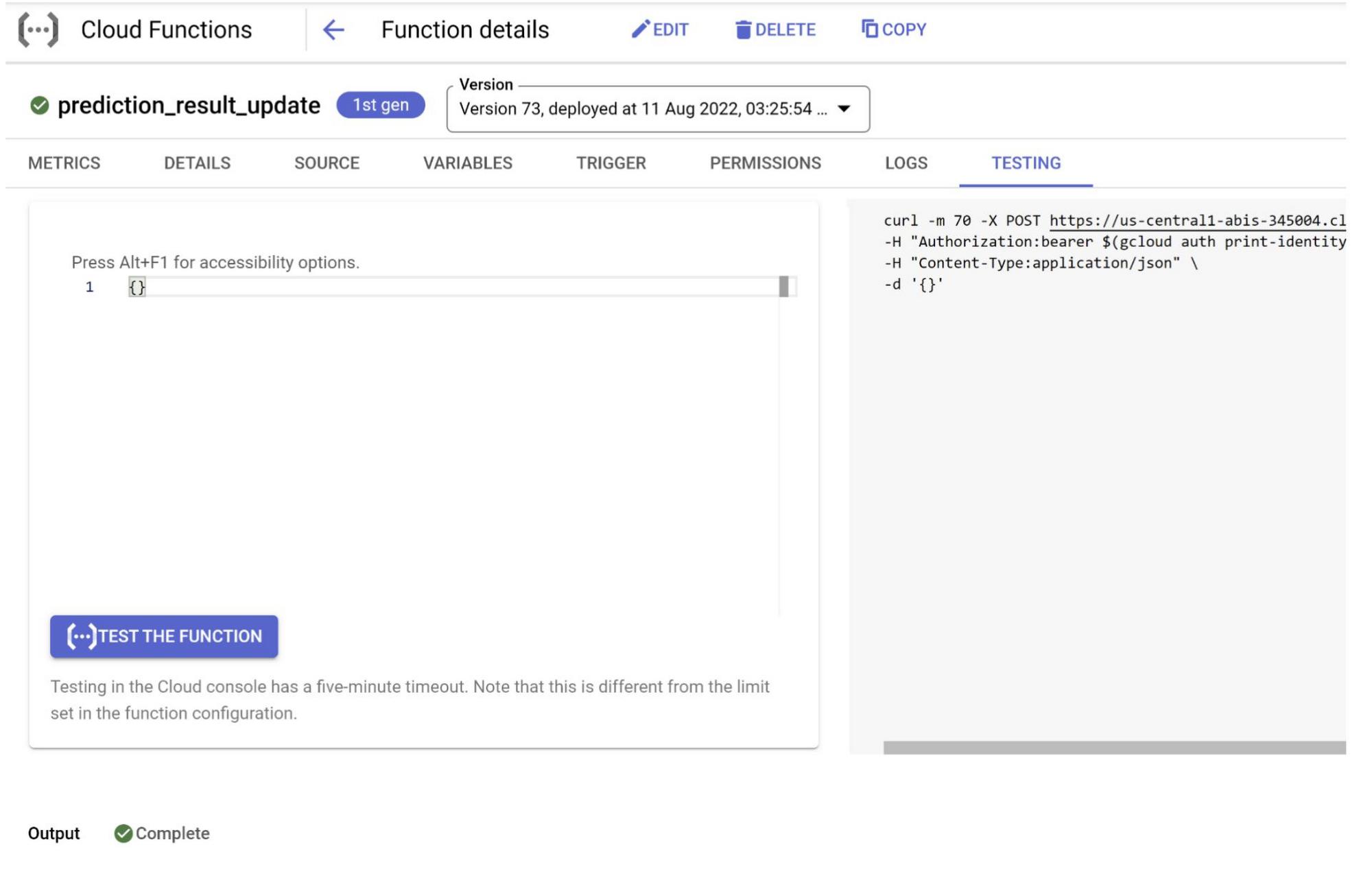
5. In a browser, go to the URL that you saved earlier, when you created the function. If you forgot to save the URL, you can get it from the TRIGGER link
6. The ok result should appear in the browser as well
7. You can check for details in the “DETAILS” tab
8. You can check for log and console information in the “LOGS” tab
5. Clean up
To avoid incurring charges to your Google Cloud account for the resources used in this post, follow these steps.
Delete the Cloud SQL instance
1. Go to the Cloud SQL Instances page in the Google Cloud Console
2. Select the instance you created to open the Instance details page
3. In the icon bar at the top of the page, click Delete
4. In the Delete instance window, type the name of your instance, then click Delete to delete the instance. You cannot reuse an instance name for about 7 days after an instance is deleted
Delete the Cloud Function
1. Go to the Cloud Functions page in the Google Cloud Console
2. Select the three dots under Actions for your function and choose Delete
3. Confirm deletion by clicking the DELETE button
6. Congratulations
Congratulations, you’ve successfully created Cloud SQL – SQL Server instance and built a Cloud Function that works with Cloud SQL.
Specifically, you’ve created a Java Cloud Function that connects to and creates a table in a Cloud SQLfor SQL Server database instance using Cloud SQL connector method. This kind of function helps you build stand alone compute solutions for event-driven cloud use cases using Cloud SQL data that is handled by other enterprise applications. Now go ahead and extend this learning to implement an update triggered calculation in an existing table assuming that the data in the table is getting transactionally updated from multiple sources.
7. Before you go…
Check out some of these codelabs and resourceful reads.
- Connecting to Cloud SQL: Compute Engine, Private IP and Cloud SQL Proxy
- Introduction to Cloud SQL Insights
- https://codelabs.developers.google.com/codelabs/connecting-to-cloud-sql-with-cloud-functions#0
- Cloud Functions documentation
- Cloud SQL documentation
- https://cloud.google.com/sql/docs/sqlserver/connect-connectors
By: Abirami Sukumaran (Developer Advocate, Google)
Source: Google Cloud Blog
For enquiries, product placements, sponsorships, and collaborations, connect with us at [email protected]. We'd love to hear from you!
Our humans need coffee too! Your support is highly appreciated, thank you!