Prerequisites
- Operating System: Windows 7 and above
- Python 3.7 or greater installed
- Python Pip is installed
- Python Virtual Environment is installed (Optional)
Structure Overview
|__ geek_flask_api

  |__ api

    |__ res

      |__ __init__.py

      |__ application_res.py

    |__ __init__.py

  |__ app_wsgi.py

  |__ runserver.py

  |__ requirements.txt

  |__ README.md
From our partners:
Steps
01. Create the necessary directories and files.
|__ geek_flask_api

  |__ api

    |__ res

      |__ __init__.py

      |__ application_res.py

    |__ __init__.py

  |__ app_wsgi.py

  |__ runserver.py

  |__ requirements.txt

  |__ README.md
02. Update the necessary Python library/packages by setting the value of the geek_flask_api\requirements.txt
flask
03. (Optional but recommended). Create a virtual environment dedicated to the Flask/API project.
For instructions on how to install and configure virtual environment. Check this post.
$ cd ~

$ cd geek_flask_api

$ virtualenv geek-python-venv
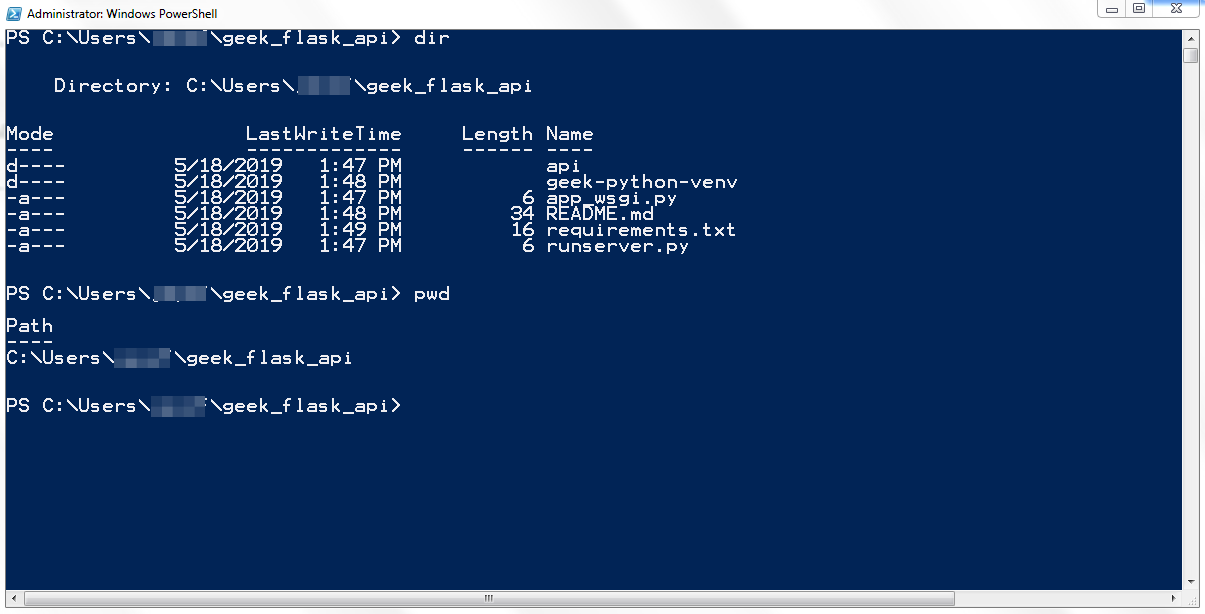
The directory structure should look something like below
04. Activate the Virtual Environment.
# Need to execute this beforehand to enable to run activate shell script

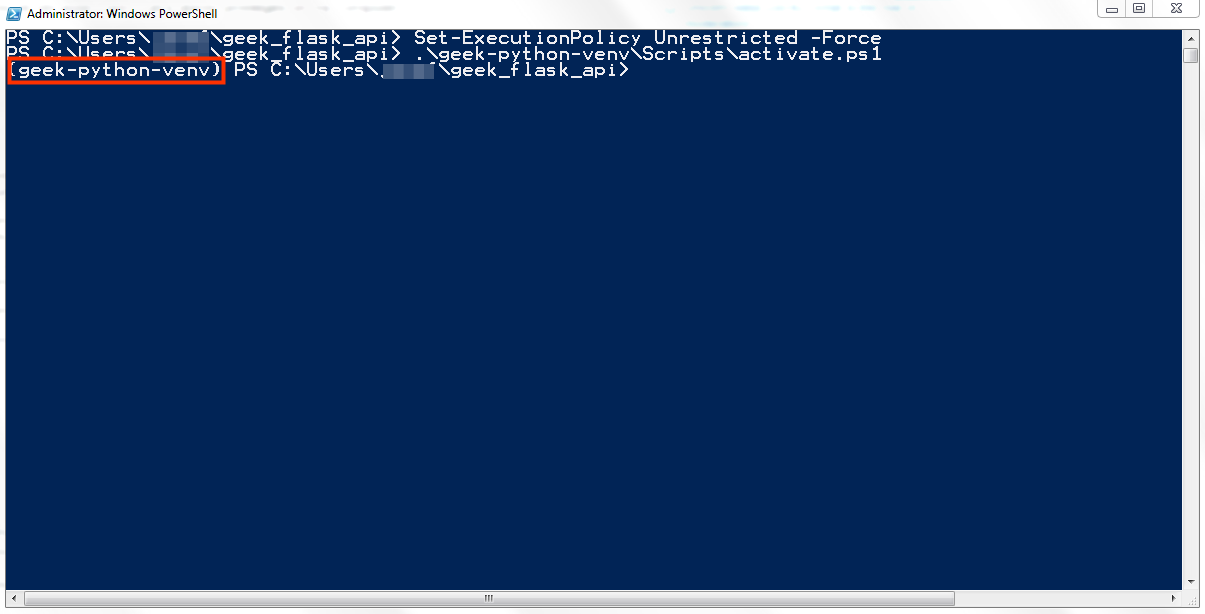
$ Set-ExecutionPolicy Unrestricted -Force

$ .\geek-python-venv\Scripts\activate.ps1
Notice that the command prompt has changed to include virtual environment
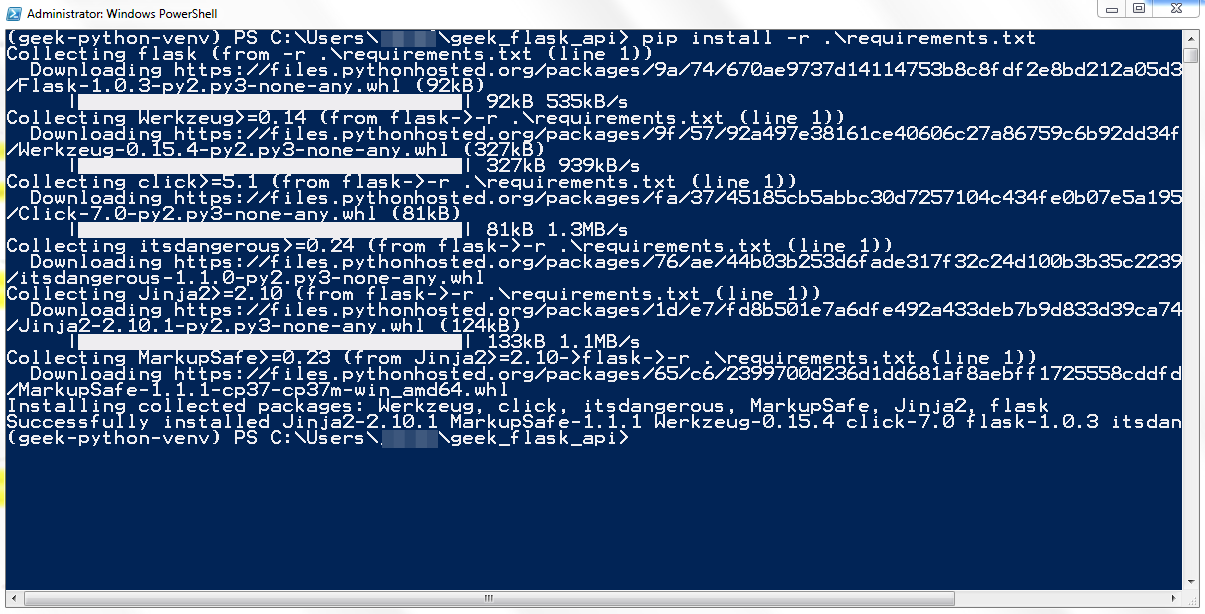
05. Install the flask library via Pip using the requirements.txt
(geek-python-venv) $ pip install -r .\requirements.txt
06. Update the content of geek_flask_api\runserver.py using the editor of your choice and set the content as follows
# -*- coding: utf-8 -*-

# Start Flask with default web server

from api import application

application.run(host='127.0.0.1', port=8888, debug=True)
07.Update the dunder geek_flask_api\api\__init__.py python file. This imports the res python module, the endpoints will be located at the application_res or other res (Resource) python file.
from flask import Flask

application = Flask(__name__)

import api.res.application_res
08. Update the geek_flask_api\api\res\application_res.py
# -*- coding: utf-8 -*-

from flask import jsonify

from api import application

@application.route('/', methods=['GET'])

def get_app_properties():

  name = 'geek-flask-api'
  version = '0.0.1'

  app_properties = \
  {
    'name' : name
    , 'version' : version
  }

  return jsonify(app_properties)
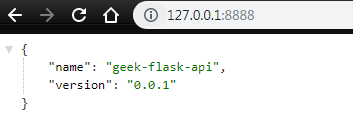
Above will create a GET endpoint accessible by the root path, (/).
09. Run the application
(geek-python-venv) $ python runsever.py
It should show something similar
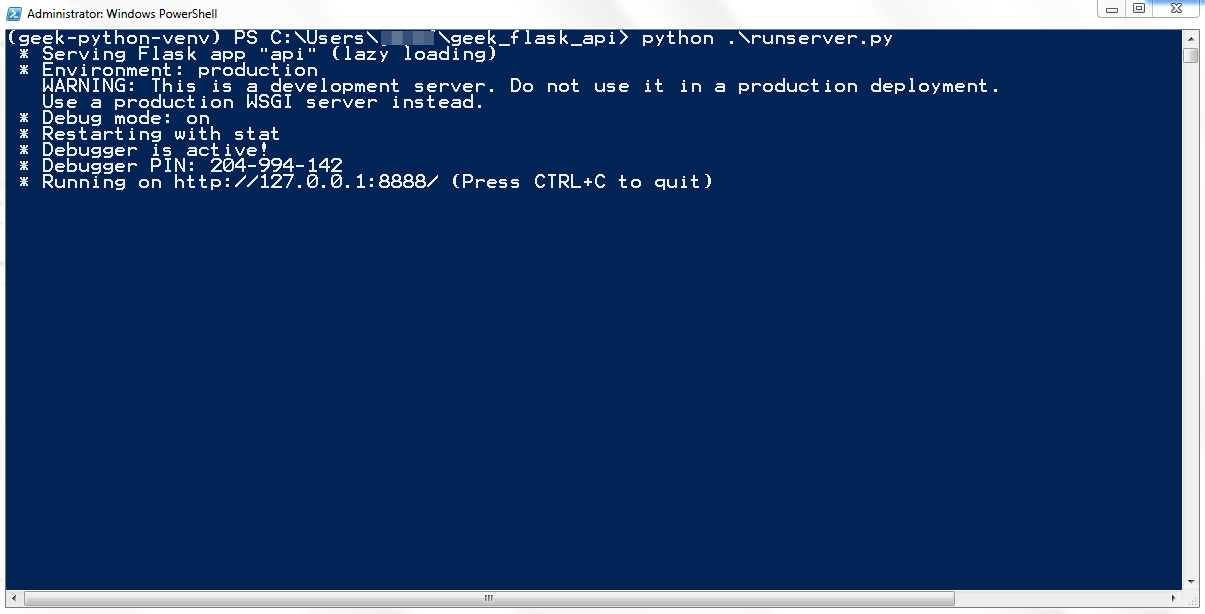
Note that running the application via this way (runserver.py) should only be used on local development. If needed to deploy on a Web Application server, a middleware or WSGI server should be used instead.
10. Test the application on the browser.
http://localhost:8888
For enquiries, product placements, sponsorships, and collaborations, connect with us at [email protected]. We'd love to hear from you!
Our humans need coffee too! Your support is highly appreciated, thank you!