aster.cloud aster.cloud
  • /
  • Platforms
    • Public Cloud
    • On-Premise
    • Hybrid Cloud
    • Data
  • Architecture
    • Design
    • Solutions
    • Enterprise
  • Engineering
    • Automation
    • Software Engineering
    • Project Management
    • DevOps
  • Programming
    • Learning
  • Tools
  • About
  • /
  • Platforms
    • Public Cloud
    • On-Premise
    • Hybrid Cloud
    • Data
  • Architecture
    • Design
    • Solutions
    • Enterprise
  • Engineering
    • Automation
    • Software Engineering
    • Project Management
    • DevOps
  • Programming
    • Learning
  • Tools
  • About
aster.cloud aster.cloud
  • /
  • Platforms
    • Public Cloud
    • On-Premise
    • Hybrid Cloud
    • Data
  • Architecture
    • Design
    • Solutions
    • Enterprise
  • Engineering
    • Automation
    • Software Engineering
    • Project Management
    • DevOps
  • Programming
    • Learning
  • Tools
  • About
  • DevOps
  • Platforms

How To Install And Use GCP Cloud SDK For Ubuntu

  • root
  • July 15, 2019
  • 2 minute read

Overview

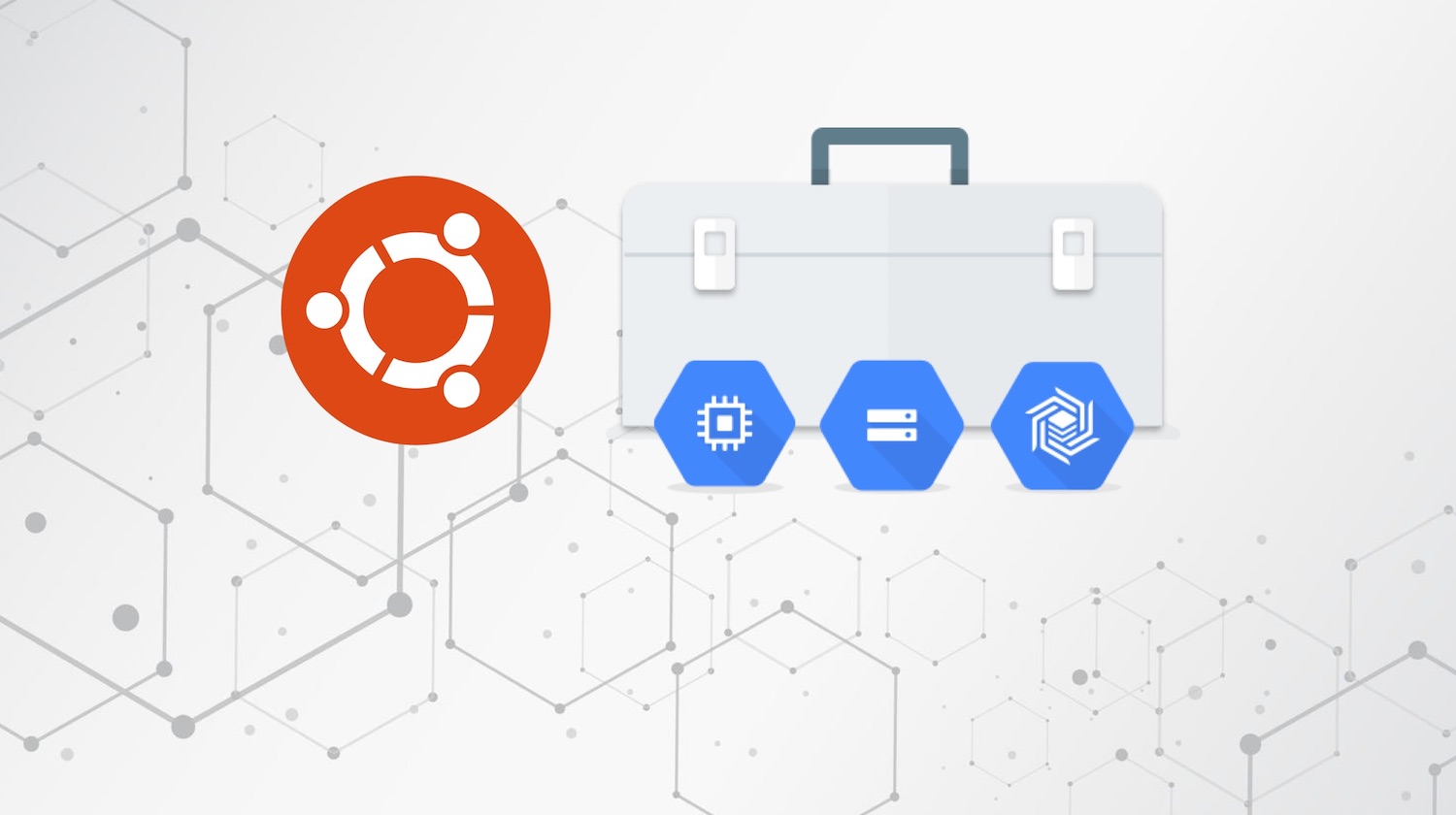
How to install and use Google Cloud SDK for Ubuntu and initialize the SDK using a Google account.


Partner with aster.cloud
for your next big idea.
Let us know here.


From our partners:

CITI.IO :: Business. Institutions. Society. Global Political Economy.
CYBERPOGO.COM :: For the Arts, Sciences, and Technology.
DADAHACKS.COM :: Parenting For The Rest Of Us.
ZEDISTA.COM :: Entertainment. Sports. Culture. Escape.
TAKUMAKU.COM :: For The Hearth And Home.
ASTER.CLOUD :: From The Cloud And Beyond.
LIWAIWAI.COM :: Intelligence, Inside and Outside.
GLOBALCLOUDPLATFORMS.COM :: For The World's Computing Needs.
FIREGULAMAN.COM :: For The Fire In The Belly Of The Coder.
ASTERCASTER.COM :: Supra Astra. Beyond The Stars.
BARTDAY.COM :: Prosperity For Everyone.

Prerequisites

  • Operating System : Ubuntu 18.04
  • Access to a Terminal or Shell Console
  • GCP account for setting up the gcloud locally
  • Web browser for login


Cloud SDK Installation

01: Open a terminal
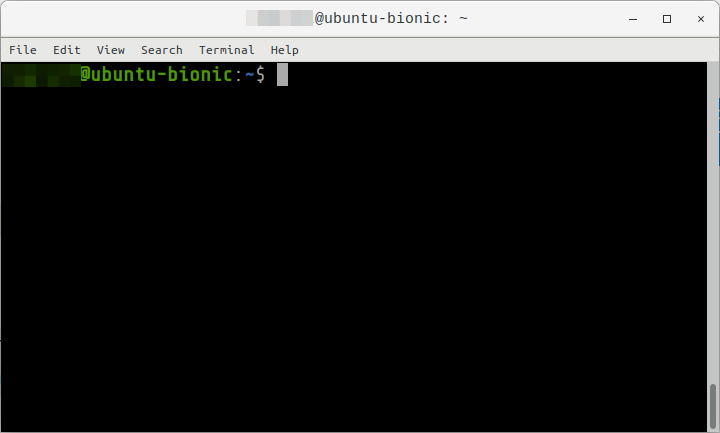
 

02: Add the Cloud SDK distribution URI as a package resource.


$ echo "deb [signed-by=/usr/share/keyrings/cloud.google.gpg] https://packages.cloud.google.com/apt cloud-sdk main" | sudo tee -a /etc/apt/sources.list.d/google-cloud-sdk.list


03: Import the Google public key


$ curl https://packages.cloud.google.com/apt/doc/apt-key.gpg | sudo apt-key --keyring /usr/share/keyrings/cloud.google.gpg add -


04: Update the package repository


$ sudo apt update


05: Install the Cloud SDK


$ sudo apt-get install google-cloud-sdk


06: Additional components can be installed using the following


#

$ sudo apt install google-cloud-sdk-app-engine-python

#

$ sudo apt install google-cloud-sdk-app-engine-python-extras

#

$ sudo apt install google-cloud-sdk-app-engine-go

#

$ sudo apt install kubectl

For other packages, go to the following link.


07: Run the init command to perform initial setup. It will perform requirements check like network connectivity. Enter Y to login.


Authenticating via Browser


$ gcloud init
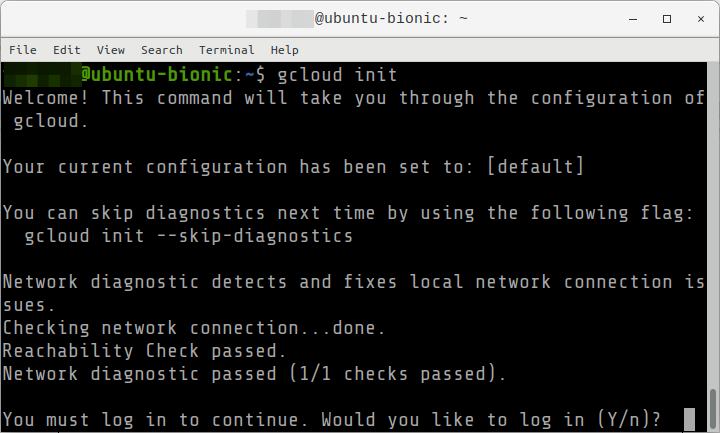
 

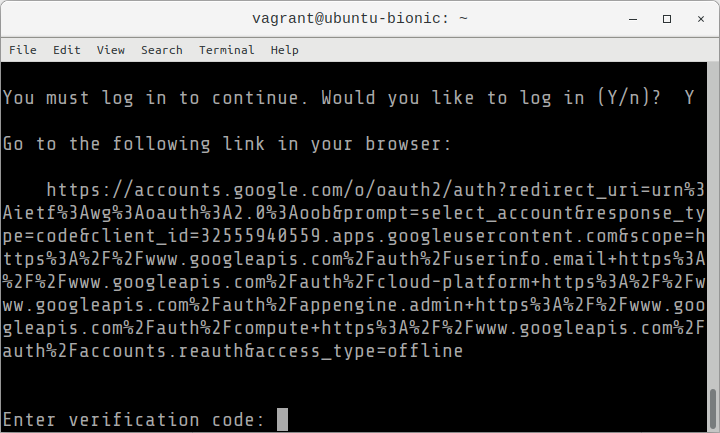
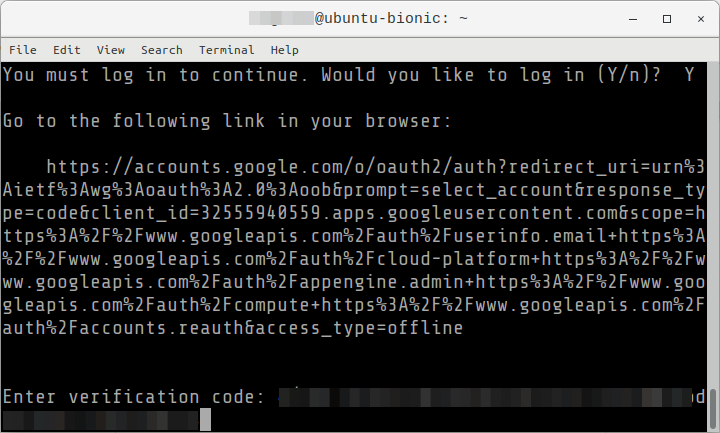
01: A link will be displayed, copy it, and open it in the browser,
 

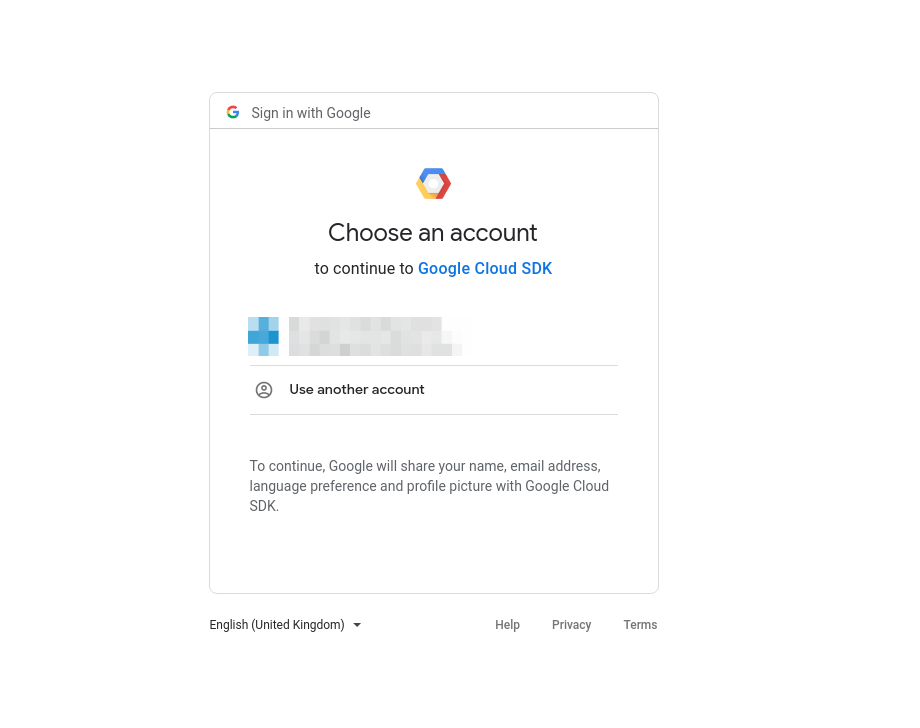
02: Login using your Google account that has access to GCP.
 

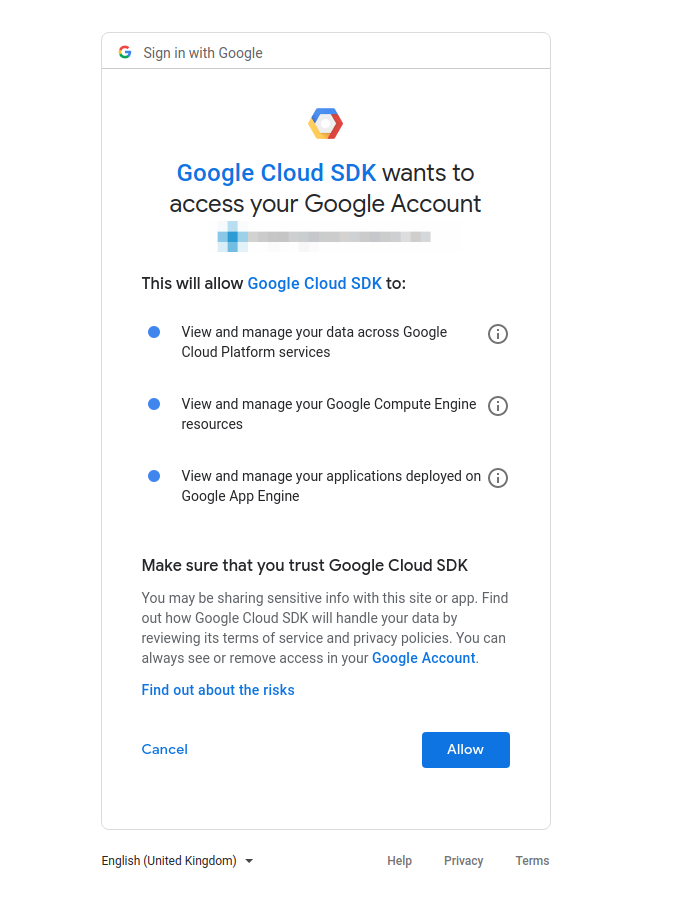
03: Accept the permission request by selecting the Allow button.
 

04: It will return a code after allowing the Google Cloud SDK permissions.
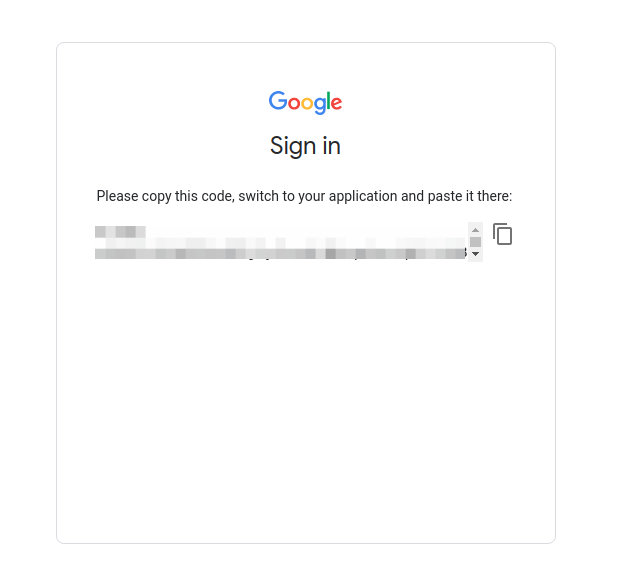
 

05: Paste the verification code on the terminal
 

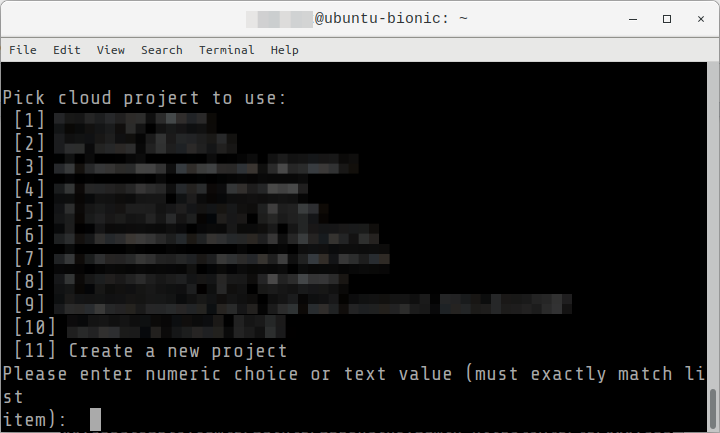
06: If you have existing project, you can select from the list to set the project to use or you can select the option Create a new project which is on the last item of the list. In this example we will be using an existing project.
Read More  New Research On How COVID-19 Changed The Nature Of IT


07: Next is to choose default Compute Region and Zone. Enter ‘Y’ if you want, or ‘n’ to pass.
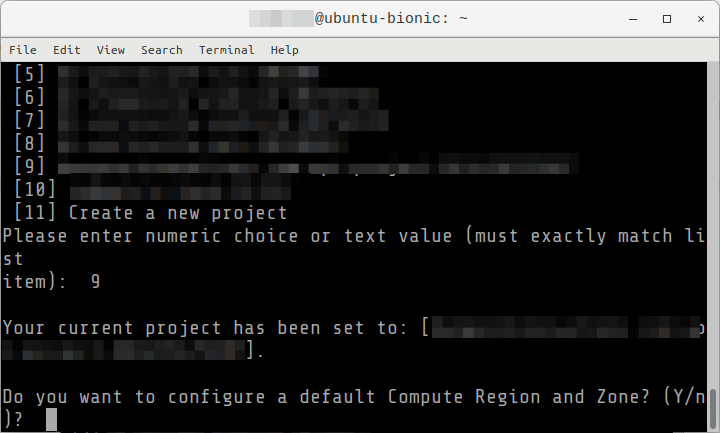
 

08: Setup is now complete and you can now use the gcloud sdk to perform some commands.
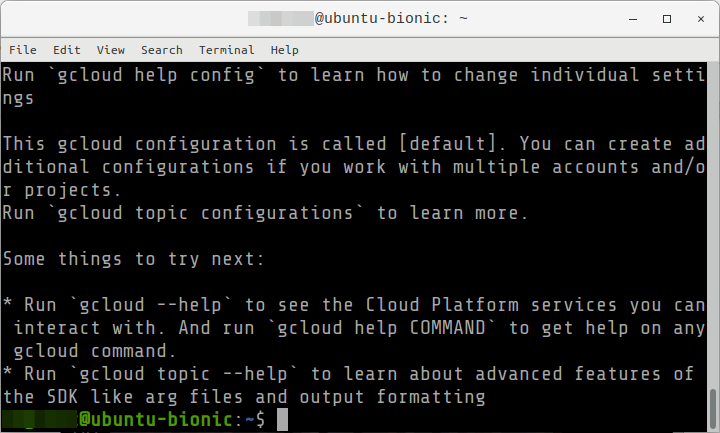
 

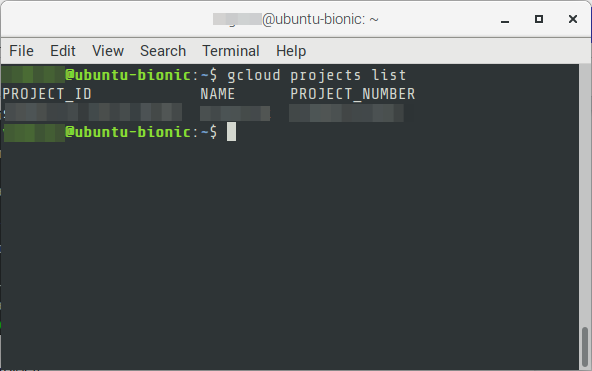
09: To verify if Google Cloud SDK is installed and your account is configured, you can try the following command. It will show the list of projects with the Project ID, Project Name and Project Number.


$ gcloud projects list

Authenticating via Service Account

01: Download the Service Account (SA) into the local file system. The JSON key file can be downloaded after creation of the SA.


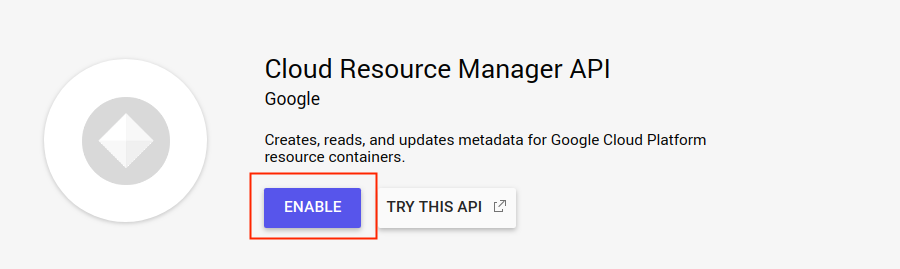
02: Make sure that the Project to access has its Cloud Resource Manager API enabled.
 

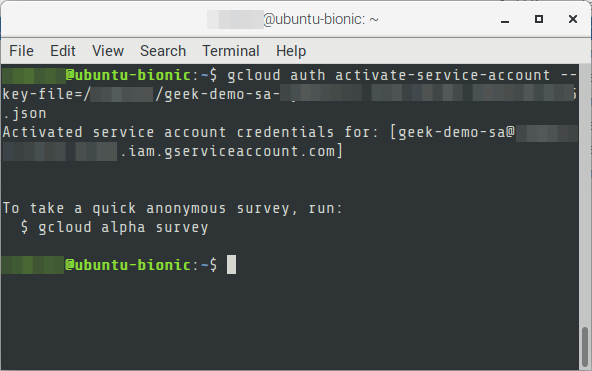
03: Authorize access to Google Cloud Platform with a service account key file.


$ gcloud auth activate-service-account --key-file={{service-account-json-file}}.json
 

04: Initialize gcloud


$ gcloud init


Note that account is already selected that was used in the Service Account specified.
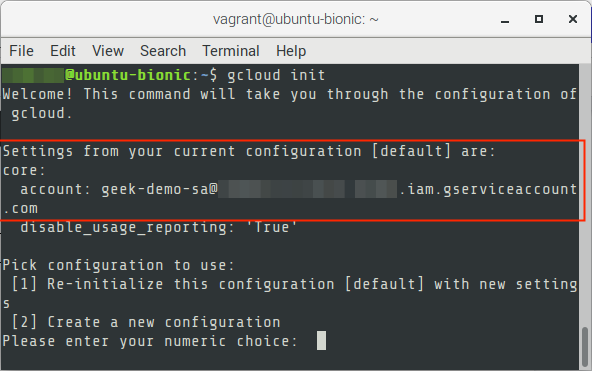
 

05: Enter 1 for the default settings. It will perform diagnostic checks and existing configuration can be chosen.
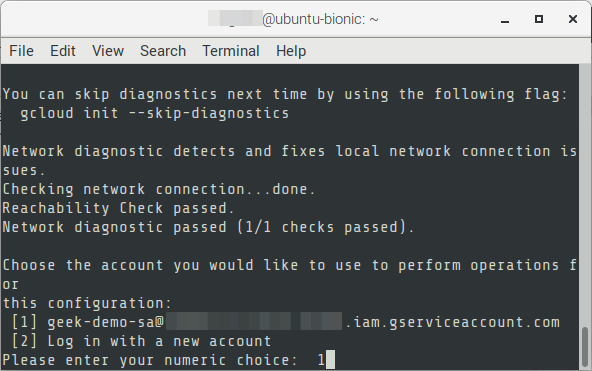


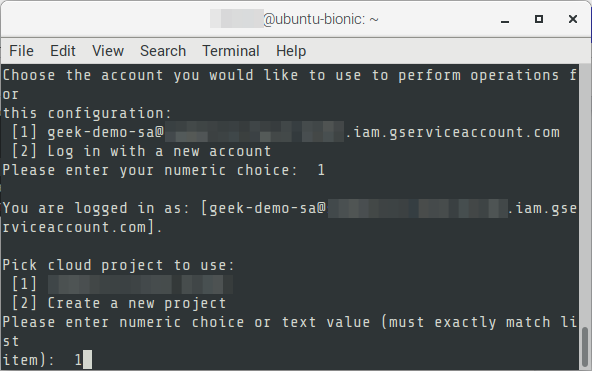
06: Project selection will be shown, and choose the project to use.
 

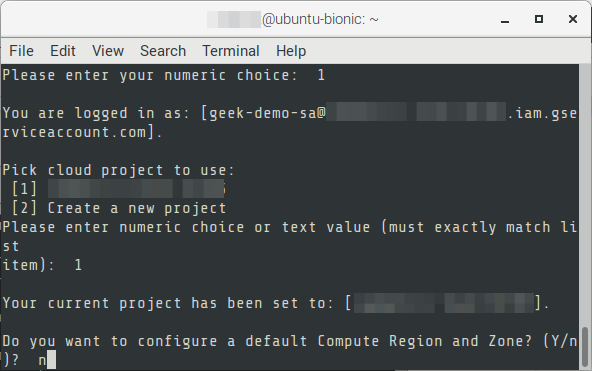
07: Then an option to set the default region will be asked. Select “Y” to set one, or “n” to pass.
 

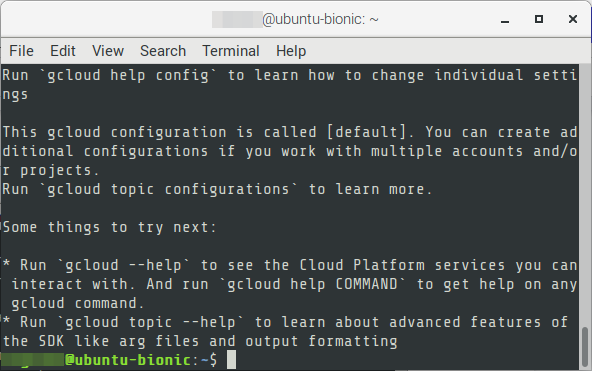
08: Authentication is now complete.
 

09: Test by displaying the projects.


$ gcloud projects list


For enquiries, product placements, sponsorships, and collaborations, connect with us at [email protected]. We'd love to hear from you!

Our humans need coffee too! Your support is highly appreciated, thank you!

root

Related Topics
  • Cloud SDK
  • GCP
  • Google Cloud
  • How To
  • Ubuntu
You May Also Like
View Post
  • Data
  • Platforms
  • Technology

Scaling cloud and AI: Microsoft Azure’s commitment to Europe’s digital future

  • May 11, 2026
View Post
  • Data
  • Platforms
  • Public Cloud

PayPal’s historically large data migration is the foundation for its gen AI innovation

  • March 4, 2026
View Post
  • Platforms
  • Technology

Microsoft Sovereign Cloud adds governance, productivity and support for large AI models securely running even when completely disconnected 

  • March 3, 2026
Users with laptops working with database. Data storage and organization, information access and management, big data protection concept. Vector isolated illustration.
View Post
  • Architecture
  • DevOps
  • Technology

What is application migration? Examples and best practices

  • August 18, 2025
Google Cloud and Smart Communications
View Post
  • Platforms
  • Technology

Smart Communications, Inc. Dials into Google Cloud AI to Help Personalize Digital Services for Filipinos

  • October 25, 2024
View Post
  • Platforms
  • Public Cloud

Empowering builders with the new AWS Asia Pacific (Malaysia) Region

  • August 30, 2024
Red Hat and Globe Telecoms
View Post
  • Platforms
  • Technology

Globe Collaborates with Red Hat Open Innovation Labs to Modernize IT Infrastructure for Greater Agility and Scalability

  • August 19, 2024
Huawei Cloud Cairo Region Goes Live
View Post
  • Cloud-Native
  • Computing
  • Platforms

Huawei Cloud Goes Live in Egypt

  • May 24, 2024

Stay Connected!
LATEST
  • digital-nomad-freelancer-worker-2151205464 1
    One paperwork problem – Get your Digital Nomad Visa employment documents fast from UK, EU or Singapore
    • June 16, 2026
  • 2
    Samsung Art Store Brings Art Basel to Homes Worldwide With New Curated Collection
    • June 15, 2026
  • 3
    You Do Not Need to Invest in the IPO of SpaceX, Anthropic, and OpenAI
    • June 10, 2026
  • 4
    The consequences of relying on AI for accurate news
    • June 10, 2026
  • 5
    Connecting AI agents with unstructured data using Google Cloud Storage MCP Servers
    • June 10, 2026
  • 6
    WWDC26: Apple unveils next generation of Apple Intelligence, Siri AI, powerful parental controls, and an expansive set of software improvements
    • June 8, 2026
  • 7
    IBM and Google Cloud Announce Strategic Partnership to Scale AI with Human Expertise and AI‑Powered Delivery
    • June 4, 2026
  • Data center 8
    Data Sovereignty in Spain. It’s Not Just About the Law, It’s About Efficiency
    • June 3, 2026
  • 9
    Ink vs Pixels. What you miss versus what you are actually missing.
    • June 1, 2026
  • 10
    Banks race to patch new cyber vulnerabilities, and other cybersecurity news
    • May 25, 2026
about
Hello World!

We are aster.cloud. We’re created by programmers for programmers.

Our site aims to provide guides, programming tips, reviews, and interesting materials for tech people and those who want to learn in general.

We would like to hear from you.

If you have any feedback, enquiries, or sponsorship request, kindly reach out to us at:

[email protected]
Most Popular
  • pope-leo-xiv-cq5dam-1500.844 1
    Pope Leo XIV to Publish First Encyclical on Artificial Intelligence and Human Dignity on 25 May
    • May 22, 2026
  • 2
    Portfolio to Clients, and is Strengthened by Ongoing Project Glasswing Work
    • May 20, 2026
  • reMarkable Paper Pure 3
    Everything The reMarkable Paper Pure Actually Does
    • May 14, 2026
  • 4
    Scaling cloud and AI: Microsoft Azure’s commitment to Europe’s digital future
    • May 11, 2026
  • Anthropic Institute 5
    Introducing The Anthropic Institute
    • March 11, 2026
  • /
  • Technology
  • Tools
  • About
  • Contact Us

Input your search keywords and press Enter.