aster.cloud aster.cloud
  • /
  • Platforms
    • Public Cloud
    • On-Premise
    • Hybrid Cloud
    • Data
  • Architecture
    • Design
    • Solutions
    • Enterprise
  • Engineering
    • Automation
    • Software Engineering
    • Project Management
    • DevOps
  • Programming
    • Learning
  • Tools
  • About
  • /
  • Platforms
    • Public Cloud
    • On-Premise
    • Hybrid Cloud
    • Data
  • Architecture
    • Design
    • Solutions
    • Enterprise
  • Engineering
    • Automation
    • Software Engineering
    • Project Management
    • DevOps
  • Programming
    • Learning
  • Tools
  • About
aster.cloud aster.cloud
  • /
  • Platforms
    • Public Cloud
    • On-Premise
    • Hybrid Cloud
    • Data
  • Architecture
    • Design
    • Solutions
    • Enterprise
  • Engineering
    • Automation
    • Software Engineering
    • Project Management
    • DevOps
  • Programming
    • Learning
  • Tools
  • About
  • Software

How To Install openSUSE 15.1

  • root
  • November 8, 2019
  • 2 minute read

Overview

This guide shows how to install openSUSE OS on a new machine. Elementary is a Linux-based operating system forked from Ubuntu, Debian.


Partner with aster.cloud
for your next big idea.
Let us know here.


From our partners:

CITI.IO :: Business. Institutions. Society. Global Political Economy.
CYBERPOGO.COM :: For the Arts, Sciences, and Technology.
DADAHACKS.COM :: Parenting For The Rest Of Us.
ZEDISTA.COM :: Entertainment. Sports. Culture. Escape.
TAKUMAKU.COM :: For The Hearth And Home.
ASTER.CLOUD :: From The Cloud And Beyond.
LIWAIWAI.COM :: Intelligence, Inside and Outside.
GLOBALCLOUDPLATFORMS.COM :: For The World's Computing Needs.
FIREGULAMAN.COM :: For The Fire In The Belly Of The Coder.
ASTERCASTER.COM :: Supra Astra. Beyond The Stars.
BARTDAY.COM :: Prosperity For Everyone.

Prerequisites

  • A disk or USB drive with a bootable openSUSE OS.
  • Recommended Machine Requirements
    • Pentium 4 1.6 GHz or higher processor (Pentium 4 2.4 GHz or higher or any AMD64 or Intel64 processor recommended)
    • Main memory: 1 GB physical RAM (2 GB recommended)
    • Hard disk: 3 GB available disk space for a minimal install, 5 GB available for a graphical desktop (more recommended)
    • Sound and graphics cards: supports most modern sound and graphics cards, 800 x 600 display resolution (1024 x 768 or higher recommended)


Installation

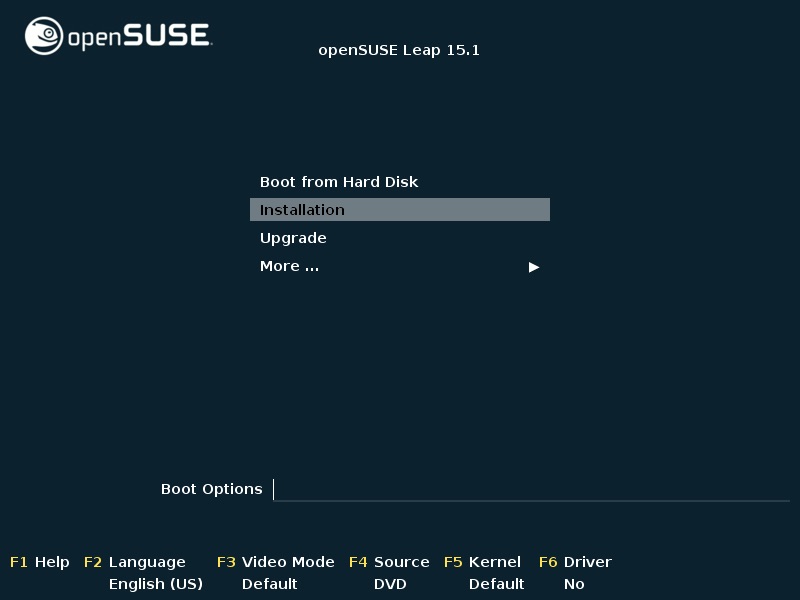
01. Plug the media (disk or USB) and boot the machine. Select “Installation” option to install openSUSE.
 

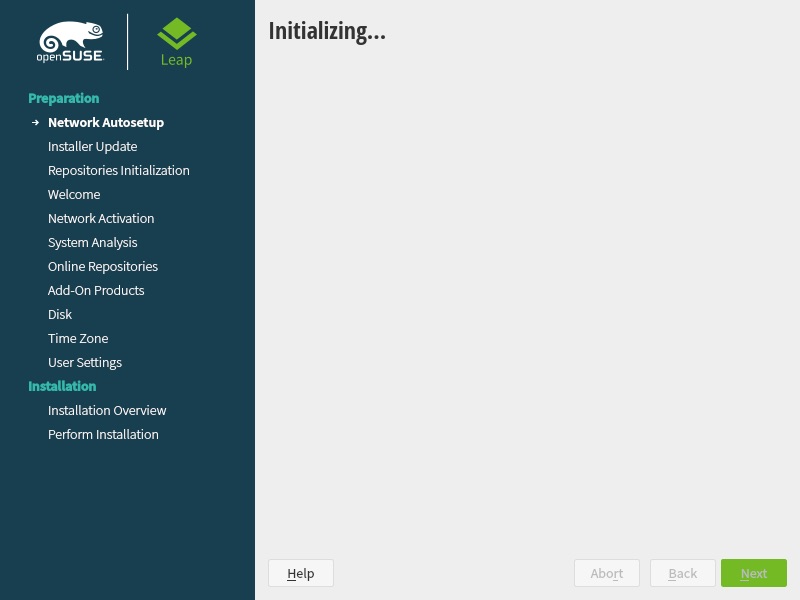
02. Wait until installer has been loaded. It will through multiple screens until you can interact with the installation.
 

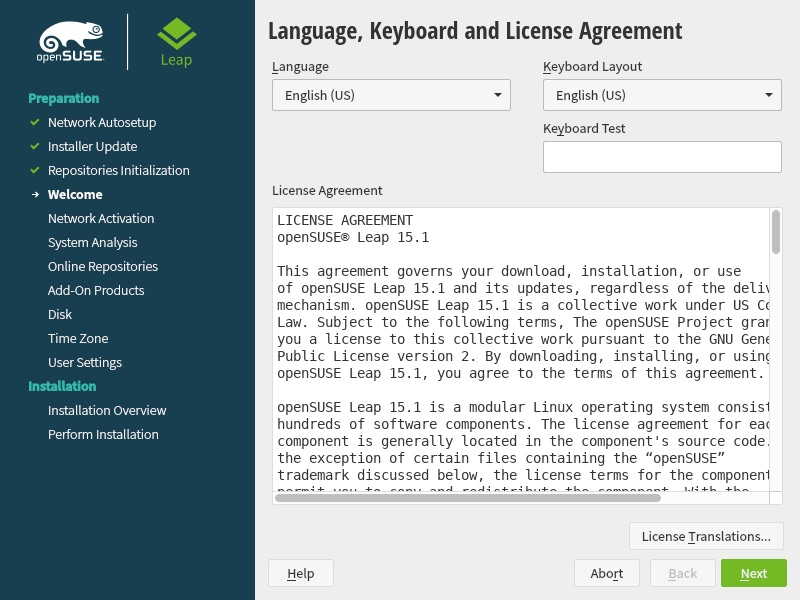
03. Choose your preferred Language and Keyboard layout. Read through the License Agreement then select the “Next” button.
 

04. It will perform some hardware checks or probing. It will then ask if you want to install from the online repositories.
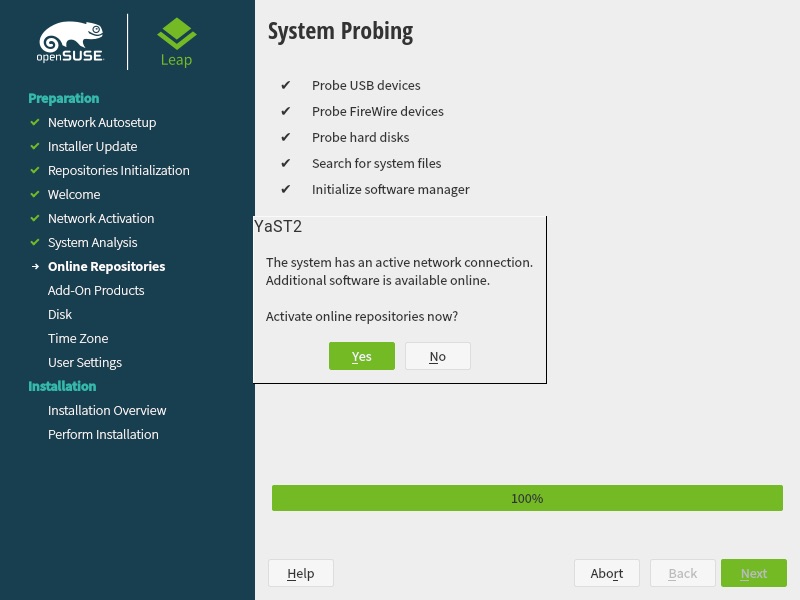
 

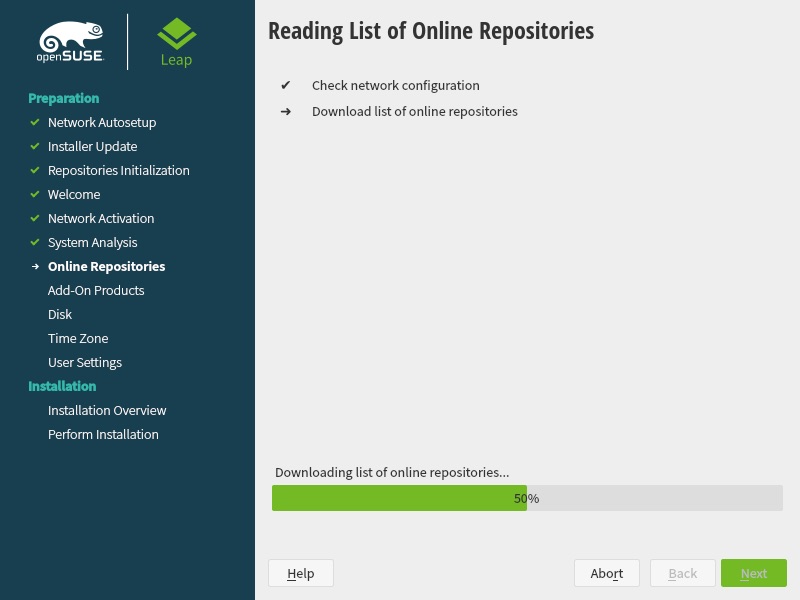
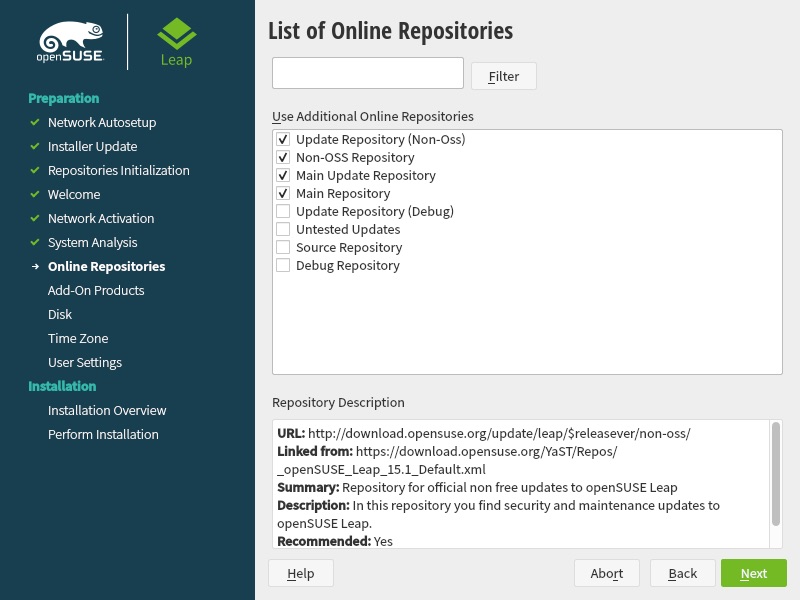
05. It will check the internet connection for the online repositories if you opted to “Activate online repositories”. You can then select from the online repositories, then select the “Next” button.
 

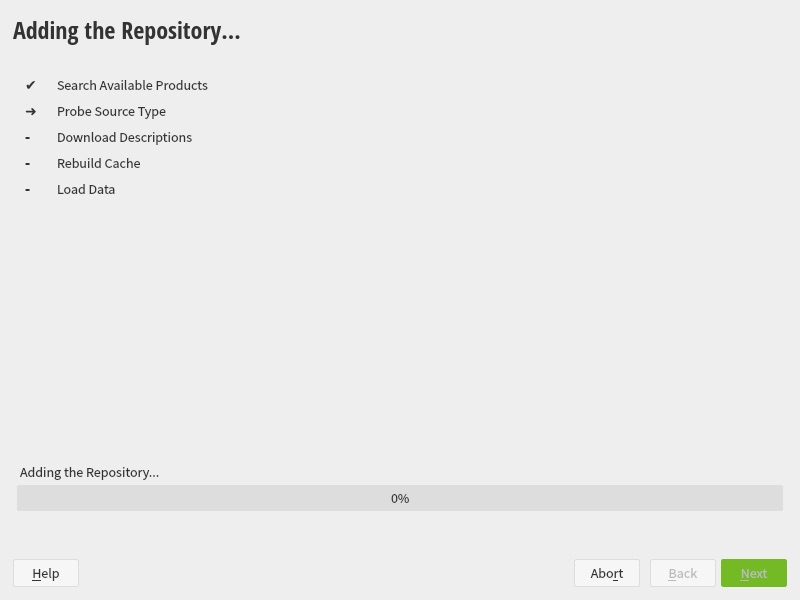
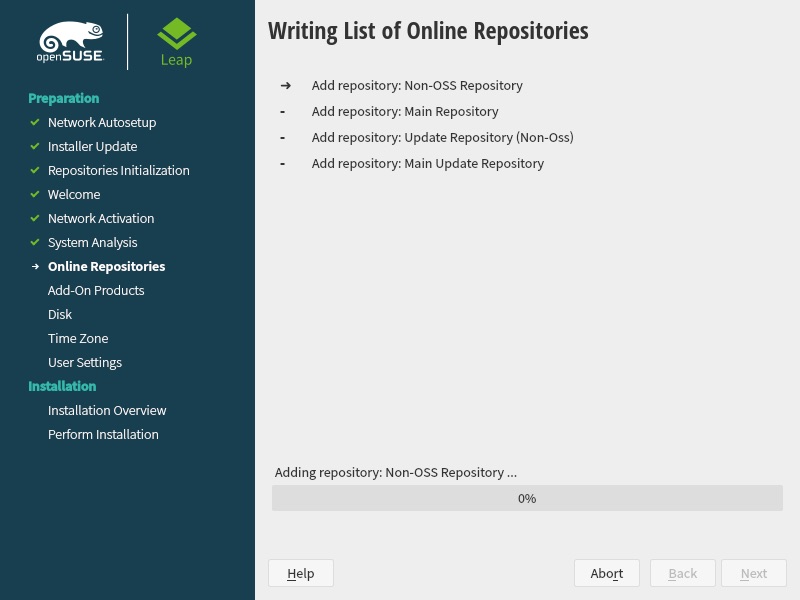
06.Wait until the repositories have been added.
 

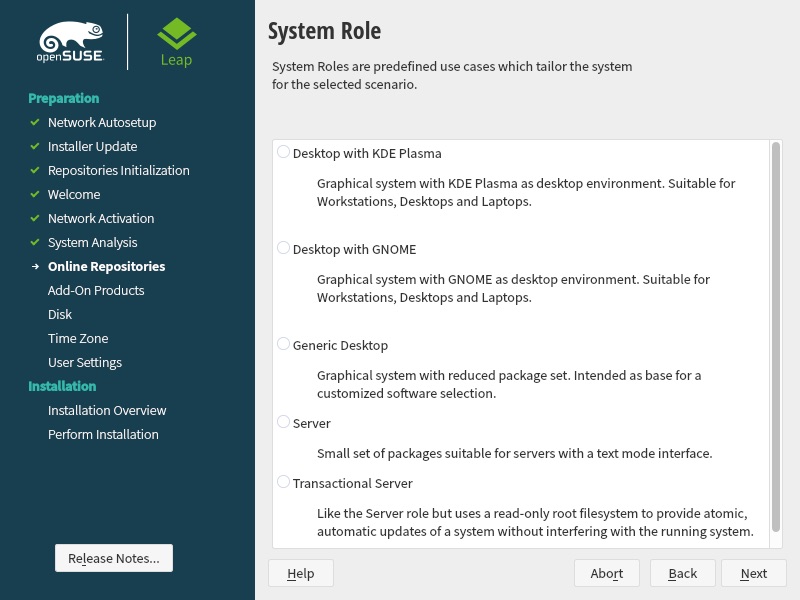
07. Select the System Role from the list. This will also affect the User Interface or theme of the installed system.
 

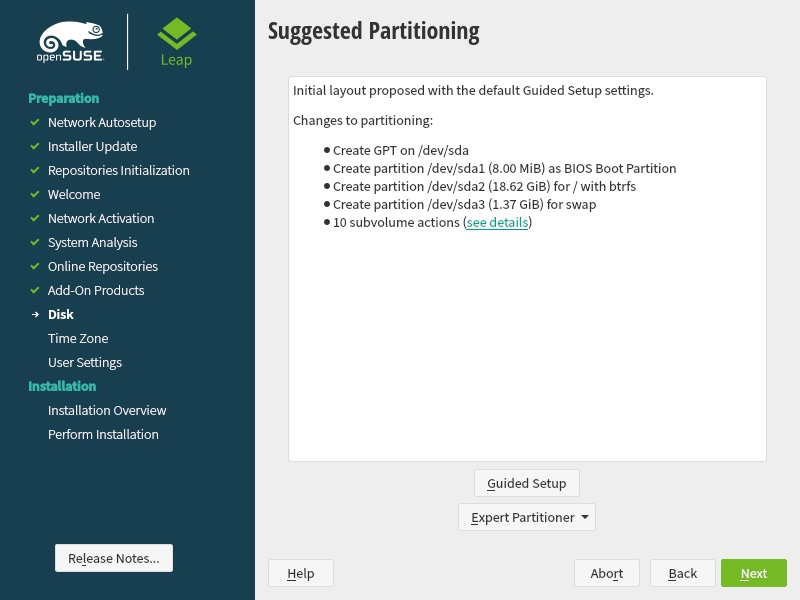
08. The partitioning of the hard disk will be available for custom configuration. But you can also accept the default settings by selecting the “Next” button.
Read More  Intel Granulate Optimizes Databricks Data Management Operations


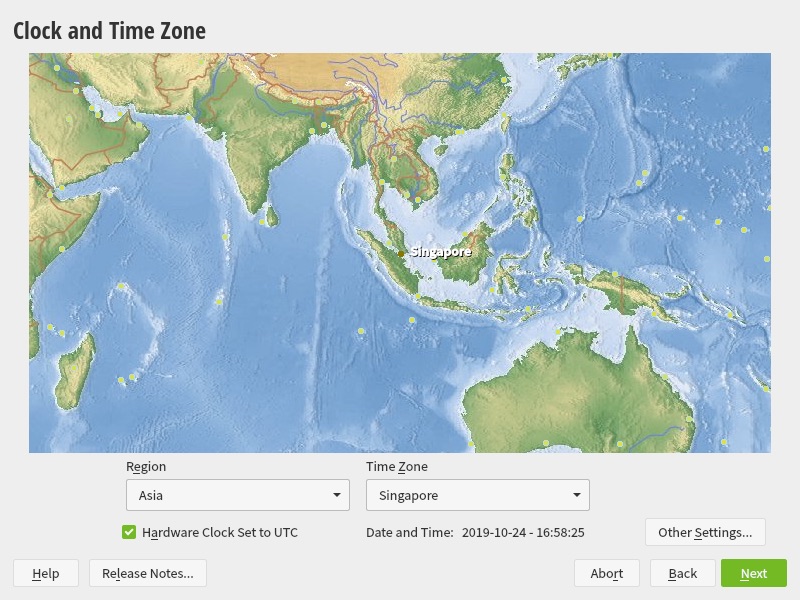
09. Select your Region and Timezone.


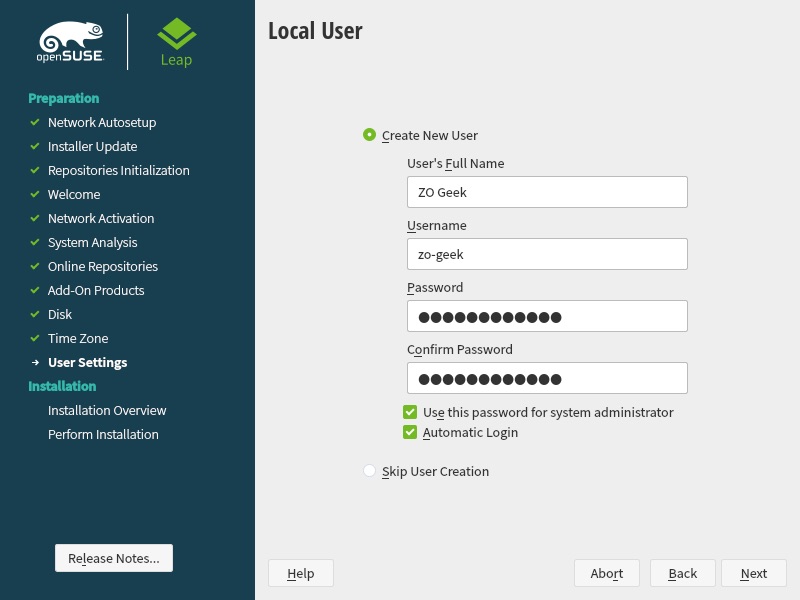
10. Choose your Full Name, Username and Password.
 

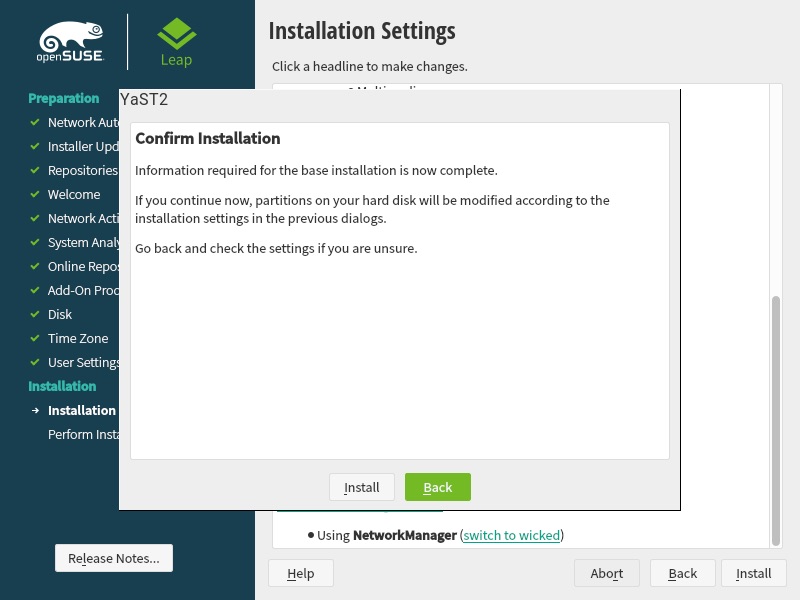
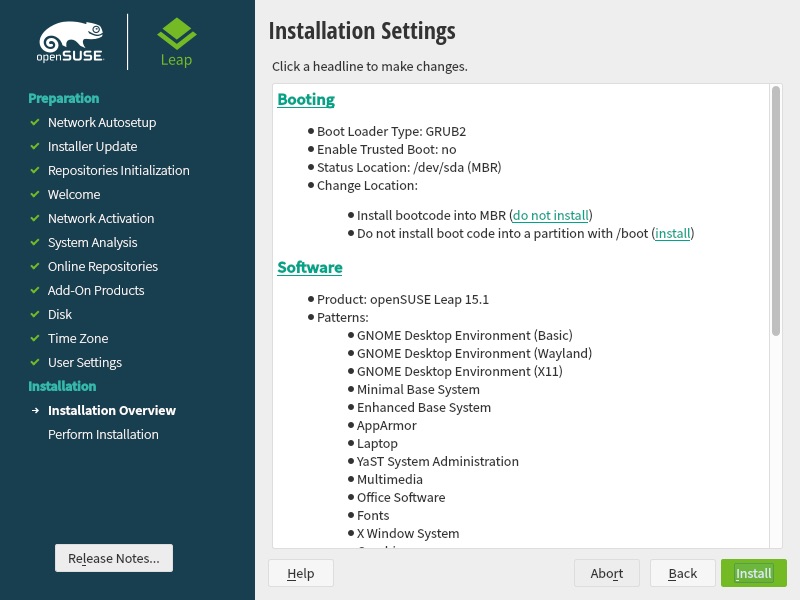
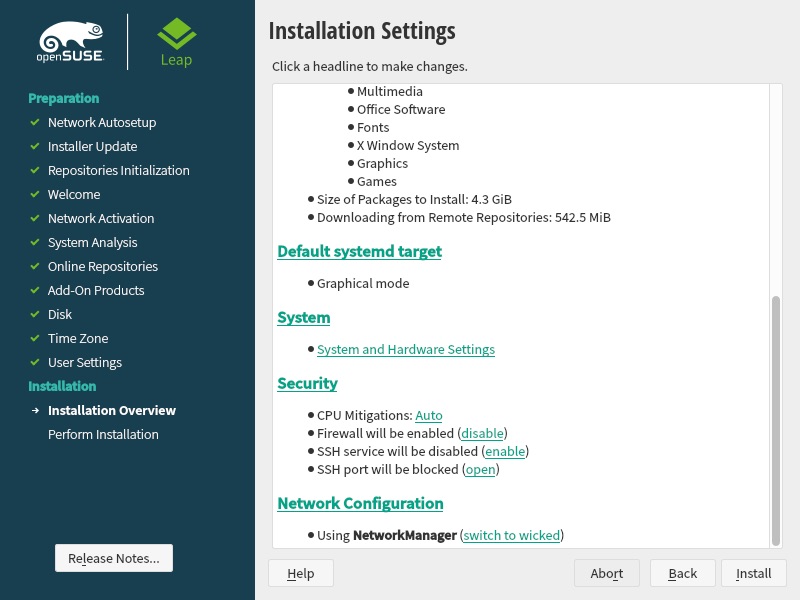
11. Review the installation settings. The configuration can also be updated. Confirm with the “Install” button.
 

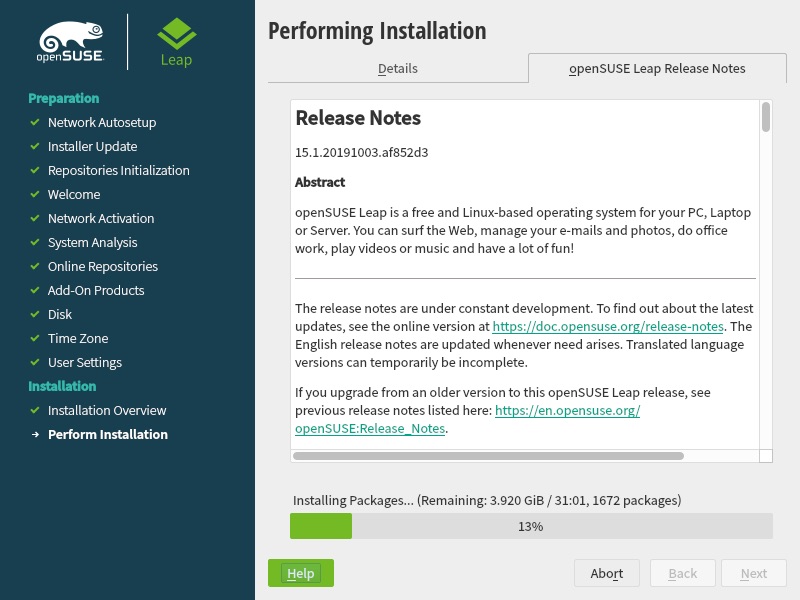
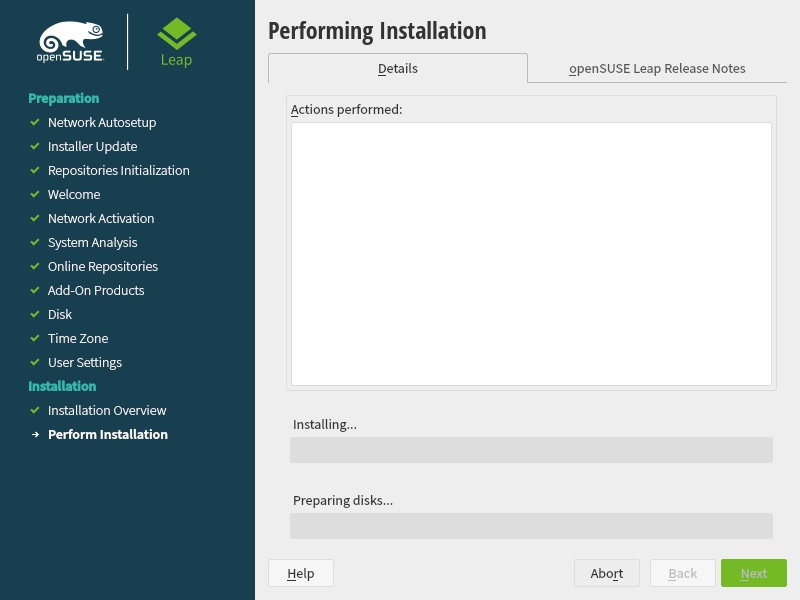
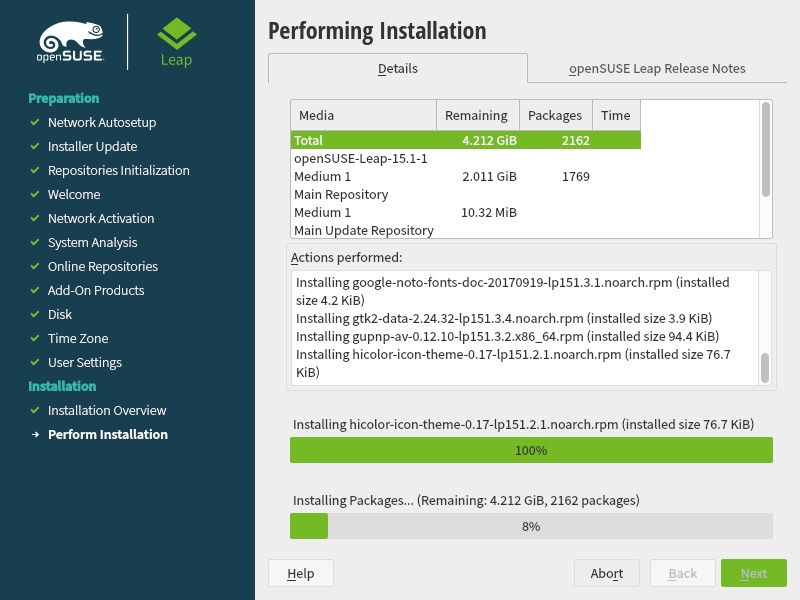
12. Wait until the installation is completed. You can also view the Release Notes on the other tab.
 

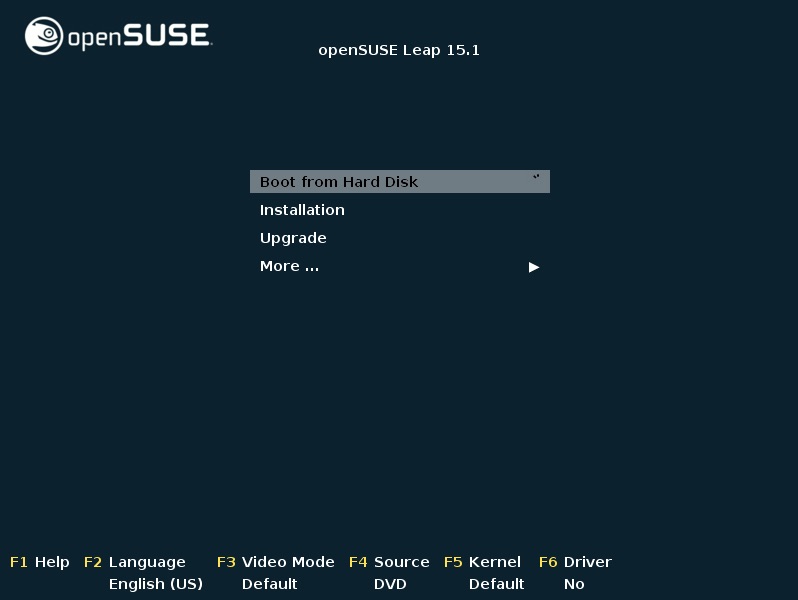
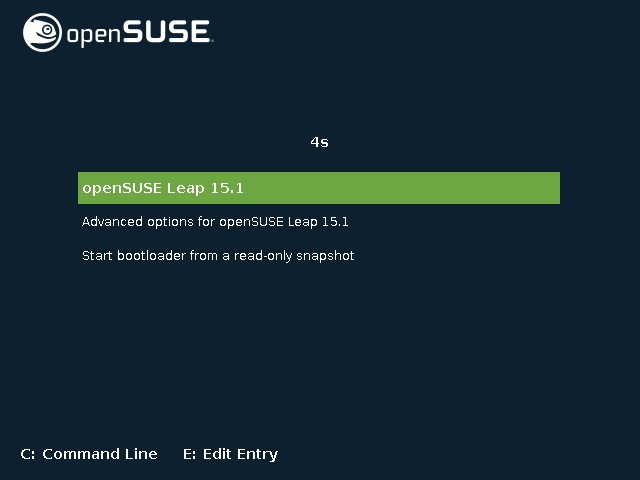
11. It will restart automatically and you will be returned to the boot selection menu. Select the “Boot from Hard Disk” option, then “openSUSE Leap 15.1”.
 

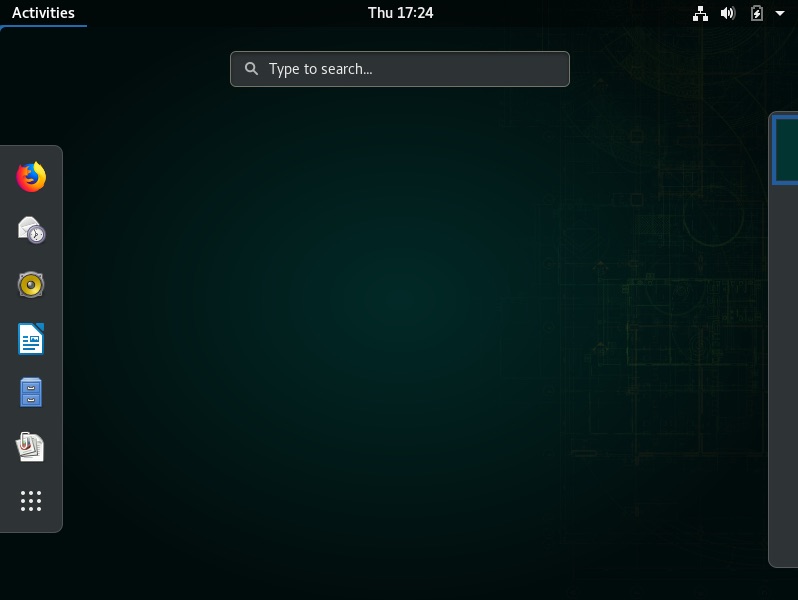
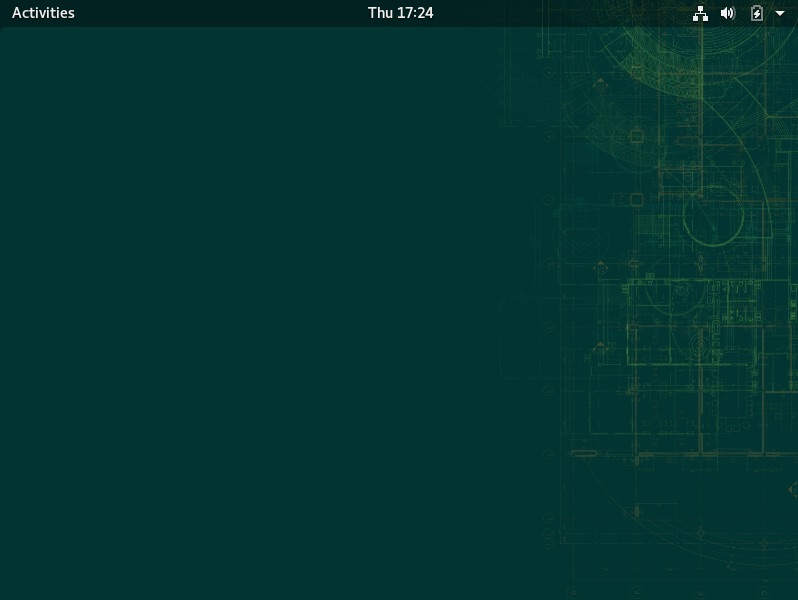
15. Congratulations you’ve now installed openSUSE 15.1.

For enquiries, product placements, sponsorships, and collaborations, connect with us at [email protected]. We'd love to hear from you!

Our humans need coffee too! Your support is highly appreciated, thank you!

root

Related Topics
  • Installation
  • Linux
  • openSUSE
  • Ubuntu
You May Also Like
men with computer website information and chat bubbles vector illustration
View Post
  • Software
  • Software Engineering

What is an ISV (independent software vendor)?

  • August 27, 2025
aster-cloud-erp-bill_of_materials_2
View Post
  • Software
  • Software Engineering

What is an SBOM (software bill of materials)?

  • July 2, 2025
aster-cloud-sms-pexels-tim-samuel-6697306
View Post
  • Programming
  • Software

Send SMS texts with Amazon’s SNS simple notification service

  • July 1, 2025
aster-cloud-website-pexels-goumbik-574069
View Post
  • Programming
  • Software

Host a static website on AWS with Amazon S3 and Route 53

  • June 27, 2025
View Post
  • Software
  • Technology

Canonical Releases Ubuntu 25.04 Plucky Puffin

  • April 17, 2025
View Post
  • Software
  • Technology

IBM Accelerates Momentum in the as a Service Space with Growing Portfolio of Tools Simplifying Infrastructure Management

  • March 27, 2025
Vehicle manufacturing
View Post
  • Software

IBM Study: Vehicles Believed to be Software Defined and AI Powered by 2035

  • December 12, 2024
aster-cloud-tux-gaming
View Post
  • Computing
  • Gears
  • Software

5 best Linux distributions for gamers in 2024

  • September 11, 2024

Stay Connected!
LATEST
  • digital-nomad-freelancer-worker-2151205464 1
    One paperwork problem – Get your Digital Nomad Visa employment documents fast from UK, EU or Singapore
    • June 16, 2026
  • 2
    Samsung Art Store Brings Art Basel to Homes Worldwide With New Curated Collection
    • June 15, 2026
  • 3
    You Do Not Need to Invest in the IPO of SpaceX, Anthropic, and OpenAI
    • June 10, 2026
  • 4
    The consequences of relying on AI for accurate news
    • June 10, 2026
  • 5
    Connecting AI agents with unstructured data using Google Cloud Storage MCP Servers
    • June 10, 2026
  • 6
    WWDC26: Apple unveils next generation of Apple Intelligence, Siri AI, powerful parental controls, and an expansive set of software improvements
    • June 8, 2026
  • 7
    IBM and Google Cloud Announce Strategic Partnership to Scale AI with Human Expertise and AI‑Powered Delivery
    • June 4, 2026
  • Data center 8
    Data Sovereignty in Spain. It’s Not Just About the Law, It’s About Efficiency
    • June 3, 2026
  • 9
    Ink vs Pixels. What you miss versus what you are actually missing.
    • June 1, 2026
  • 10
    Banks race to patch new cyber vulnerabilities, and other cybersecurity news
    • May 25, 2026
about
Hello World!

We are aster.cloud. We’re created by programmers for programmers.

Our site aims to provide guides, programming tips, reviews, and interesting materials for tech people and those who want to learn in general.

We would like to hear from you.

If you have any feedback, enquiries, or sponsorship request, kindly reach out to us at:

[email protected]
Most Popular
  • pope-leo-xiv-cq5dam-1500.844 1
    Pope Leo XIV to Publish First Encyclical on Artificial Intelligence and Human Dignity on 25 May
    • May 22, 2026
  • 2
    Portfolio to Clients, and is Strengthened by Ongoing Project Glasswing Work
    • May 20, 2026
  • reMarkable Paper Pure 3
    Everything The reMarkable Paper Pure Actually Does
    • May 14, 2026
  • 4
    Scaling cloud and AI: Microsoft Azure’s commitment to Europe’s digital future
    • May 11, 2026
  • Anthropic Institute 5
    Introducing The Anthropic Institute
    • March 11, 2026
  • /
  • Technology
  • Tools
  • About
  • Contact Us

Input your search keywords and press Enter.