aster.cloud aster.cloud
  • /
  • Platforms
    • Public Cloud
    • On-Premise
    • Hybrid Cloud
    • Data
  • Architecture
    • Design
    • Solutions
    • Enterprise
  • Engineering
    • Automation
    • Software Engineering
    • Project Management
    • DevOps
  • Programming
    • Learning
  • Tools
  • About
  • /
  • Platforms
    • Public Cloud
    • On-Premise
    • Hybrid Cloud
    • Data
  • Architecture
    • Design
    • Solutions
    • Enterprise
  • Engineering
    • Automation
    • Software Engineering
    • Project Management
    • DevOps
  • Programming
    • Learning
  • Tools
  • About
aster.cloud aster.cloud
  • /
  • Platforms
    • Public Cloud
    • On-Premise
    • Hybrid Cloud
    • Data
  • Architecture
    • Design
    • Solutions
    • Enterprise
  • Engineering
    • Automation
    • Software Engineering
    • Project Management
    • DevOps
  • Programming
    • Learning
  • Tools
  • About
  • Gears

New Magic Keyboard For iPad Pro Now Available To Order, Begins Arriving Next Week

  • aster.cloud
  • April 17, 2020
  • 3 minute read

The new Magic Keyboard for iPad Pro is now available to order on apple.com and begins arriving to customers next week. Magic Keyboard brings a whole new level of versatility and capability to iPad Pro, and is the best way to experience the new trackpad support introduced in iPadOS 13.4.

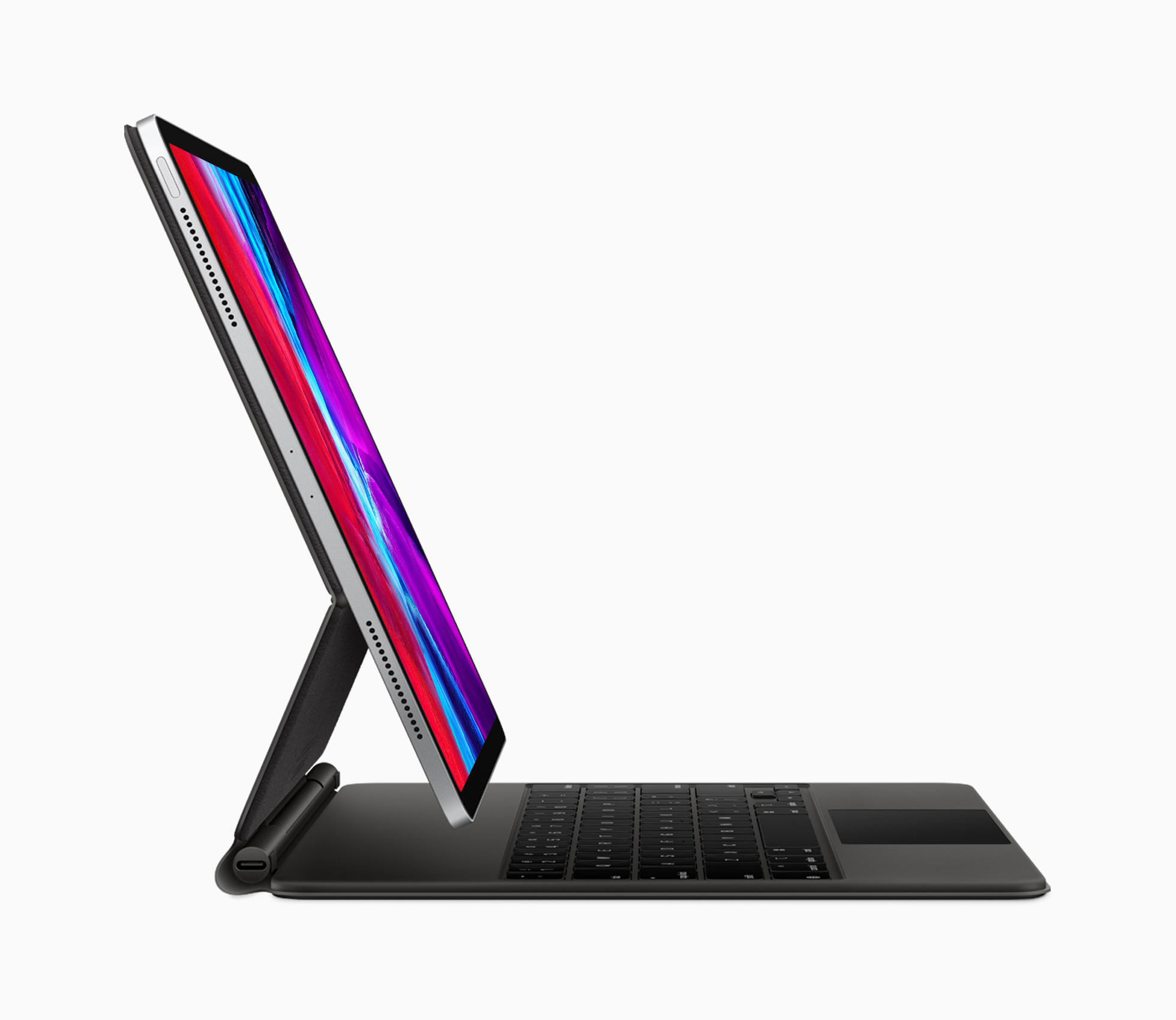
Magic Keyboard attaches magnetically to iPad Pro, putting the beautiful Multi-Touch screen up on display with a floating cantilevered design for smooth adjustments of the viewing angle up to 130 degrees. The portable design features a full-size keyboard with backlit keys and a scissor mechanism that delivers 1mm travel, offering a comfortable and responsive typing experience, whether working on a lap or on a desk. The click-anywhere trackpad of Magic Keyboard complements the touch-first design of iPad for fluid navigation, easy cursor control, and precise adjustments. With USB-C pass-through charging, Magic Keyboard keeps the USB-C port on iPad Pro free for accessories, including external drives and displays. And for added security, when Magic Keyboard is attached and closed, the iPad Pro microphones are disconnected, preventing any audio data from being compromised.


Partner with aster.cloud
for your next big idea.
Let us know here.


From our partners:

CITI.IO :: Business. Institutions. Society. Global Political Economy.
CYBERPOGO.COM :: For the Arts, Sciences, and Technology.
DADAHACKS.COM :: Parenting For The Rest Of Us.
ZEDISTA.COM :: Entertainment. Sports. Culture. Escape.
TAKUMAKU.COM :: For The Hearth And Home.
ASTER.CLOUD :: From The Cloud And Beyond.
LIWAIWAI.COM :: Intelligence, Inside and Outside.
GLOBALCLOUDPLATFORMS.COM :: For The World's Computing Needs.
FIREGULAMAN.COM :: For The Fire In The Belly Of The Coder.
ASTERCASTER.COM :: Supra Astra. Beyond The Stars.
BARTDAY.COM :: Prosperity For Everyone.

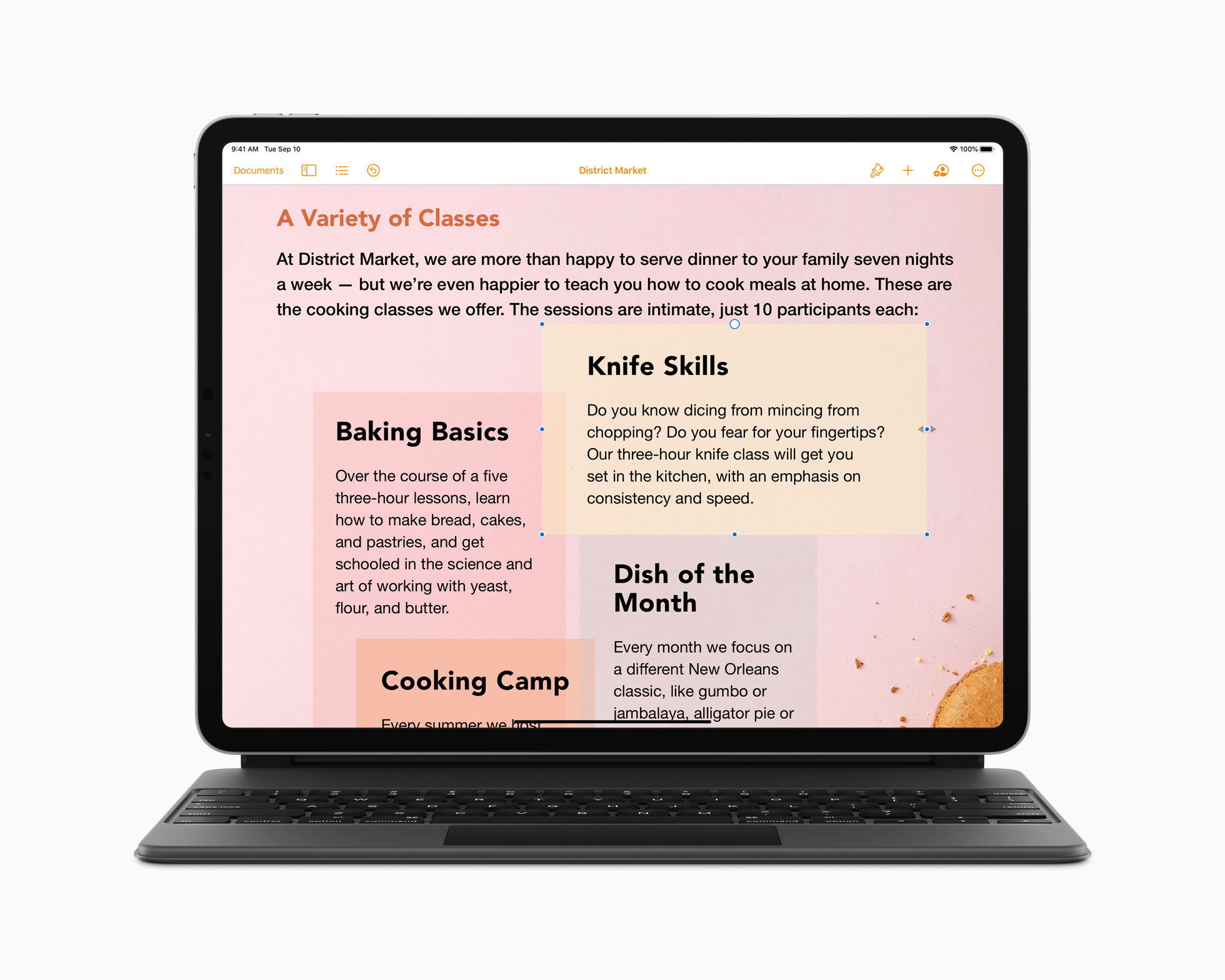
Magic Keyboard takes full advantage of the distinct experience of iPadOS. As users move their finger across the built-in trackpad, the pointer elegantly transforms to highlight user interface elements. Multi-Touch gestures on the trackpad make it fast and easy to navigate the entire system without users ever having to lift their hand. Trackpad support in iPadOS is designed to work great with apps customers use every day. Writing and editing text is effortless in Pages and Notes, working with multiple objects in Keynote is easier than ever before, and the added levels of precision make building and organizing even the largest spreadsheets in Numbers more simple. Learn more about iPadOS at apple.com/ipados.

Read More  tvOS 17 Brings FaceTime And Video Conferencing To The Biggest Screen In The Home

The new Magic Keyboard is designed to work with the new iPad Pro, and is also compatible with the previous generation iPad Pro models.1 Magic Keyboard, along with Apple Pencil, are the perfect pro accessories for the most advanced iPad Pro ever with fast and powerful performance, the breakthrough LiDAR Scanner, pro cameras, pro performance and pro audio enabling pro workflows that push the limits of what iPad can do.2
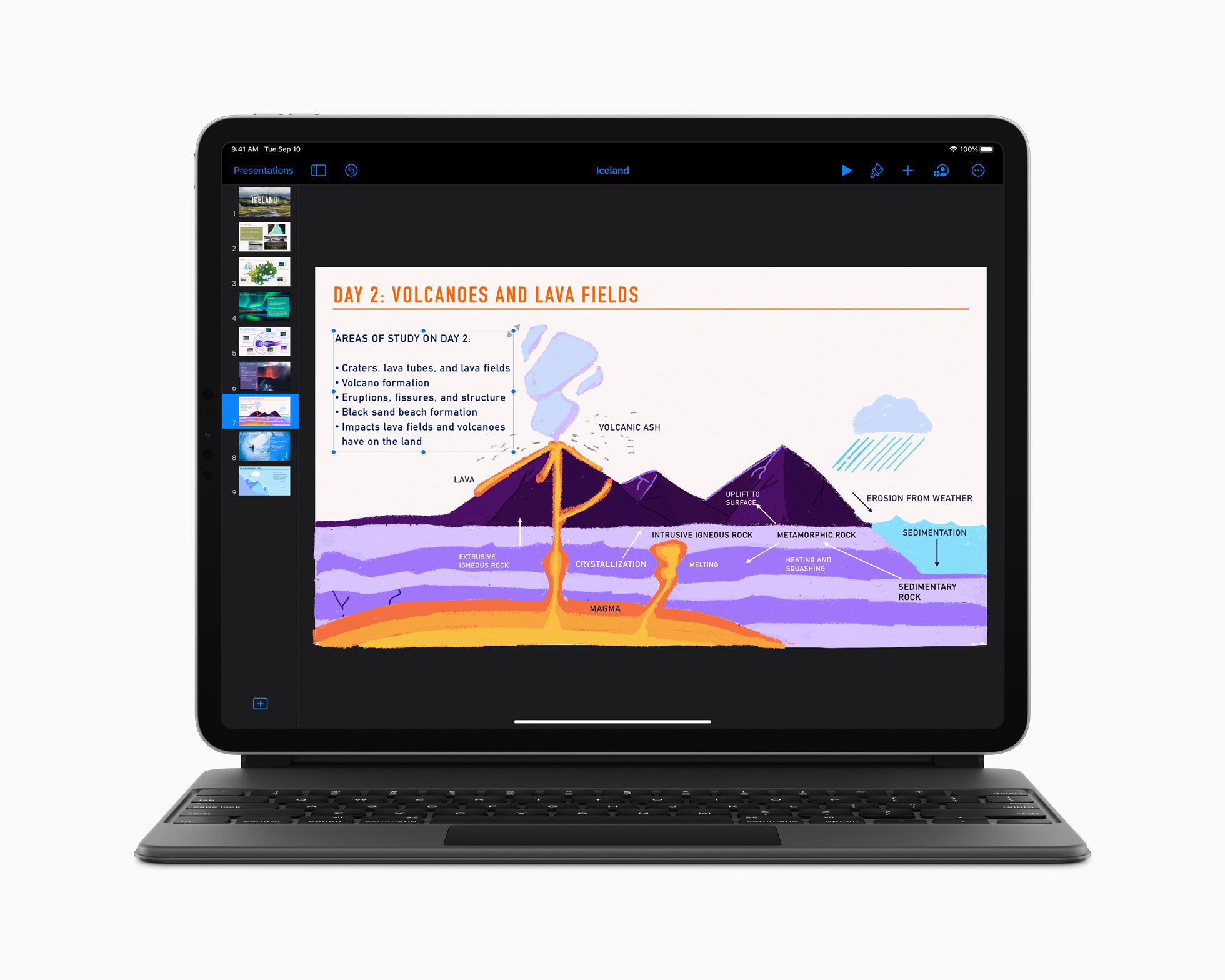
Magic Keyboard takes full advantage of the distinct experience of iPadOS. Trackpad support is designed to work great with apps customers use every day.

Pricing and Availability

  • The new Magic Keyboard for iPad Pro is available to order today on apple.com and in the Apple Store app in more than 30 countries and regions, including the US. The Magic Keyboard will begin arriving to customers next week and will be available in select Apple Stores and also through select Apple Authorized Resellers (prices may vary).
  • The new Magic Keyboard for iPad Pro is $299 (US) for the 11-inch iPad Pro and $349 (US) for the 12.9-inch iPad Pro with layouts for over 30 languages, including simplified Chinese, French, German, Japanese and Spanish.
  • The 11-inch iPad Pro is available starting at $799 (US) for the Wi-Fi model and $949 (US) for the Wi-Fi + Cellular model, and the 12.9-inch iPad Pro starts at $999 (US) for the Wi-Fi model and $1,149 (US) for the Wi-Fi + Cellular model from apple.com, in the Apple Store app and select Apple Stores, and is also available through Apple Authorized Resellers and select carriers (prices may vary).
  • iPadOS 13.4 with trackpad support is available as a free software update for all iPad Pro models, iPad Air 2 and later, iPad 5th generation and later, and iPad mini 4 and later.
  • The second-generation Apple Pencil for iPad Pro is available for $129 (US).
  • An updated Smart Keyboard Folio for the new iPad Pro is also available and sold separately for $179 (US) for the 11-inch iPad Pro and $199 (US) for the 12.9-inch iPad Pro with layouts for over 30 languages, including simplified Chinese, French, German, Japanese and Spanish.
  • Education pricing is available to current and newly accepted college students and their parents, as well as faculty, staff and homeschool teachers of all grade levels. The new 11-inch iPad Pro starts at $749 (US) and the 12.9-inch iPad Pro starts at $899 (US). Magic Keyboard for iPad Pro will be available for college students at $279 (US) for the 11-inch iPad Pro and $329 (US) for the 12.9-inch iPad Pro. The second-generation Apple Pencil is available for $119 (US), and the new Smart Keyboard Folio for the new iPad Pro is available for $159 (US) for the 11-inch iPad Pro and $179 (US) for the 12.9-inch iPad Pro for college students. For more information visit: apple.com/us-hed/shop.
Read More  New Inspiron Family Connects To Your World In Style

For enquiries, product placements, sponsorships, and collaborations, connect with us at [email protected]. We'd love to hear from you!

Our humans need coffee too! Your support is highly appreciated, thank you!

aster.cloud

Related Topics
  • Apple
  • iPad Pro
  • Magic Keyboard
You May Also Like
View Post
  • Gears

Zed Approves | How to Stay Cool in Extreme Heat

  • June 29, 2026
View Post
  • Gears

Zed Approves | It’s Prime Day 2026! Time to Upgrade Your World Cup Viewing Setup and Beat the Heat

  • June 25, 2026
View Post
  • Gears

Zed Approves | The Best Prime Day PC Deals: Top Gaming Rigs, Workstations, and Everyday Laptops

  • June 24, 2026
neon-cart
View Post
  • Gears

Zed Approves: How to Gear Up for GTA 6 This Amazon Prime Day (2026 Quick Guide)

  • June 22, 2026
zedreviews-valerion
View Post
  • Gears
  • Technology

Father’s Day Outdoors – Build Dad the Ultimate Backyard Watch Party

  • June 20, 2026
zedreviews-fathers-day-50830
View Post
  • Gears
  • Technology
  • Tools

Father’s Day Outdoors, Round Two – Gear for the Action, the Tailgate, and Beating the Heat

  • June 20, 2026
zedreviews-fathers-day-2147684744
View Post
  • Gears
  • Technology
  • Tools

The Ultimate Father’s Day Gift Guide – Home Entertainment Upgrades Dad Actually Wants

  • June 20, 2026
zedreviews-fathers-day-21306
View Post
  • Gears
  • Technology

A Father’s Day Gift Guide for Every Dad – Timepieces and Travel Gear

  • June 20, 2026

Stay Connected!
LATEST
  • 1
    IBM Study: One in Four Malicious Breaches are AI-Enabled, Costing Companies $6 Million on Average
    • July 29, 2026
  • 2
    Accelerating the frontiers of scientific discovery: Google’s $40M commitment to the Genesis Mission
    • July 26, 2026
  • 3
    3 Questions: Neural transparency and the future of AI design
    • July 17, 2026
  • 4
    Intel Invests €5 Billion to Expand Manufacturing in Europe
    • July 13, 2026
  • 5
    IBM and Red Hat Expand Lightwell with New Offerings to Build the Trust Infrastructure for AI-Era Open Source
    • July 8, 2026
  • 6
    When I Was Young
    • July 4, 2026
  • 7
    The Fastest AI Fried Chicken In The World
    • June 29, 2026
  • 8
    Zed Approves | How to Stay Cool in Extreme Heat
    • June 29, 2026
  • 9
    The AI investment surge hasn’t produced the expected results yet. That could change in 2026
    • June 26, 2026
  • 10
    Zed Approves | It’s Prime Day 2026! Time to Upgrade Your World Cup Viewing Setup and Beat the Heat
    • June 25, 2026
about
Hello World!

We are aster.cloud. We’re created by programmers for programmers.

Our site aims to provide guides, programming tips, reviews, and interesting materials for tech people and those who want to learn in general.

We would like to hear from you.

If you have any feedback, enquiries, or sponsorship request, kindly reach out to us at:

[email protected]
Most Popular
  • 1
    Zed Approves | The Best Prime Day PC Deals: Top Gaming Rigs, Workstations, and Everyday Laptops
    • June 24, 2026
  • neon-cart 2
    Zed Approves: How to Gear Up for GTA 6 This Amazon Prime Day (2026 Quick Guide)
    • June 22, 2026
  • zedreviews-valerion 3
    Father’s Day Outdoors – Build Dad the Ultimate Backyard Watch Party
    • June 20, 2026
  • zedreviews-fathers-day-50830 4
    Father’s Day Outdoors, Round Two – Gear for the Action, the Tailgate, and Beating the Heat
    • June 20, 2026
  • zedreviews-fathers-day-2147684744 5
    The Ultimate Father’s Day Gift Guide – Home Entertainment Upgrades Dad Actually Wants
    • June 20, 2026
  • /
  • Technology
  • Tools
  • About
  • Contact Us

Input your search keywords and press Enter.