
As we enter 2022, it’s clear that hybrid meetings will be a mainstay of how work happens for millions of people around the world. Across the Google Workspace team, we spent much of last year improving the hybrid experience within our tools, especially in Google Meet. New features like automatic noise cancellation, new virtual backgrounds, and automatic light adjustment have helped keep the focus on people and ensure that everyone can be seen and heard in a hybrid meeting—no matter how and where they’re joining.
Google also spent much of last year developing our own best practices as a team for making hybrid meetings as inclusive as possible. I’m happy to share our approach below, which takes advantage of the latest innovations in Google Workspace tools—from Calendar to Spaces to Meet updates.
From our partners:
Putting Companion mode to work in hybrid meetings
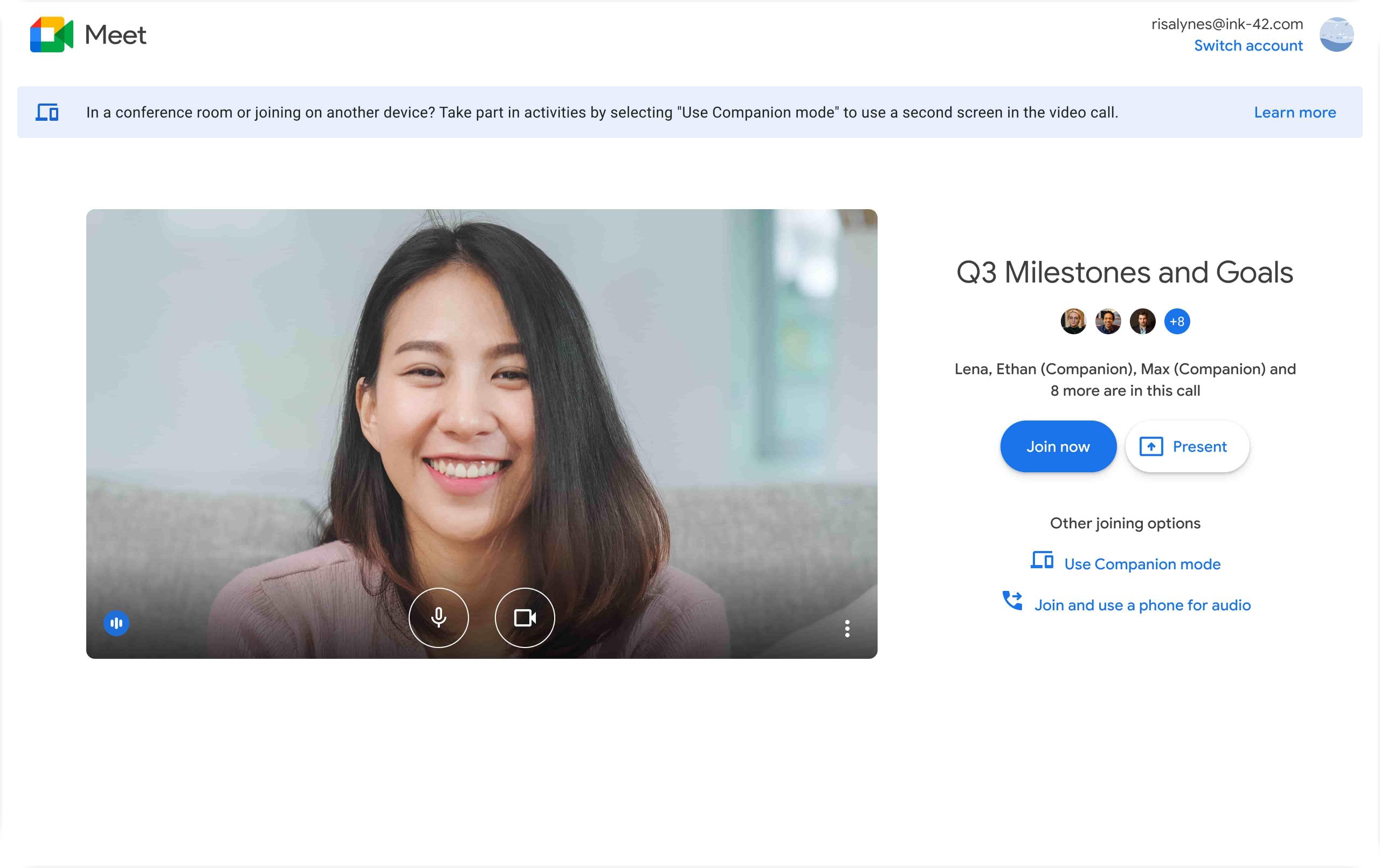
In 2021, we pre-announced Companion mode in Google Meet, which is designed to seamlessly connect those in the conference room with their remote teammates, giving everyone access to advanced host and participation features, while leveraging the best of in-room audio and video conferencing capabilities.
You can now use Companion mode on your laptop while you’re in a meeting connected to Google Meet hardware or the Nest Hub Max. Companion mode, which begins rolling out in general release today, allows you to access interactive features and controls such as chat, screen sharing, hand raising, polls, host controls and more, while keeping your video and audio off to avoid feedback with the conference room hardware. Additionally, you can enable captions and translations in your preferred language and view presentations up-close on your own device.
You can join a meeting using Companion mode from the meeting landing page or by using g.co/companion. If you intend to immediately share content, you can simultaneously join the meeting and present from Companion mode using g.co/present.
Companion mode can help teams include more people—and perspectives—in every hybrid meeting.

Scheduling meetings
With so many distributed teams and time zones, scheduling a meeting window that works for everyone can be a logistical challenge. We follow a few guidelines to maximize participation:
- Encourage team members to add their working hours, location, and focus time into their Calendars so scheduling can take into account things like wellbeing, personal commitments, or childcare.
- Include only those people who need to be a part of the conversation, but cast a wide net. When in doubt, invite people as optional and ask if they’d like to attend.
- Choose a date and time that will work for as many people as possible. When scheduling with regions in far-flung time zones, alternate which teams have to stay late or start early to make the call happen. You might also choose one day a week when global meetings happen so people can plan around that day.
- Provide an agenda in the Calendar invite at least 24 hours in advance to ensure people can decide whether to join and have a chance to prepare accordingly. I like to include the goal of the meeting in the agenda, for example: “This meeting will be successful if we leave with four great ideas from the brainstorming session.”
- Encourage people to specify their location when they respond to the Calendar invite. If they accept, they can do so by choosing “in a meeting room” or “joining virtually.” This helps everyone, including the organizer, know what to expect.
- Consider rotating the role of facilitator and note taker. This not only lessens the burden on one person, it also gives other people a chance to participate more fully.
Preparing for meetings with Spaces
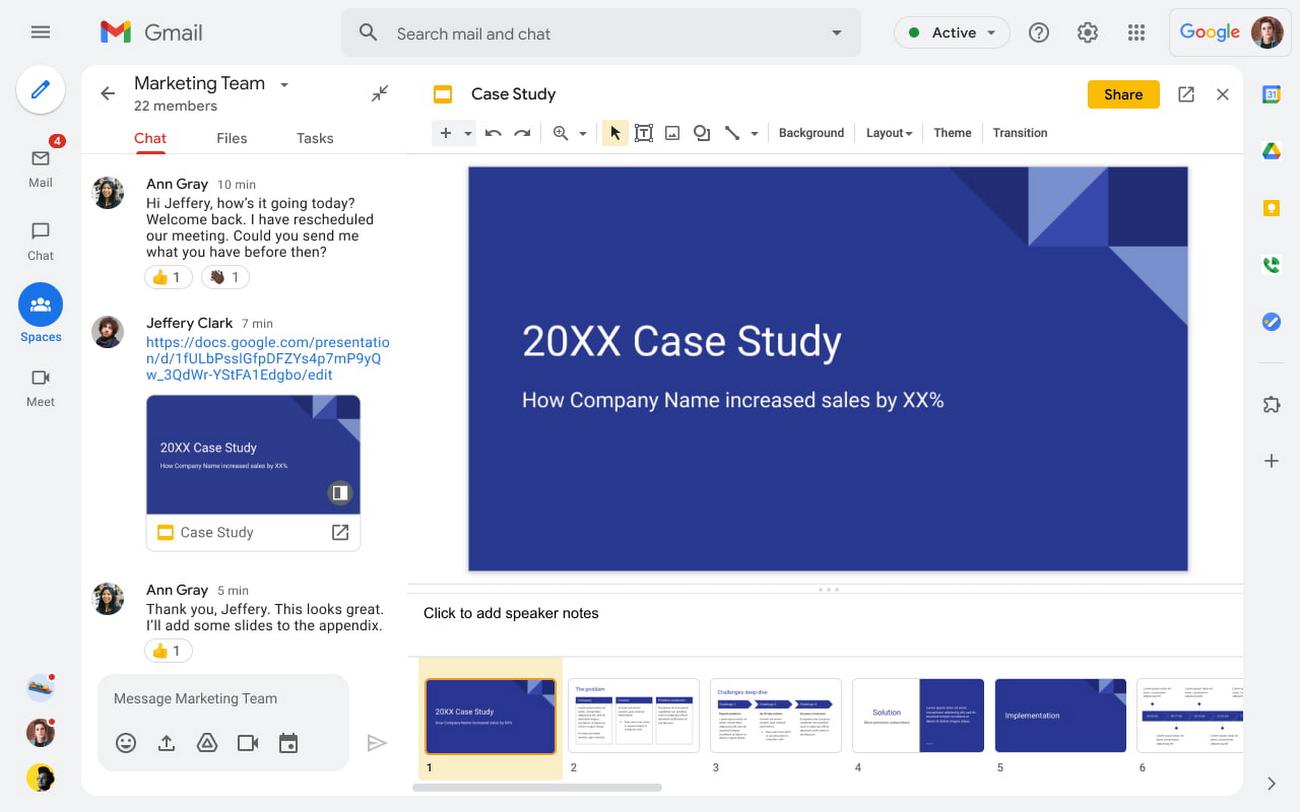
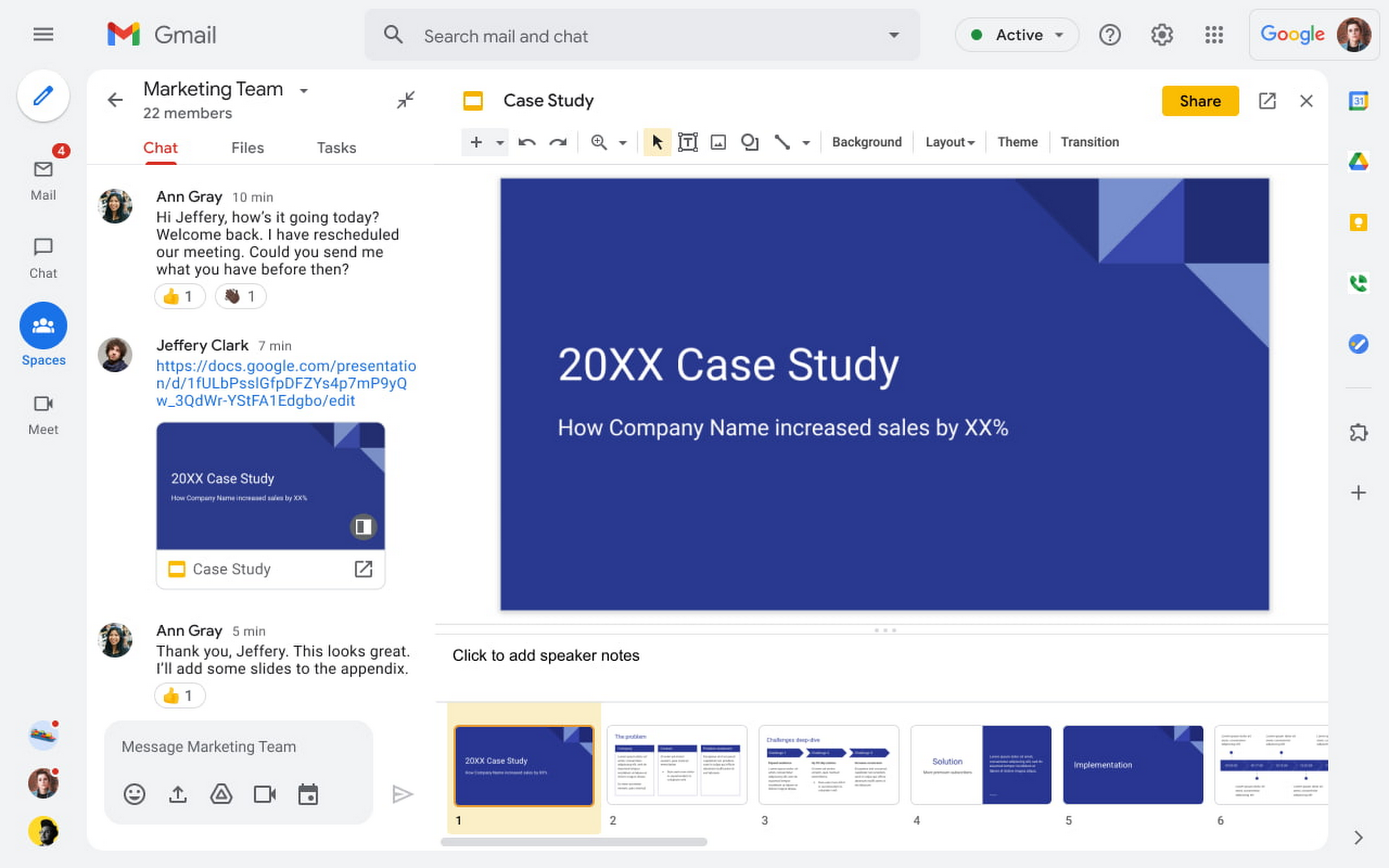
Last year we introduced Spaces as a central place for team collaboration in Google Workspace. Spaces are tightly integrated with tools like Gmail, Calendar, Drive, Docs, Sheets, Slides, Meet, and Tasks, providing a better way for people to engage in topic-based discussions, share knowledge and ideas, move projects forward and build communities and team culture.
Spaces are especially helpful when it comes time to prepare for a meeting. Participants can review any background documents or presentations asynchronously, working at a time that suits their geography and working style, and follow up in the Space with questions or suggestions for the team. All that information and discussion is then preserved for future reference.
During the meeting
When done well, hybrid meetings don’t feel like two different conversations that happen in the room and remotely. To keep them feeling like a single inclusive experience, we do the following:
- Acknowledge virtual team members when they join a meeting and use the first 5 minutes to connect with the team and check-in. Some teams at Google kickstart their meetings by playing an interesting or inspiring YouTube video or by asking a question of the team (e.g., What was the favorite thing you ate this weekend?)
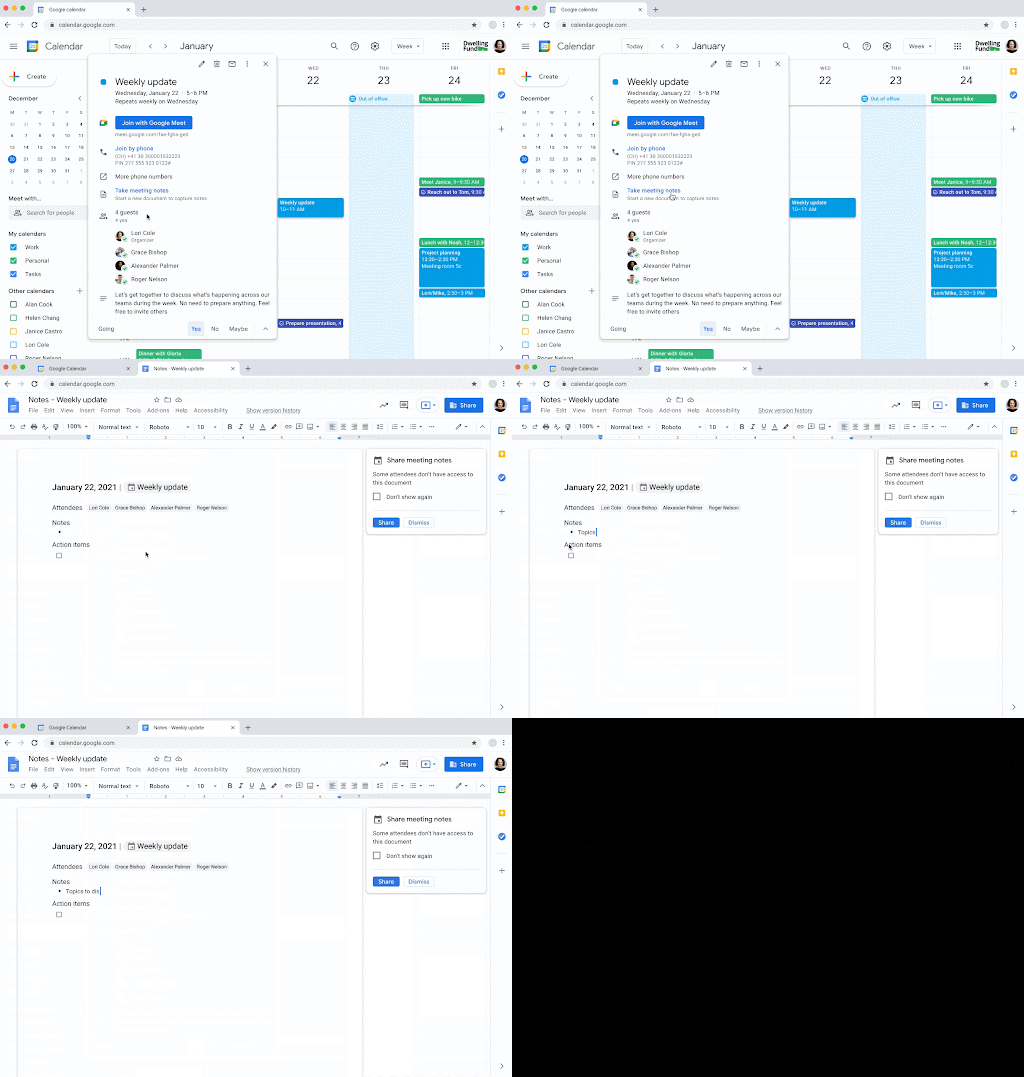
- Have the designated note taker create and use a pre-populated notes Doc from the Calendar invite and then share it with the attendees. If key participants are unable to attend, consider recording the meeting for them.
- Encourage attendees in conference rooms to use Companion mode and use the hand-raise feature in Google Meet before speaking in meetings of 3+ people.
- Even with Companion mode, it can be difficult for remote participants to break into the conversation in the room. The facilitator should make space for remote attendees to weigh in frequently.
- Avoid “in the room” side conversations that may exclude virtual team members, and minimize language proficiency barriers by encouraging the use of the recently launched translated captions.
- Provide multiple ways for people to provide feedback. Not everyone is comfortable speaking up in a group meeting, so be sure to solicit feedback in the agenda doc or through Chat, Q&A, and polls.
- Use Jamboard or the Jamboard app, instead of a physical whiteboard in the conference room, so everyone can view and contribute.
After the meeting
Many of us have experienced meeting fatigue as our teams became more distributed during the last two years. To make sure meeting attendees feel like their time was well spent, we encourage the following:
- Send a follow-up note to thank everyone for their time and ask for any additional feedback.
- Include notes/recordings, action items, and decisions to all relevant parties, especially including those unable to attend.
- Consider posting all meeting artifacts to the relevant team or project Space, allowing team members who were unable to attend to contribute.
- For recurring meetings, poll people once a quarter using Google Forms and ask them how the meeting could be made more productive and inclusive. You might even consider an anonymous poll that asks if meetings should change in terms of duration of frequency or even focus.
Boosting inclusion and collaboration for all hybrid meetings
As we explored in our recent global survey, employees around the world are looking for new ways of working and connecting with each other and their organizations as remote and hybrid work models continue to evolve. Creating a blueprint for more inclusive and collaborative meetings can help teams feel more connected—wherever and however they work together.
Stay up to date with all the ways the future of work is evolving.
By: Laura Mae Martin (Executive Productivity Adviser, Google)
Source: Google Cloud Blog
For enquiries, product placements, sponsorships, and collaborations, connect with us at [email protected]. We'd love to hear from you!
Our humans need coffee too! Your support is highly appreciated, thank you!