Without a central place to manage models, those responsible for operationalizing ML models have no way of knowing the overall status of trained models and data. This lack of manageability can impact the review and release process of models into production, which often requires offline reviews with many stakeholders.
Earlier this week we announced Vertex AI Model Registry, a central repository to manage and govern the lifecycle of your ML models. Model Registry organizes your model artifacts by version, making it easy for data scientists to share models and application developers to deploy them. It’s designed to work with any type of model and deployment target, whether that’s through BigQuery, Vertex AI, custom deployments on GCP or even out of the cloud.
From our partners:
In this blog, we’ll dive into how Model Registry works with BigQuery ML, showcasing the features that allow you to register, version, and easily deploy your BigQuery ML Models to Vertex AI:
Registering BigQuery ML models with Vertex AI Model Registry
1. With Vertex AI Model Registry, you can now see and manage all your ML models (AutoML, custom-trained, and BigQuery ML) in the same place
2. You can register BigQuery ML models to Vertex AI Model Registry when creating your model using SQL
Model versioning with Vertex AI Model Registry
3. Model versioning is now available on Vertex AI Model Registry, including for BigQuery ML models
Easier deployment of BigQuery ML models to Vertex AI endpoints
4. From Vertex AI Model Registry, you can deploy BigQuery ML models to Vertex endpoints directly
Let’s dive deeper into each of these new and exciting capabilities.
Registering models with Vertex AI Model Registry
View and manage all your ML models in the one place
You can now see all your ML models within Vertex AI Model Registry, making it easier for your organization to manage and deploy models. This includes models built with BigQuery ML, AutoML, and custom trained models.
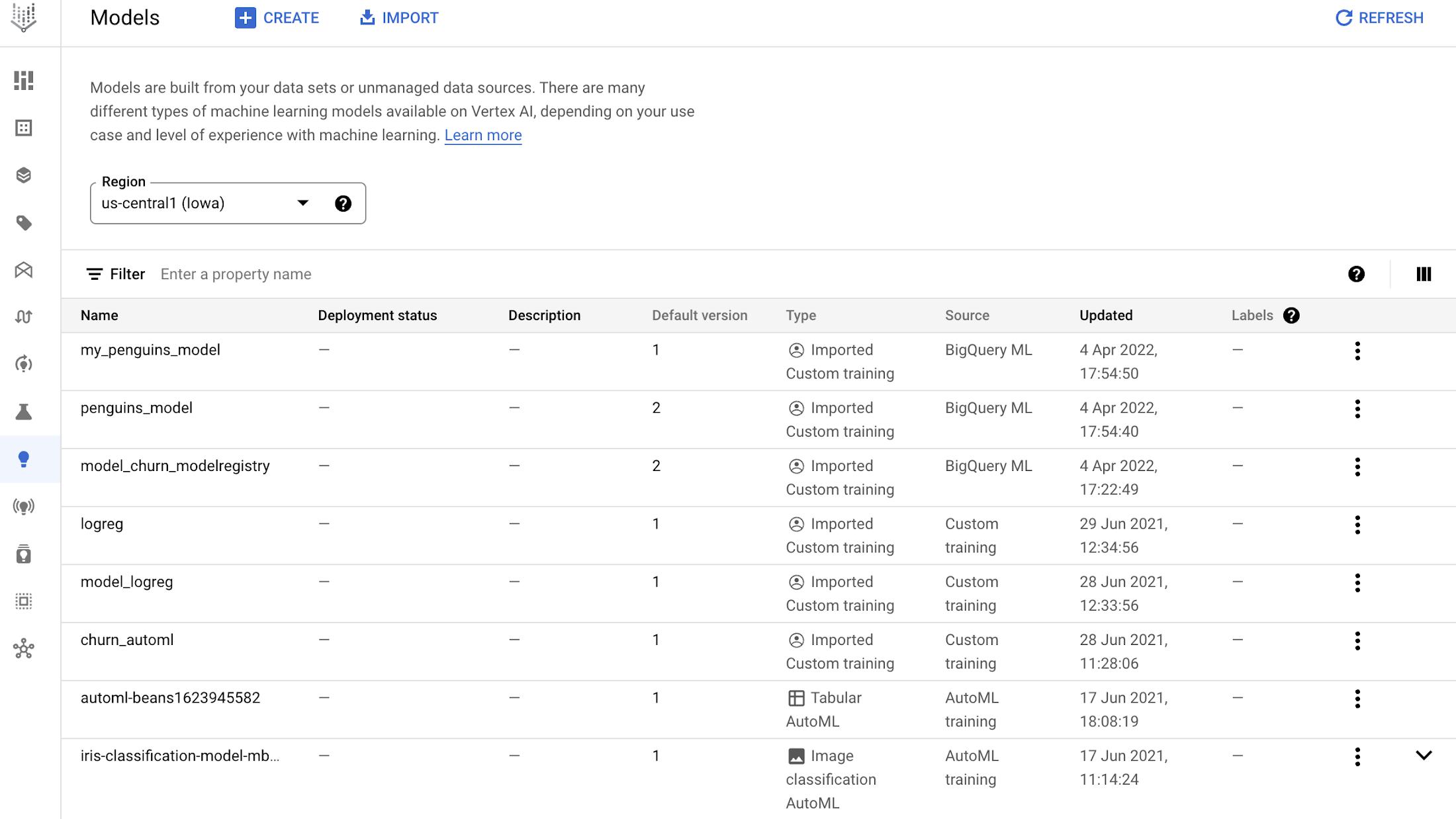
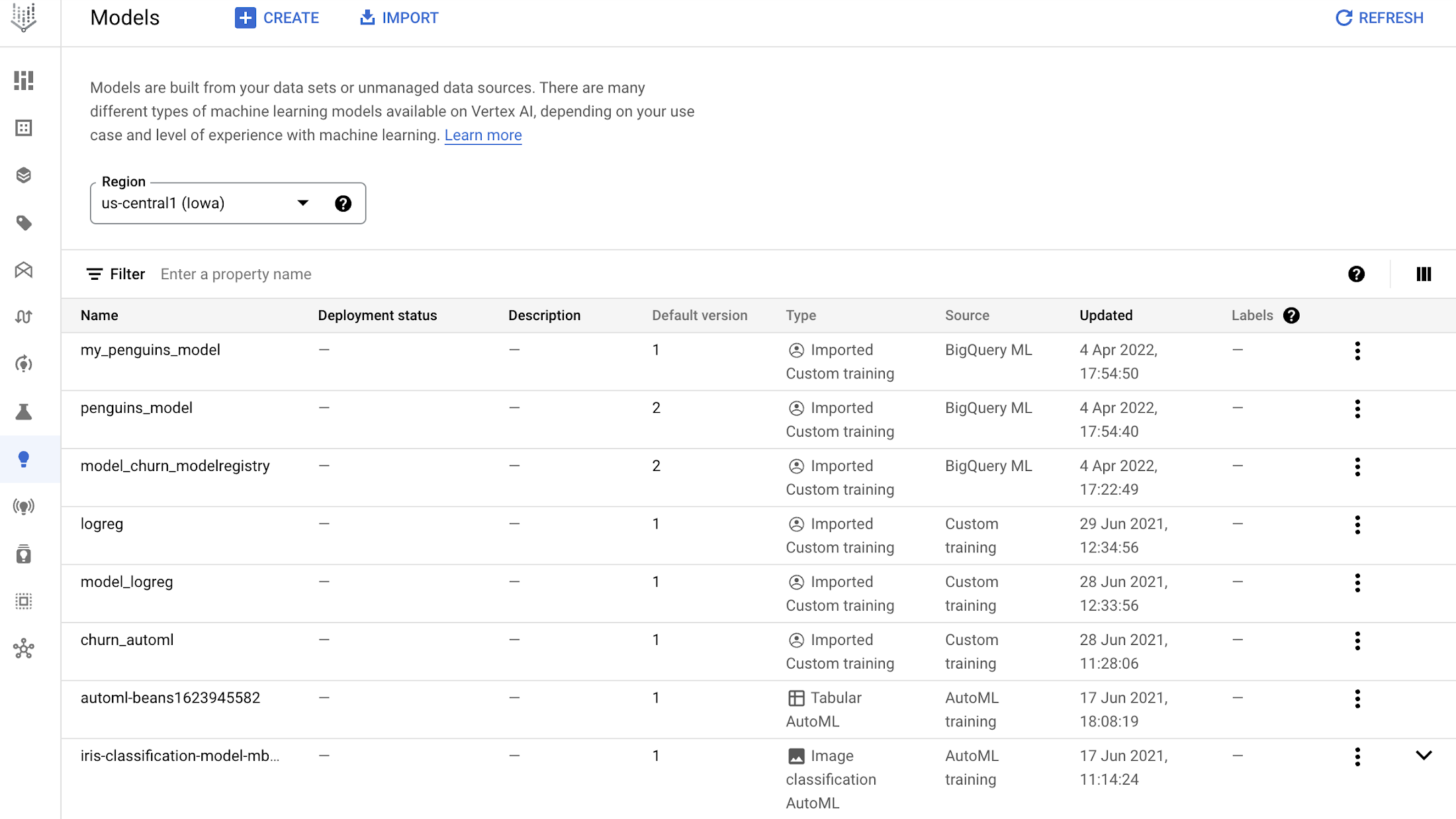
Registering BigQuery ML models to Vertex AI Model Registry
Let’s go over some common questions you might have:
How do you register a BigQuery ML to Vertex AI Model Registry?
Using the CREATE MODEL syntax, now you can add in an optional model_registry="vertex_ai" field to register the model to Model Registry when the model has finished training. You can also specify a Vertex AI model ID to register to, otherwise it will register it as a new model in Model Registry using the BigQuery ML model id. You can also specify any custom tags to help you label your model, such as “staging”, “production”.
Here’s an example of using CREATE MODEL with model_registry='vertex_ai':
CREATE OR REPLACE MODEL `bqml_tutorial.my_penguins_model`OPTIONS(model_type='linear_reg',input_label_cols=['body_mass_g'],model_registry='vertex_ai',vertex_ai_model_version_aliases=['linear_reg', 'experimental']) ASSELECT*FROM`bigquery-public-data.ml_datasets.penguins`WHEREbody_mass_g IS NOT NULL
Full documentation here: Managing models with Vertex AI | BigQuery ML | Google Cloud
Note: If you see an error indicating Access Denied: BigQuery BigQuery: Permission 'aiplatform.models.upload' denied on resource, you may first need to follow the instructions here to set the correct permissions. This is temporary. In a future release, you won’t need to explicitly set these permissions before registering BigQuery ML models with Vertex AI Model Registry.
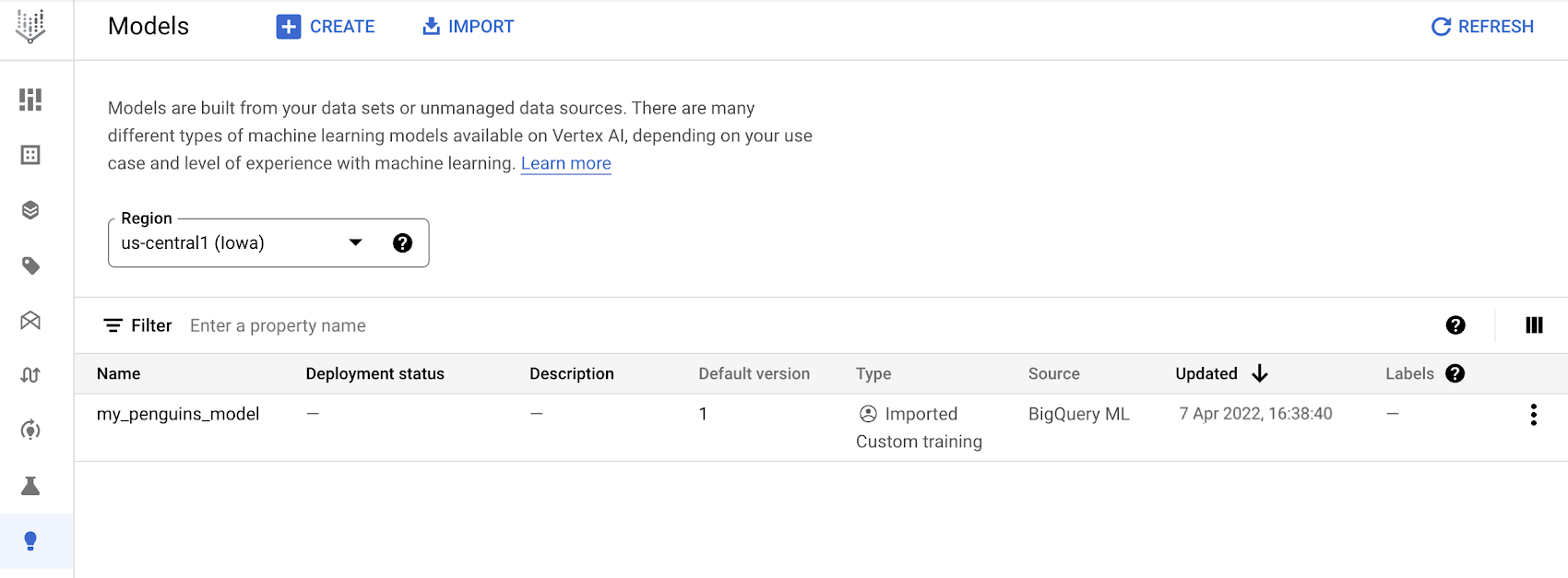
After training is complete, the BigQuery ML model (my_penguins_model) now shows up in Vertex AI Model Registry:
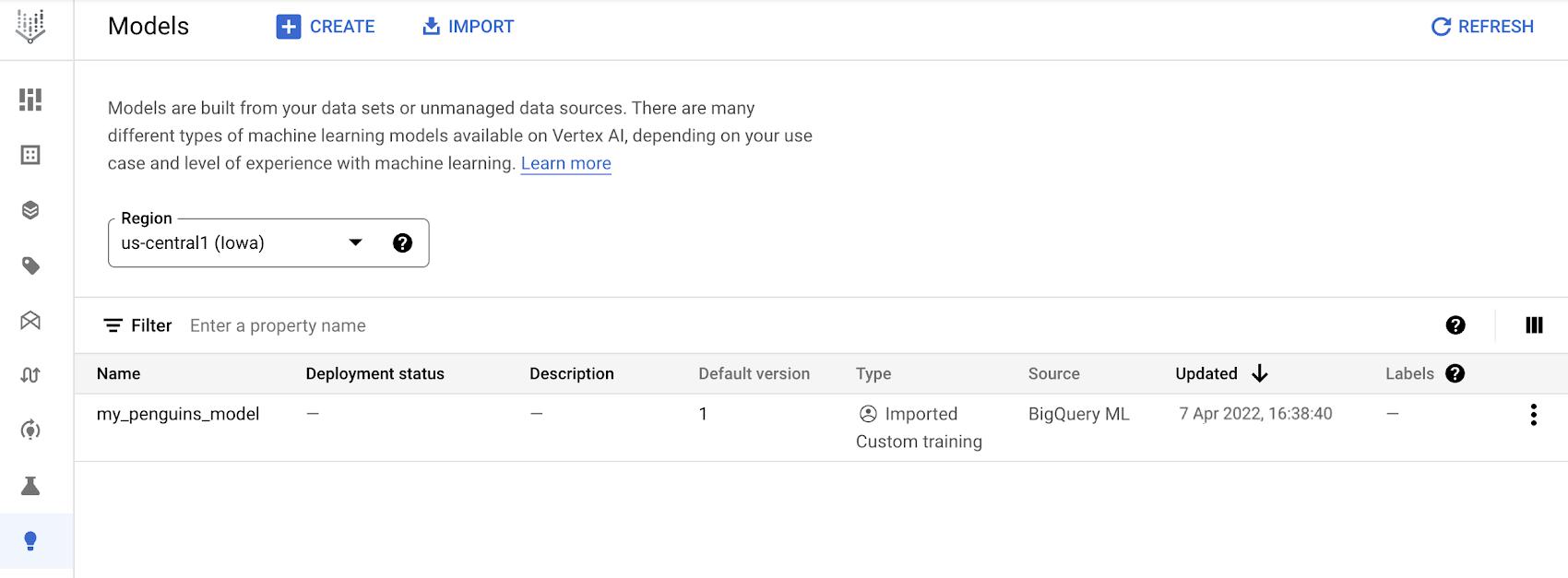
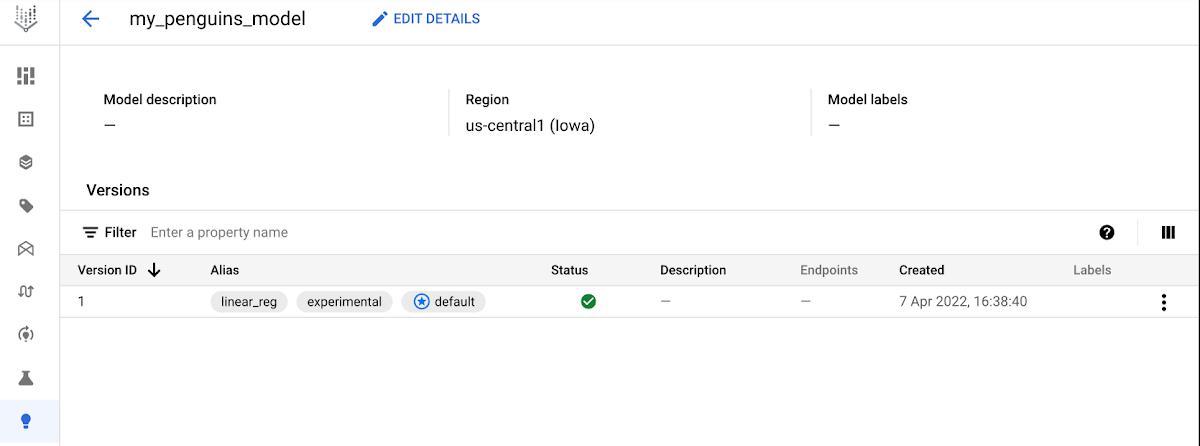
Clicking on the model lets me inspect the model with more details, including the model version and aliases:
You might have a few questions at this point:
Do all BigQuery ML models get automatically registered to Vertex AI Model Registry?
No, BigQuery ML models do not get automatically registered to Model Registry unless the user wants them to. As data scientists iterate and experiment through different models, they might want to only register a subset of models to the Model Registry. So users of BigQuery ML can pick and choose which models they explicitly want to register to the Vertex AI Model Registry using model_registry="vertex_ai" in the CREATE MODEL query. All models created using BigQuery ML will still be viewable within BigQuery, regardless of whether or not they have been registered to Vertex AI Model Registry.
Can any BigQuery ML model be registered to Vertex AI Model Registry?
Not all of them, currently. BigQuery ML has many supported model types, and built-in models as well as imported TensorFlow models can be registered to the Vertex AI Model Registry (full documentation).
Can you delete BigQuery ML models directly from Vertex AI Model Registry?
Currently, no you cannot. The only way to delete BigQuery ML models is from BigQuery ML. If you delete a BigQuery ML model, it will automatically be removed from Vertex AI Model Registry. More information on deleting BigQuery ML models can be found in the documentation.
Model versioning with Vertex AI Model Registry
Model versioning is now available on Vertex AI Model Registry, including for BigQuery ML
Users can now keep track of model versions on Vertex AI Model Registry, including BigQuery ML models. Model versioning allows you to create multiple versions of the same model. With model versioning, you can organize your models in a way that helps you navigate and understand which changes had what effect on the models. With Vertex AI Model Registry you can view your models and all of their versions in a single view.
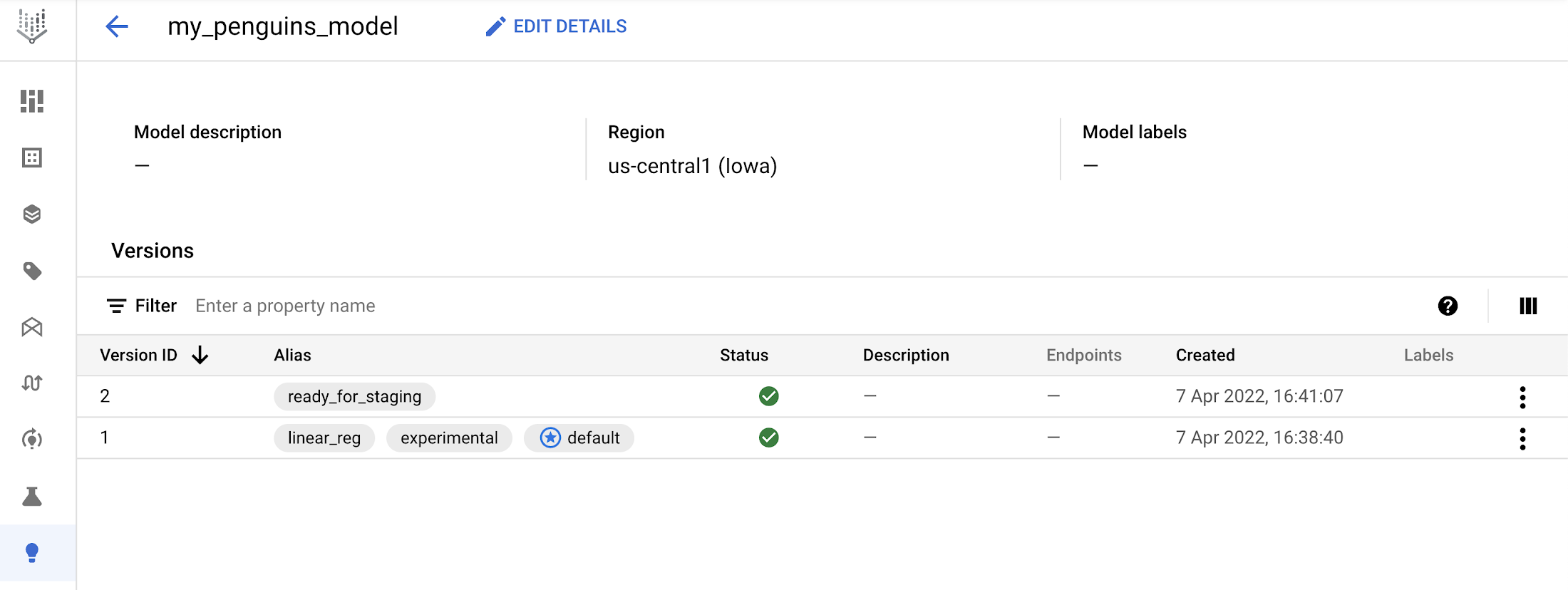
So when you register an initial BigQuery ML model to Model Registry, and then register a second version to the same model_id, you will see two versions on Model Registry.
For example, after training the initial model my_penguins_model, you can train another model version and register it to Vertex AI Model Registry, using the same vertex_ai_model_id, and adding any aliases you’d like:
CREATE MODEL `bqml_tutorial.my_penguins_model_2`OPTIONS(model_type='linear_reg',input_label_cols=['body_mass_g'],model_registry='vertex_ai',vertex_ai_model_id='my_penguins_model',vertex_ai_model_version_aliases=['ready_for_staging']) ASSELECT*FROM`bigquery-public-data.ml_datasets.penguins`WHEREbody_mass_g IS NOT NULL
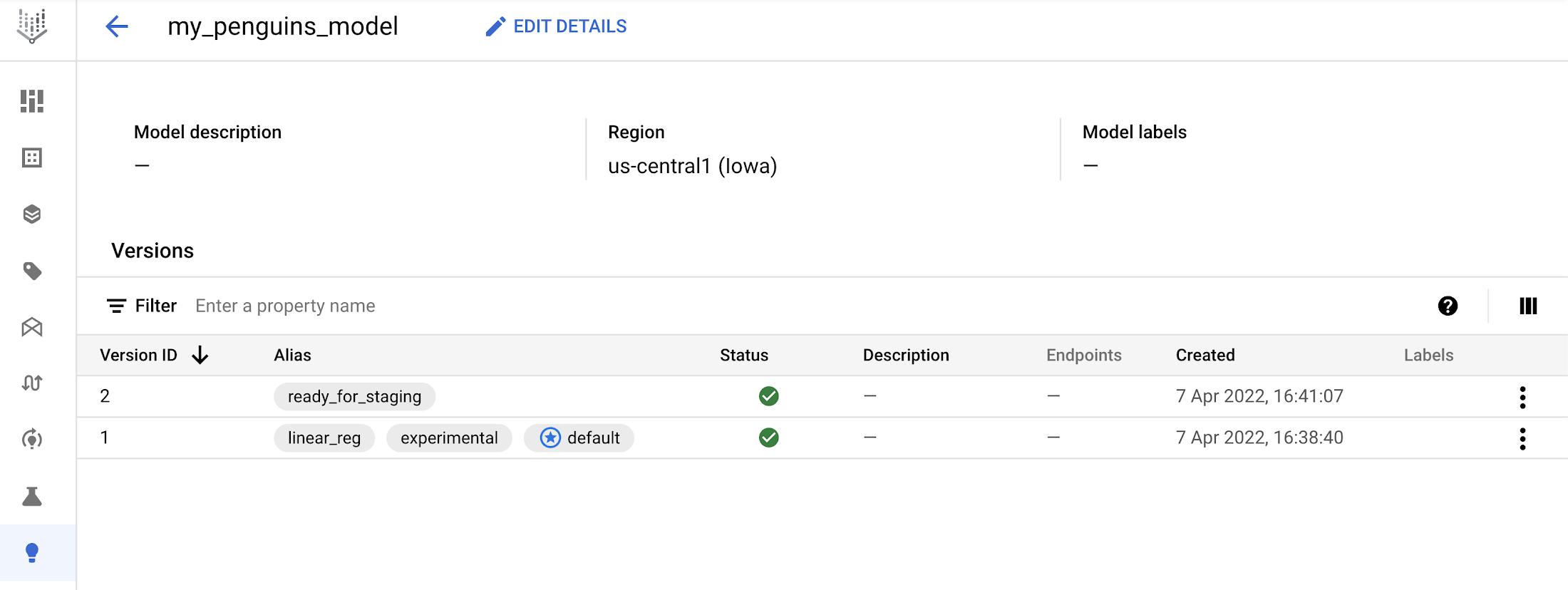
Looking at the model details in the Vertex AI Model Registry allows me to see a new version of the model:
Easier deployment of BigQuery ML models to Vertex AI endpoints
Why might you consider deploying BigQuery ML models to a Vertex AI endpoint? Today, BigQuery ML is great for batch predictions on large datasets. However, BigQuery ML is unsuitable for situations requiring online predictions, which typically involve low-latency and high-query-per-second inference. In other situations, sometimes data scientists and ML engineers may prefer to use a REST endpoint to serve predictions, rather than use SQL queries for model inference. To solve for either scenario, users can now more easily deploy their BigQuery ML models to a Vertex AI endpoint.
Deploy BigQuery ML models to Vertex endpoints directly from Vertex AI Model Registry
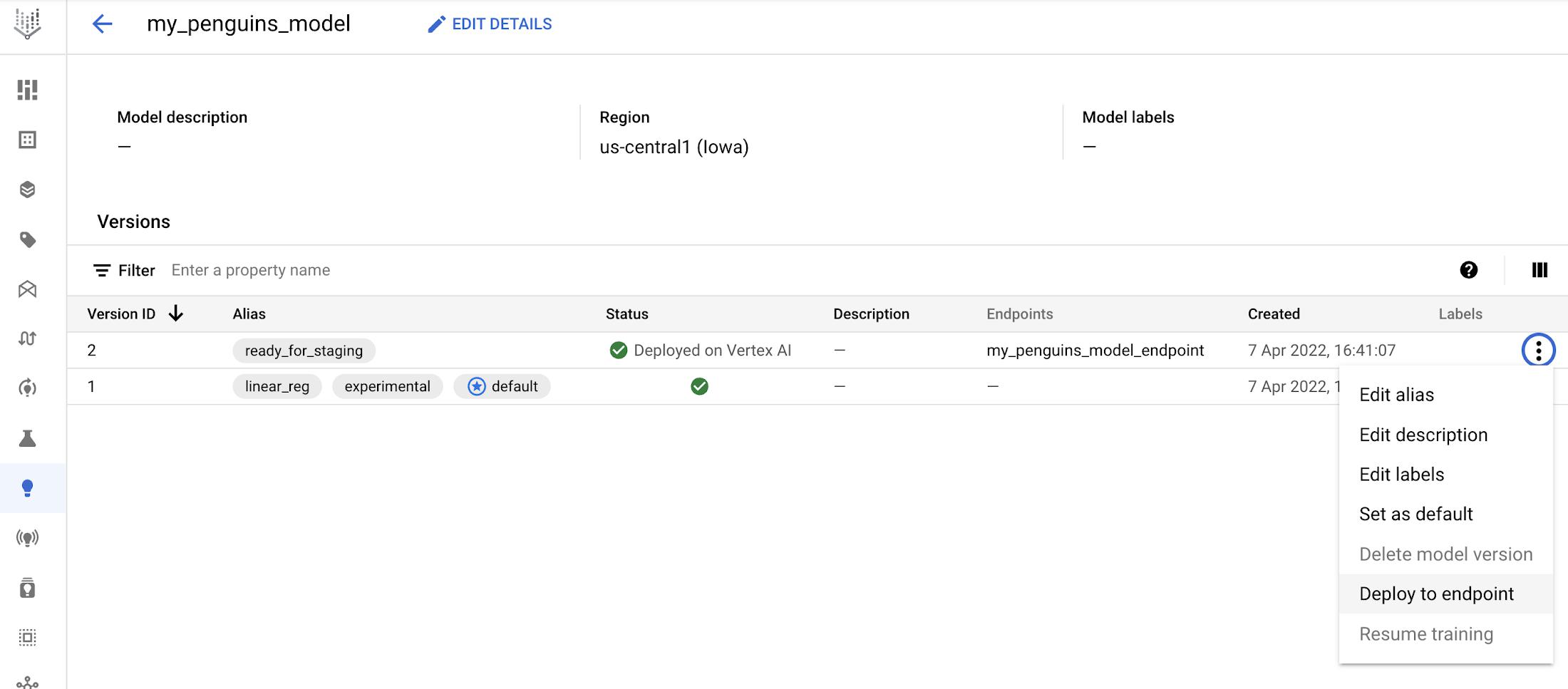
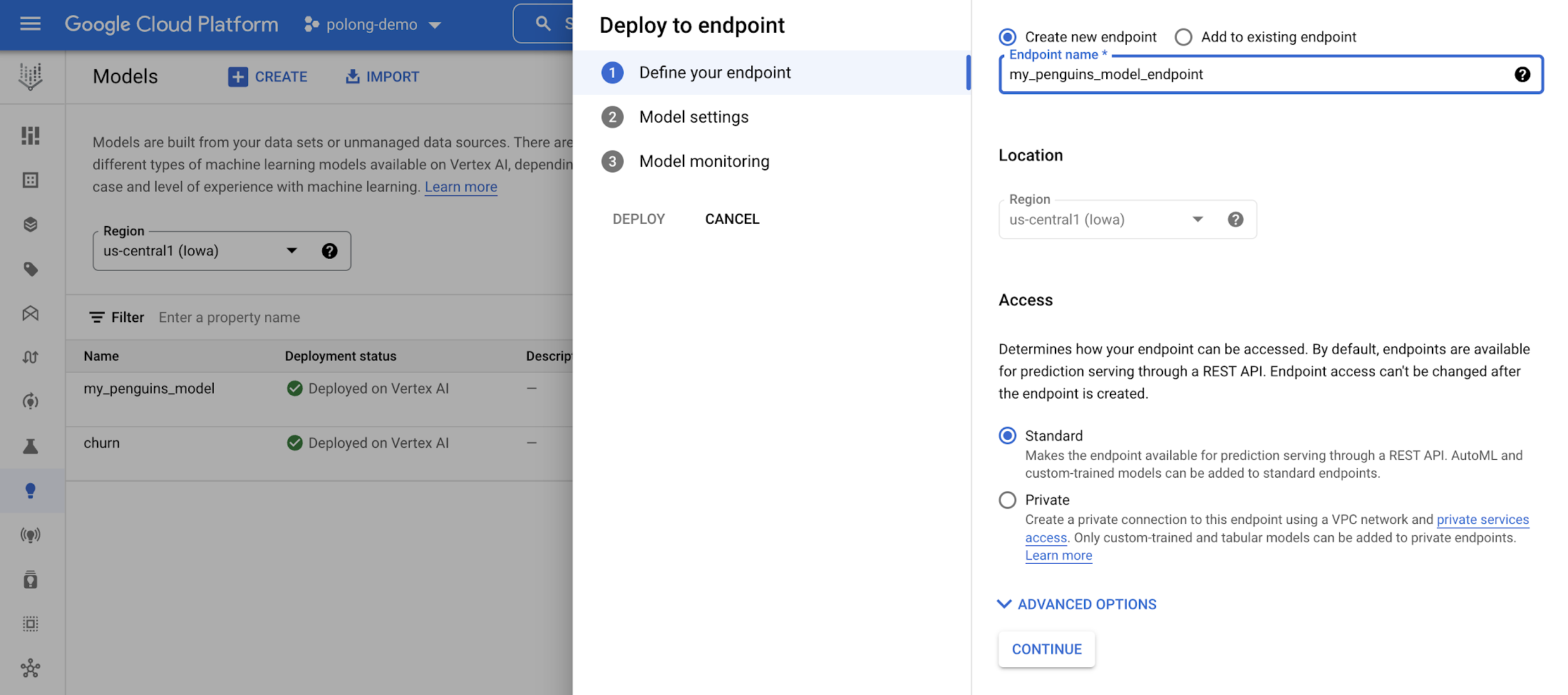
Once a BigQuery ML model is registered on Vertex AI Model Registry, you can now easily deploy the model to an endpoint in just a few clicks from the Model Registry interface.
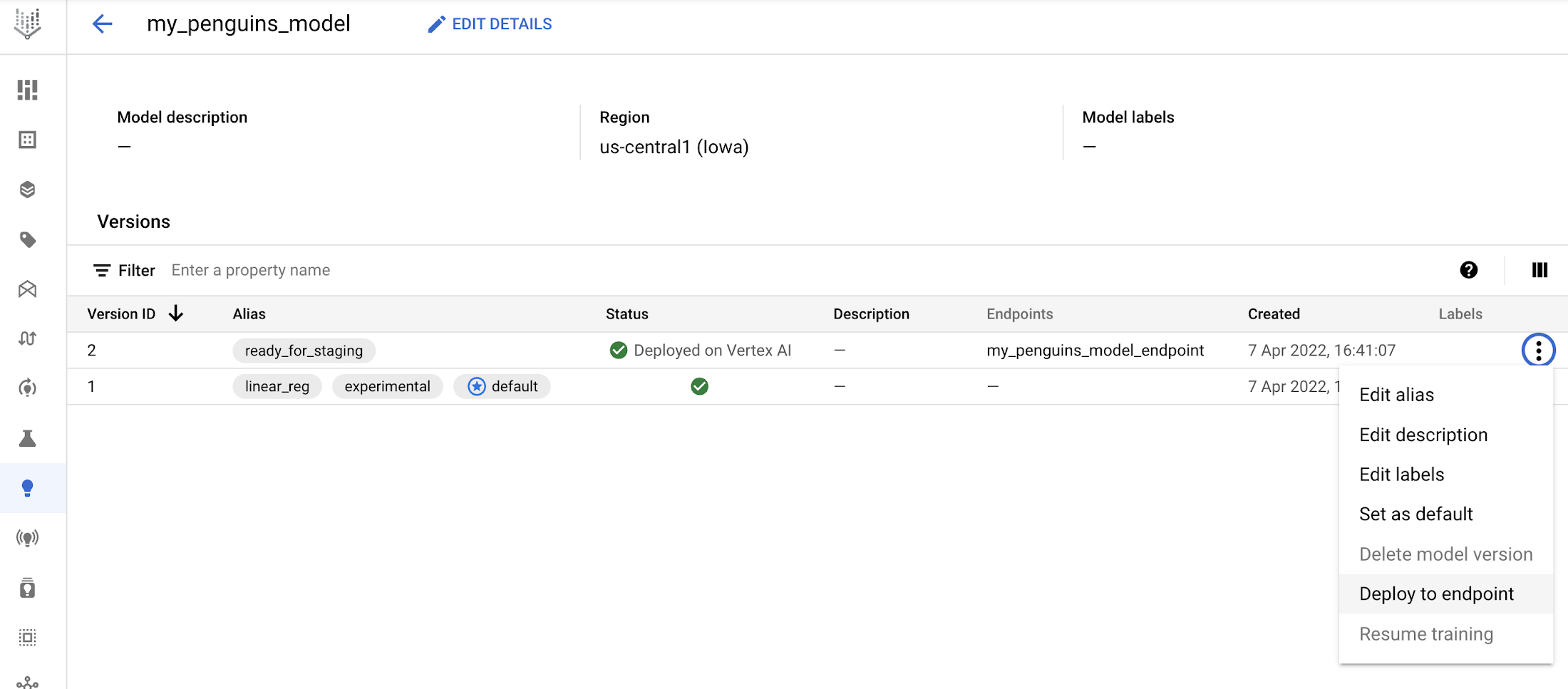
You can select to “Deploy to endpoint“:
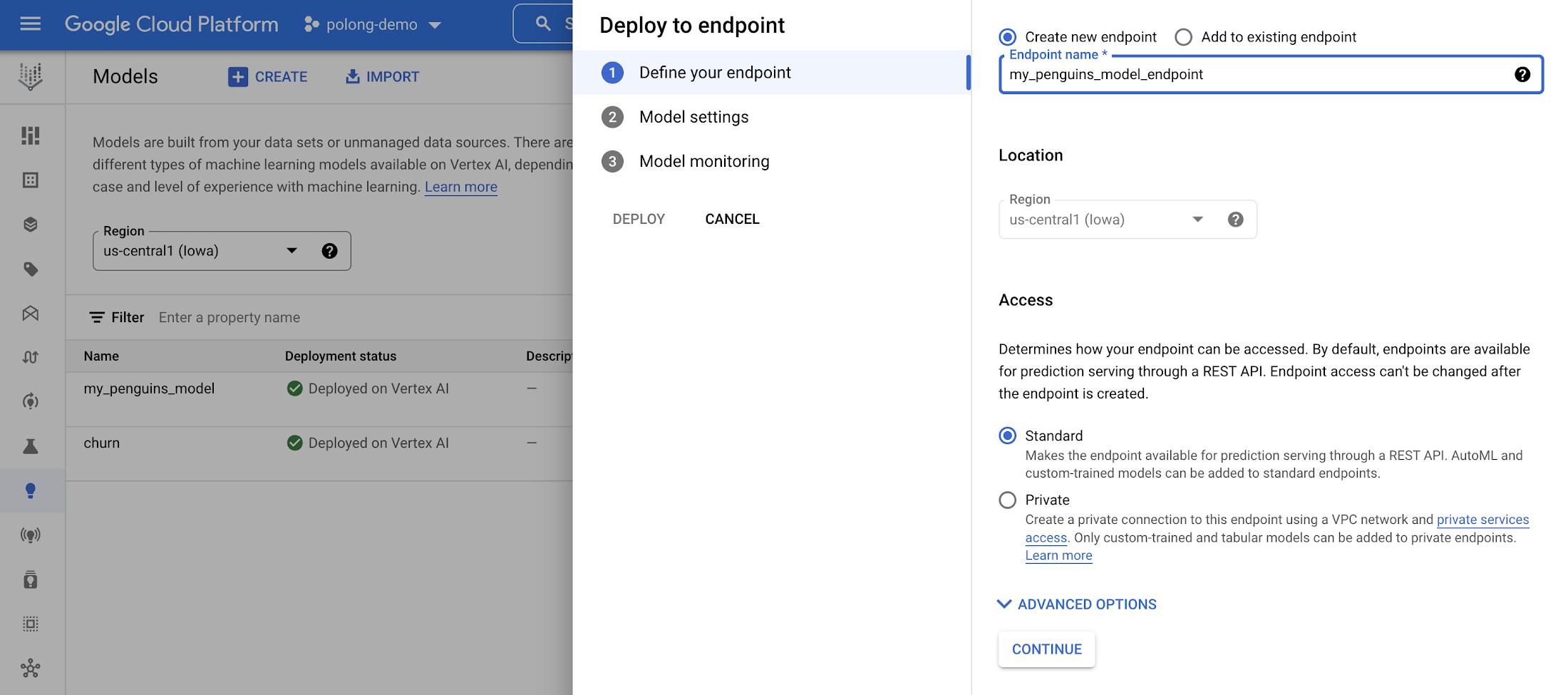
Then you can select a name and compute resources to use for your Vertex endpoint:
Make an online prediction request to the Vertex endpoint
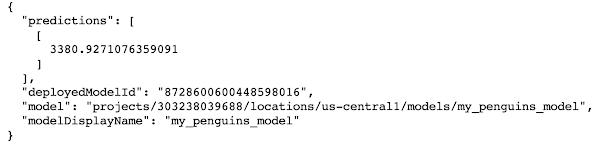
With a BQML model successfully deployed to an endpoint, you can now make online prediction requests. You’ll need to make sure your prediction request is following the correct input format. Here’s an example of what a prediction request (with new test data) as a JSON file might look like:
<b>prediction_request.json</b>
{"instances": [{"species": "Adelie Penguin (Pygoscelis adeliae)","island": "Dream","culmen_length_mm": 36.6,"culmen_depth_mm": 18.4,"flipper_length_mm": 184.0,"sex": "FEMALE"}]}
Then, you can make an online prediction request (documentation):
ENDPOINT_ID="MY-ENDPOINT-ID"PROJECT_ID="MY-PROJECT-ID"INPUT_DATA_FILE="prediction_request.json"curl \-X POST \-H "Authorization: Bearer $(gcloud auth print-access-token)" \-H "Content-Type: application/json" \https://us-central1-aiplatform.googleapis.com/v1/projects/${PROJECT_ID}/locations/us-central1/endpoints/${ENDPOINT_ID}:predict \-d "@${INPUT_DATA_FILE}"
Conclusion
With these new integrations between BigQuery ML and Vertex AI Model Registry, you will be able to keep track of your models, version your models, and deploy with greater ease than before. Happy modeling!
Want to learn more?
- Learn more about Vertex AI Model Registry
- Learn more about BigQuery ML with Vertex AI Model Registry
- Learn more about BigQuery ML and try out a tutorial
- Learn more about Vertex AI and deploying private endpoints or traffic splitting
- Read about using BigQuery and BigQuery ML operators in a Vertex AI Pipeline
Special thanks to Abhinav Khushraj, Henry Tappen, Ivan Nardini, Shana Matthews, Sarah Dugan, Katie O’Leary for their contributions to this blogpost.
By: Polong Lin (Developer Advocate) and Bo Yang (Software Engineer)
Source: Google Cloud Blog
For enquiries, product placements, sponsorships, and collaborations, connect with us at [email protected]. We'd love to hear from you!
Our humans need coffee too! Your support is highly appreciated, thank you!