aster.cloud aster.cloud
  • /
  • Platforms
    • Public Cloud
    • On-Premise
    • Hybrid Cloud
    • Data
  • Architecture
    • Design
    • Solutions
    • Enterprise
  • Engineering
    • Automation
    • Software Engineering
    • Project Management
    • DevOps
  • Programming
    • Learning
  • Tools
  • About
  • /
  • Platforms
    • Public Cloud
    • On-Premise
    • Hybrid Cloud
    • Data
  • Architecture
    • Design
    • Solutions
    • Enterprise
  • Engineering
    • Automation
    • Software Engineering
    • Project Management
    • DevOps
  • Programming
    • Learning
  • Tools
  • About
aster.cloud aster.cloud
  • /
  • Platforms
    • Public Cloud
    • On-Premise
    • Hybrid Cloud
    • Data
  • Architecture
    • Design
    • Solutions
    • Enterprise
  • Engineering
    • Automation
    • Software Engineering
    • Project Management
    • DevOps
  • Programming
    • Learning
  • Tools
  • About
  • Engineering

Multicloud Reporting And Analytics Using Google Cloud SQL And Power BI

  • aster.cloud
  • July 22, 2022
  • 3 minute read

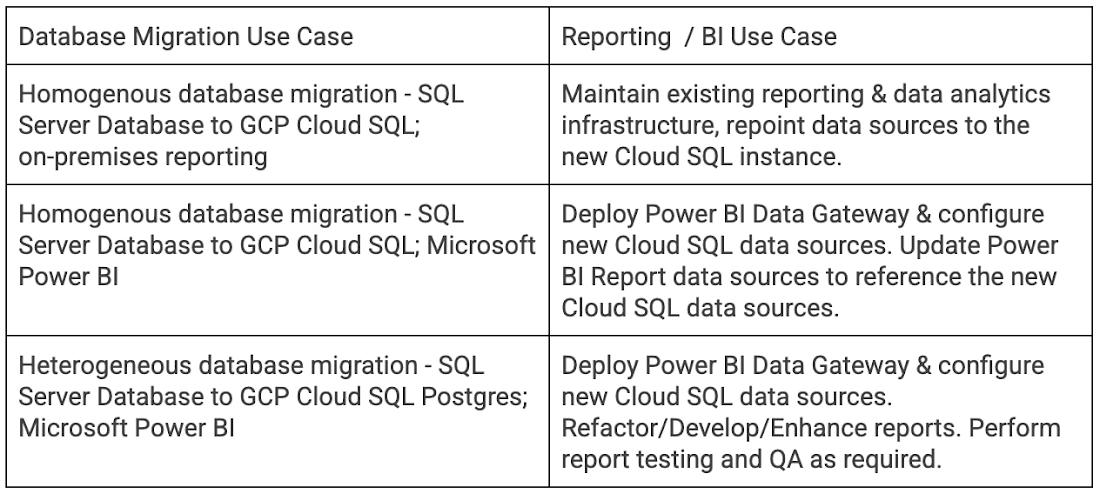
After migrating databases to Google Cloud,  Cloud SQL developers and business users can use familiar business intelligence tools and services like Microsoft Power BI to connect to and report from Cloud SQL MySQL, PostgreSQL, and SQL Server databases.

The ability to quickly migrate databases to GCP without having to worry about refactoring or developing new reporting and BI tools is a key capability for businesses migrating to CloudSQL. Organizations can migrate today, and then replatform databases and refactor reporting in subsequent project phases.


Partner with aster.cloud
for your next big idea.
Let us know here.


From our partners:

CITI.IO :: Business. Institutions. Society. Global Political Economy.
CYBERPOGO.COM :: For the Arts, Sciences, and Technology.
DADAHACKS.COM :: Parenting For The Rest Of Us.
ZEDISTA.COM :: Entertainment. Sports. Culture. Escape.
TAKUMAKU.COM :: For The Hearth And Home.
ASTER.CLOUD :: From The Cloud And Beyond.
LIWAIWAI.COM :: Intelligence, Inside and Outside.
GLOBALCLOUDPLATFORMS.COM :: For The World's Computing Needs.
FIREGULAMAN.COM :: For The Fire In The Belly Of The Coder.
ASTERCASTER.COM :: Supra Astra. Beyond The Stars.
BARTDAY.COM :: Prosperity For Everyone.


The following guide demonstrates key steps to configure Power BI reporting from Cloud SQL. While your environment and requirements may vary, the design remains the same.

To begin, create three Cloud SQL Instances, each with a Private IP address.
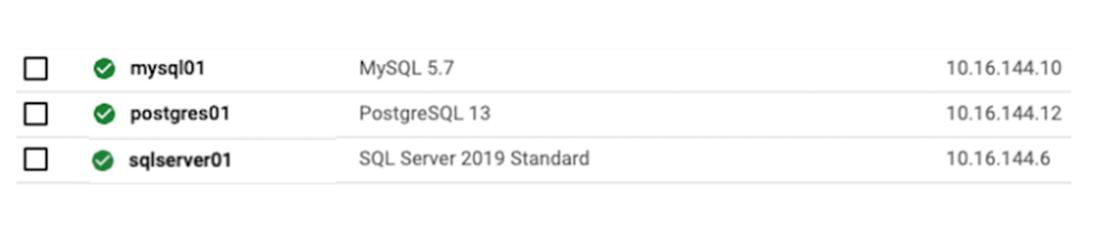
 

After creating the database instances, create a Windows VM in the same VPC as the Cloud SQL instances. Install and configure the Power BI Gateway on this VM along with the required ODBC connectors.

Download and Install ODBC Connectors for PostgreSQL and MySQL.

  • Postgres:  https://www.postgresql.org/ftp/odbc/versions/msi/
  • MySQL: https://dev.mysql.com/downloads/connector/odbc/

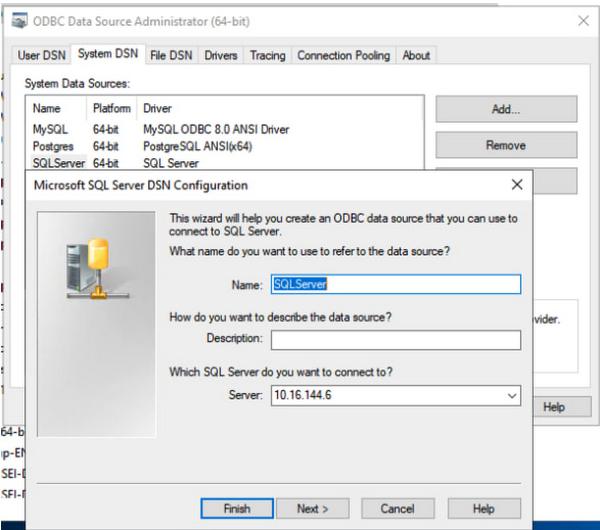
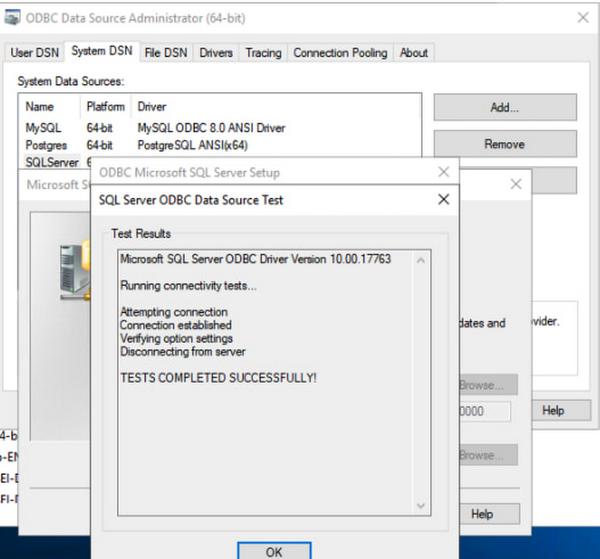
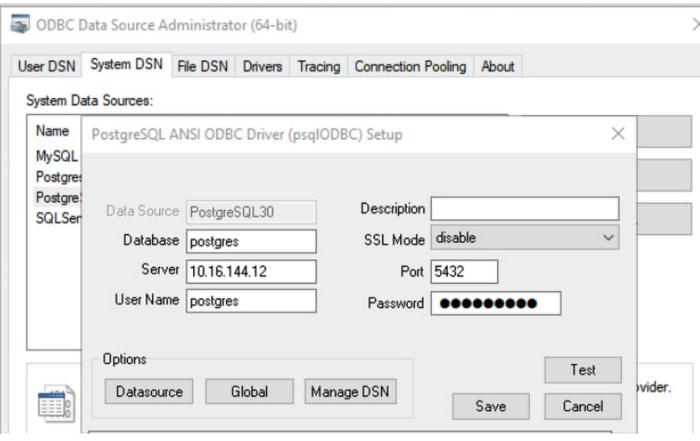
Configure System DSNs for each Database connection. Examples follow.

SQL Server
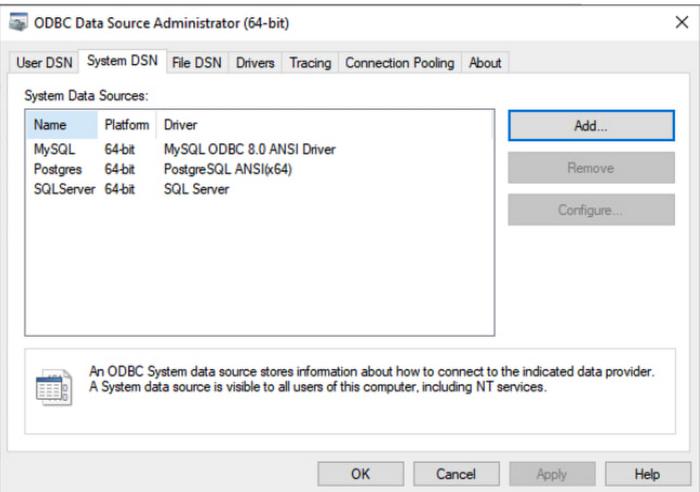


PostgreSQL
 

MySQL
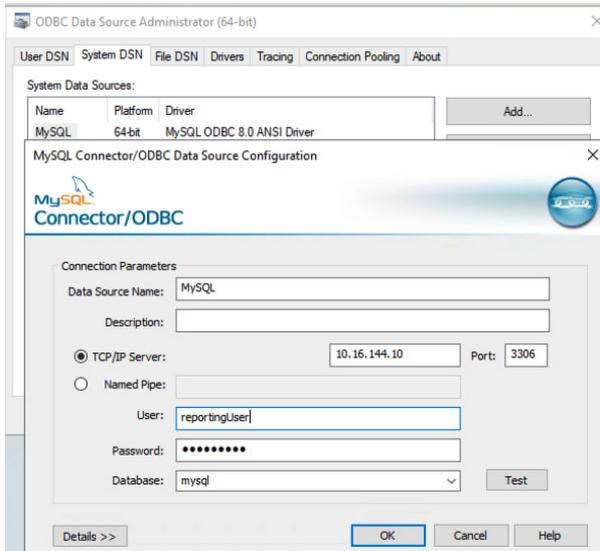
 

The traffic between the CloudSQL instance and the VM hosting the data gateway stays inside the Google VPC and is encrypted via Encryption in Transit in Google Cloud. To add an additional layer of SSL encryption for the data inside the Google VPC, configure each System DSN to use CloudSQL SSL/TLS certificates .

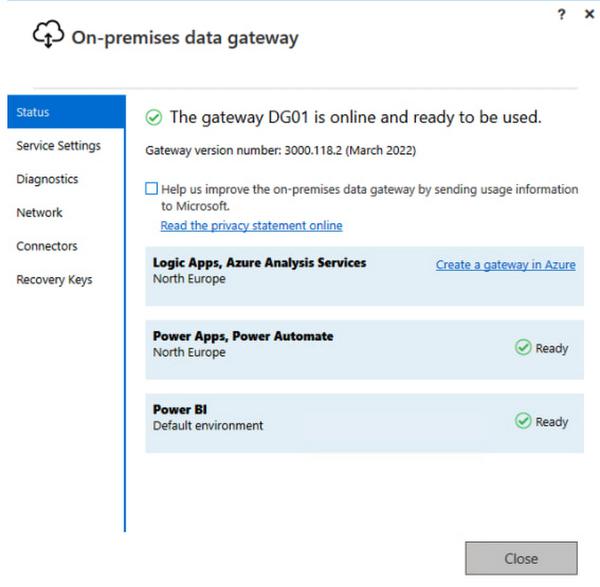
Next, download, install, and configure the Power BI Gateway. Note that the gateway may be installed in an HA configuration. The screenshot below shows a single standalone gateway.

Read More  Secure Supply Chain On Google Cloud


On-premises data gateway configuration: Create a new on-premises data gateway
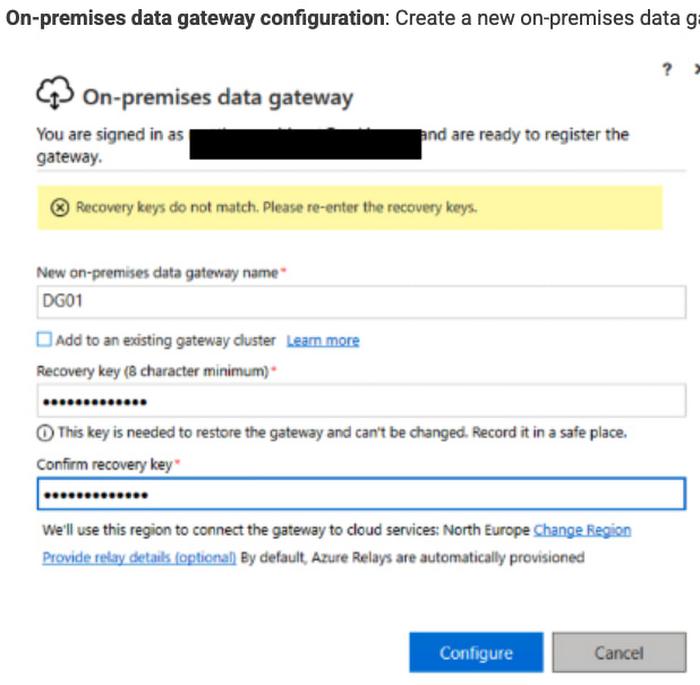
 

On-premises data gateway configuration: Validate Gateway Configuration
 

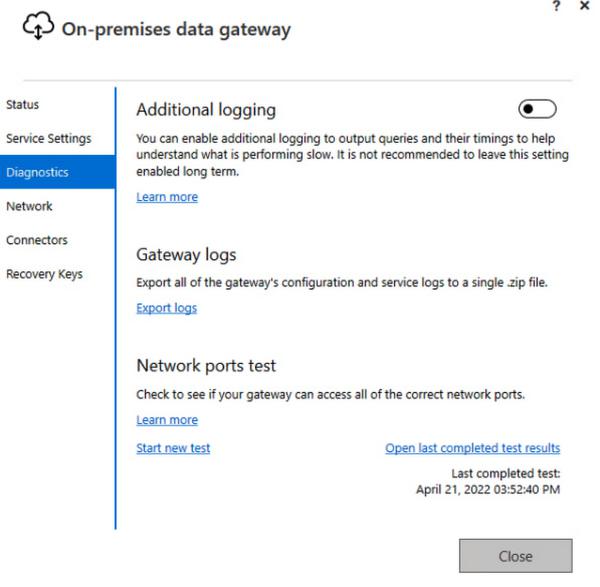
On-premises data gateway configuration: Review logging settings
 

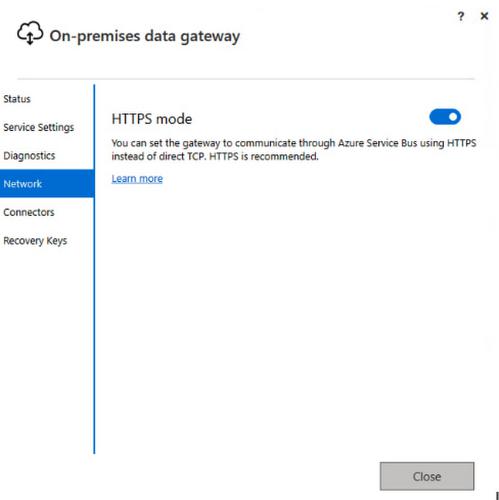
On-premises data gateway configuration: Review HTTPS mode

Make sure that outgoing HTTPS traffic is allowed to exit from the VPC.
 

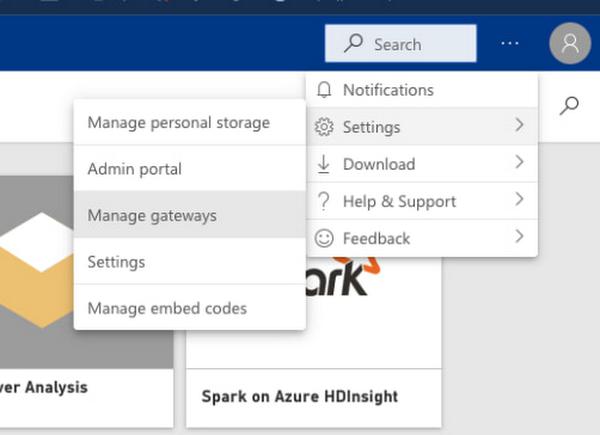
Next, download and open Power BI Desktop. Log into Power BI and select “Manage gateways” to configure data sources.
 

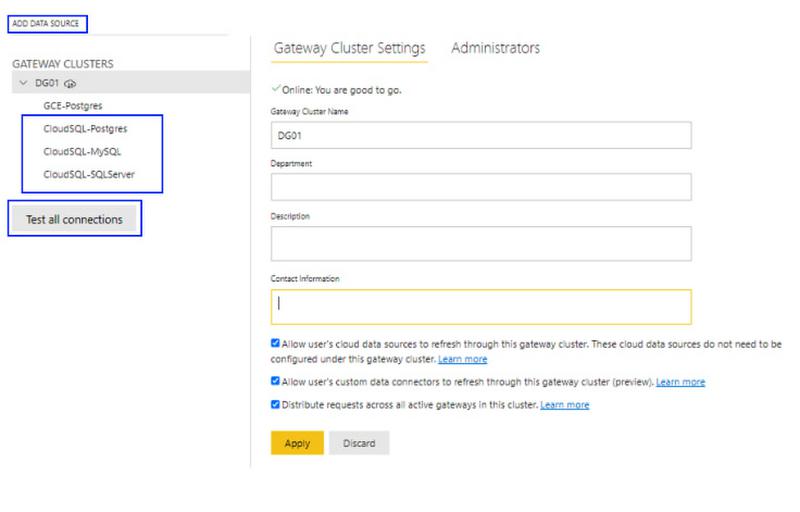
Add data sources for each instance, and then test the data source connections. In the example below a data source is added for each CloudSQL instance.
 

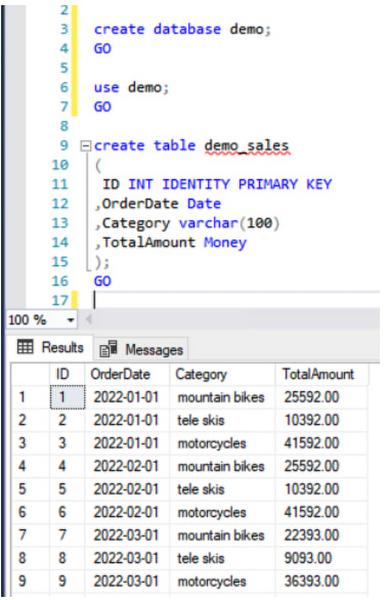
Load test data into each database instance (optional). In the example below a simple table containing demo data is created in each source database.
 

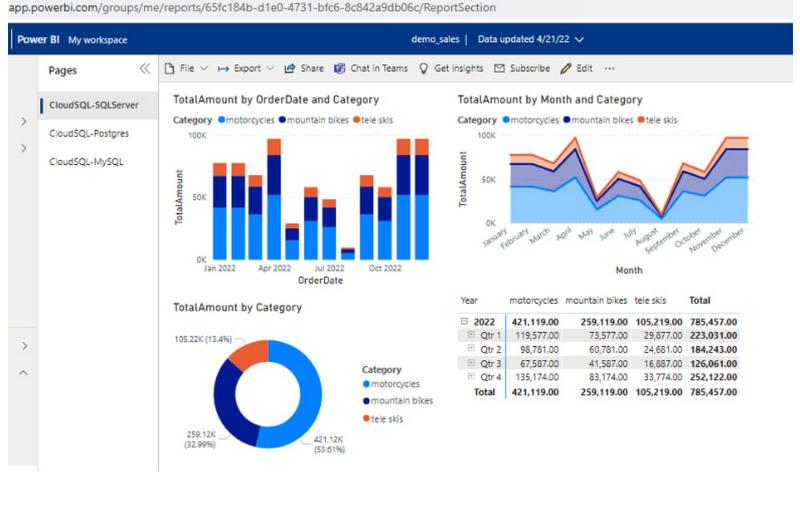
Launch Power BI desktop and log in. Next, add data sources and create a report. Select “Get data” and add ODBC connections for CloudSQL SQL Server, PostgreSQL and MySQL, then create a sample report with data from each instance.
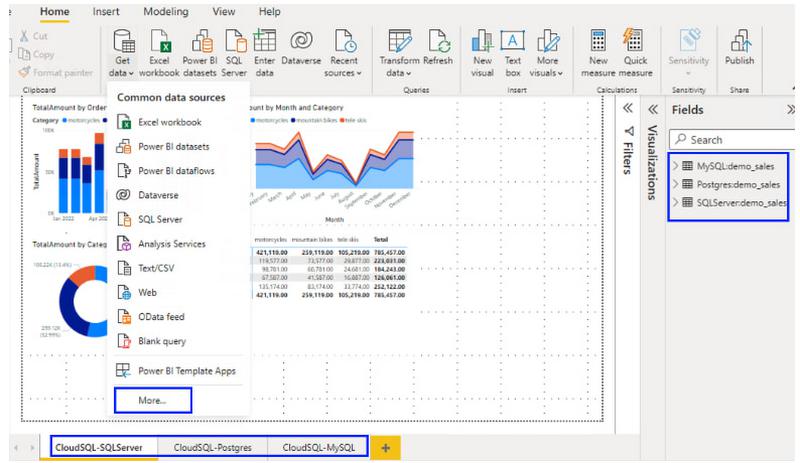
 

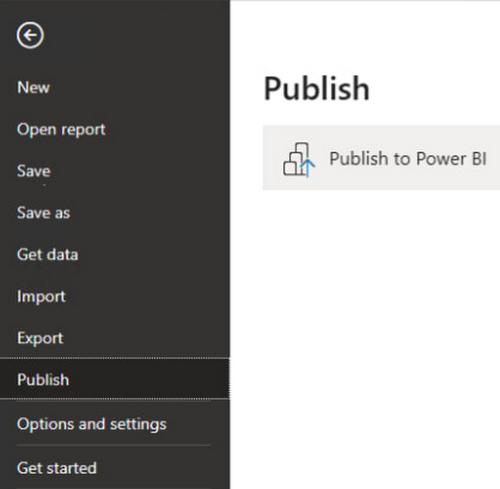
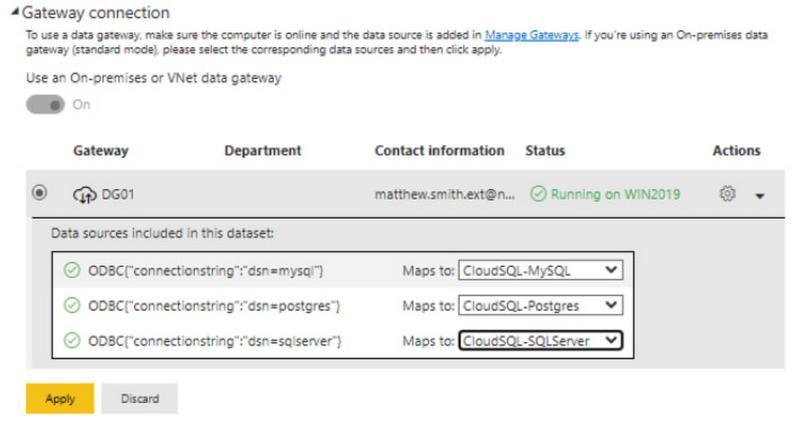
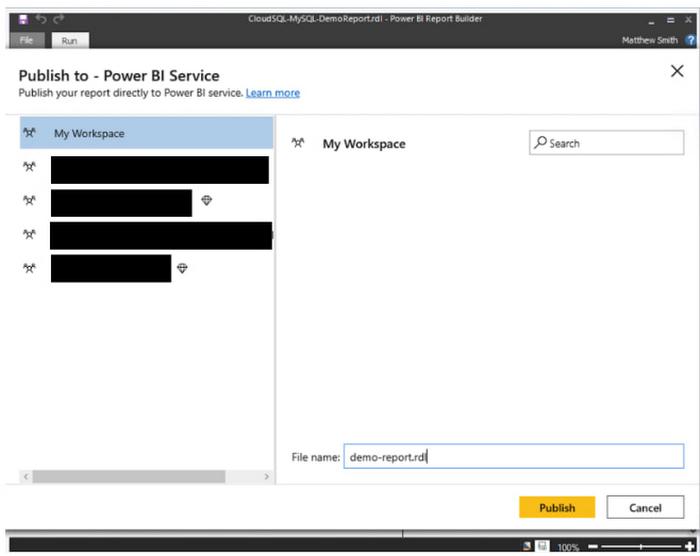
Using the Power BI publish feature, publish the report to the Power BI service. Once the report and data sources are published, update the data sources in the Power BI workspace to point to the data gateway data sources.
 

Map the datasets to the CloudSQL database gateway connections.
 

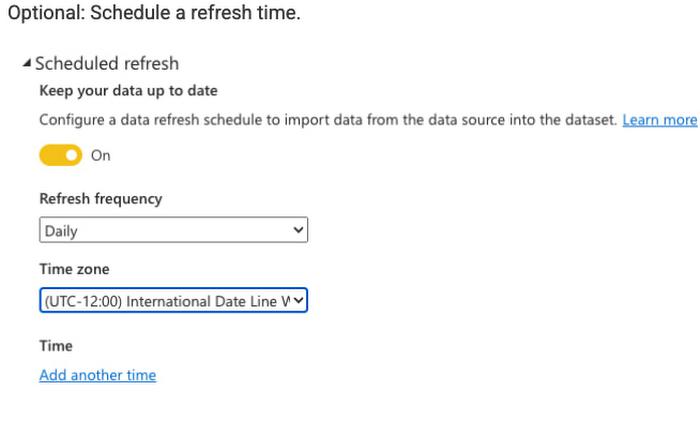
Optional: Schedule a refresh time.
 

To perform an end-to-end test, update the test data and refresh the reports to view the changes.
 

Use the Publish to – Power BI Service to publish Power BI reports that were developed with Power BI Report Builder to a workspace (Power BI Premium Capacity is required).
Read More  Four Back-To-School And Off-To-College Consumer Trends Retailers Should Know


Conclusion

Hopefully this blog was helpful in demonstrating how Power BI reports and dashboards can connect to Google Cloud SQL Databases using the Power BI Gateway. You can also use the Power BI Gateway to connect to your Big Query datasets and databases running on GCE VMs. For more information on Cloud SQL, please visit Google Cloud Platform Cloud SQL.


By: Matthew Smith (Strategic Cloud Engineer)
Source: Google Cloud Blog


For enquiries, product placements, sponsorships, and collaborations, connect with us at [email protected]. We'd love to hear from you!

Our humans need coffee too! Your support is highly appreciated, thank you!

aster.cloud

Related Topics
  • Cloud SQL
  • Data Analytics
  • Google Cloud
  • MySQL
  • PostgreSQL
  • Power BI
  • Tutorials
You May Also Like
Points, Lines and a Question
View Post
  • Architecture
  • Design
  • Engineering
  • People

What Is The Point In Making Points?

  • November 26, 2025
View Post
  • Engineering
  • Software Engineering

Development gets better with Age

  • October 9, 2025
View Post
  • Engineering
  • Technology

Apple supercharges its tools and technologies for developers to foster creativity, innovation, and design

  • June 9, 2025
View Post
  • Engineering

Just make it scale: An Aurora DSQL story

  • May 29, 2025
View Post
  • Engineering
  • Technology

Guide: Our top four AI Hypercomputer use cases, reference architectures and tutorials

  • March 9, 2025
View Post
  • Computing
  • Engineering

Why a decades old architecture decision is impeding the power of AI computing

  • February 19, 2025
View Post
  • Engineering
  • Software Engineering

This Month in Julia World

  • January 17, 2025
View Post
  • Engineering
  • Software Engineering

Google Summer of Code 2025 is here!

  • January 17, 2025

Stay Connected!
LATEST
  • 1
    IBM Study: One in Four Malicious Breaches are AI-Enabled, Costing Companies $6 Million on Average
    • July 29, 2026
  • 2
    Accelerating the frontiers of scientific discovery: Google’s $40M commitment to the Genesis Mission
    • July 26, 2026
  • 3
    3 Questions: Neural transparency and the future of AI design
    • July 17, 2026
  • 4
    Intel Invests €5 Billion to Expand Manufacturing in Europe
    • July 13, 2026
  • 5
    IBM and Red Hat Expand Lightwell with New Offerings to Build the Trust Infrastructure for AI-Era Open Source
    • July 8, 2026
  • 6
    When I Was Young
    • July 4, 2026
  • 7
    The Fastest AI Fried Chicken In The World
    • June 29, 2026
  • 8
    Zed Approves | How to Stay Cool in Extreme Heat
    • June 29, 2026
  • 9
    The AI investment surge hasn’t produced the expected results yet. That could change in 2026
    • June 26, 2026
  • 10
    Zed Approves | It’s Prime Day 2026! Time to Upgrade Your World Cup Viewing Setup and Beat the Heat
    • June 25, 2026
about
Hello World!

We are aster.cloud. We’re created by programmers for programmers.

Our site aims to provide guides, programming tips, reviews, and interesting materials for tech people and those who want to learn in general.

We would like to hear from you.

If you have any feedback, enquiries, or sponsorship request, kindly reach out to us at:

[email protected]
Most Popular
  • 1
    Zed Approves | The Best Prime Day PC Deals: Top Gaming Rigs, Workstations, and Everyday Laptops
    • June 24, 2026
  • neon-cart 2
    Zed Approves: How to Gear Up for GTA 6 This Amazon Prime Day (2026 Quick Guide)
    • June 22, 2026
  • zedreviews-valerion 3
    Father’s Day Outdoors – Build Dad the Ultimate Backyard Watch Party
    • June 20, 2026
  • zedreviews-fathers-day-50830 4
    Father’s Day Outdoors, Round Two – Gear for the Action, the Tailgate, and Beating the Heat
    • June 20, 2026
  • zedreviews-fathers-day-2147684744 5
    The Ultimate Father’s Day Gift Guide – Home Entertainment Upgrades Dad Actually Wants
    • June 20, 2026
  • /
  • Technology
  • Tools
  • About
  • Contact Us

Input your search keywords and press Enter.