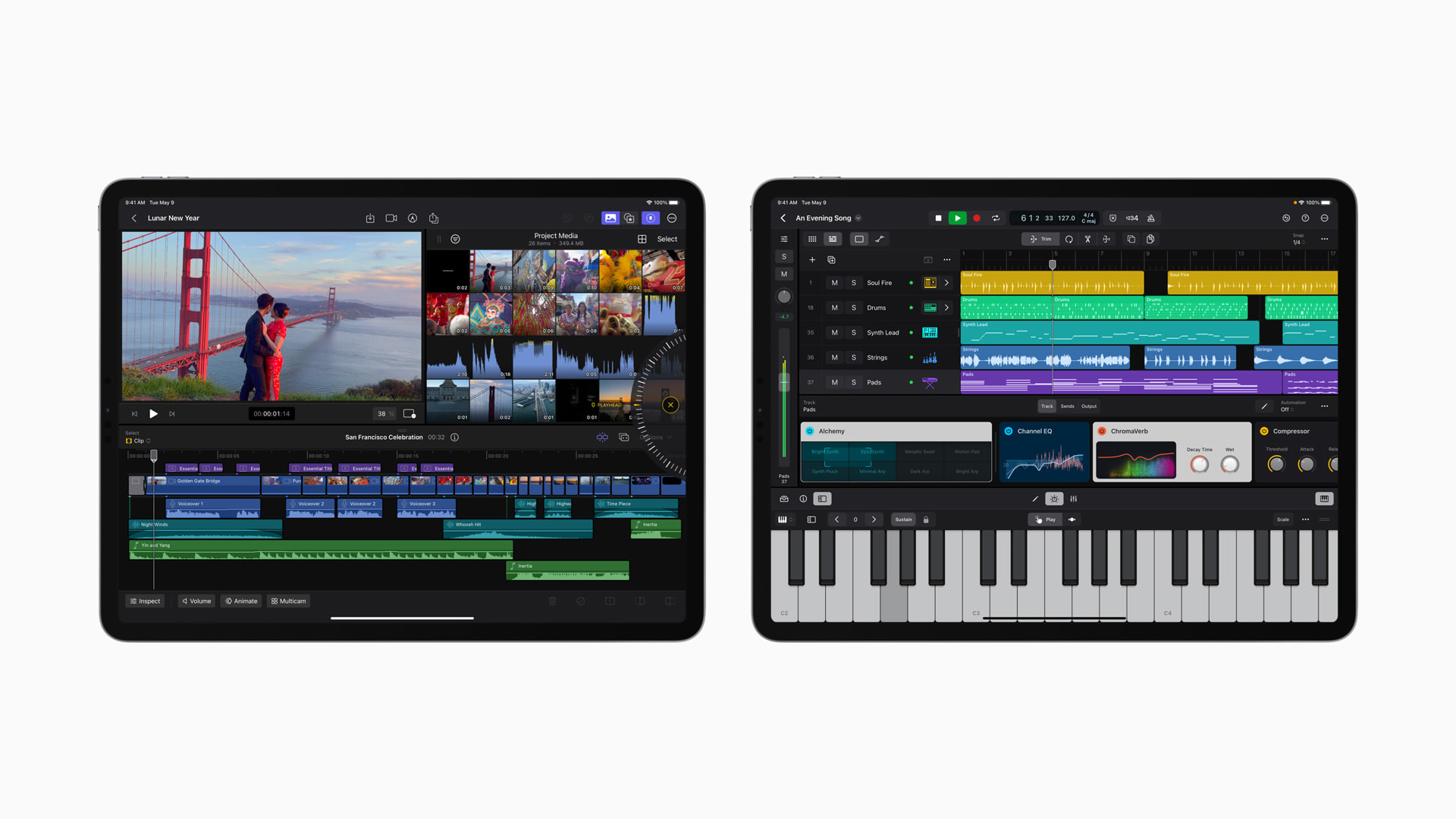
With powerful and intuitive tools designed for the portability, performance, and touch-first interface of iPad, Final Cut Pro and Logic Pro are the ultimate mobile studio for video and music creation.
Apple today unveiled Final Cut Pro and Logic Pro for iPad. Video and music creators can now unleash their creativity in new ways that are only possible on iPad. Final Cut Pro and Logic Pro for iPad bring all-new touch interfaces that allow users to enhance their workflows with the immediacy and intuitiveness of Multi-Touch. Final Cut Pro for iPad introduces a powerful set of tools for video creators to record, edit, finish, and share, all from one portable device. Logic Pro for iPad puts the power of professional music creation in the hands of the creator — no matter where they are — with a complete collection of sophisticated tools for songwriting, beat making, recording, editing, and mixing. Final Cut Pro and Logic Pro for iPad will be available on the App Store as subscriptions starting Tuesday, May 23.
“We’re excited to introduce Final Cut Pro and Logic Pro for iPad, allowing creators to unleash their creativity in new ways and in even more places,” said Bob Borchers, Apple’s vice president of Worldwide Product Marketing. “With a powerful set of intuitive tools designed for the portability, performance, and touch-first interface of iPad, Final Cut Pro and Logic Pro deliver the ultimate mobile studio.”
From our partners:
Final Cut Pro for iPad
Final Cut Pro for iPad introduces an all-new touch interface and intuitive tools — unlocking new workflows for video creators. A new jog wheel makes the editing process easier than ever and enables users to interact with content in completely new ways. They can navigate the Magnetic Timeline, move clips, and make fast frame-accurate edits with just the tap of a finger, and with the immediacy and intuitiveness of Multi-Touch gestures, push their creativity to new heights.
With Live Drawing, users can draw and write directly on top of video content using Apple Pencil. On iPad Pro with M2, Apple Pencil hover unlocks the ability for users to quickly skim and preview footage without ever touching the screen.1 They can also speed up their workflows by adding a Magic Keyboard or Smart Keyboard Folio to utilize key commands.2 Creators can view and edit stunning HDR video — taking advantage of the Liquid Retina XDR display on the 12.9-inch iPad Pro — and apply color grades with accuracy using Reference Mode.

Pro Camera Mode and Multicam Video Editing
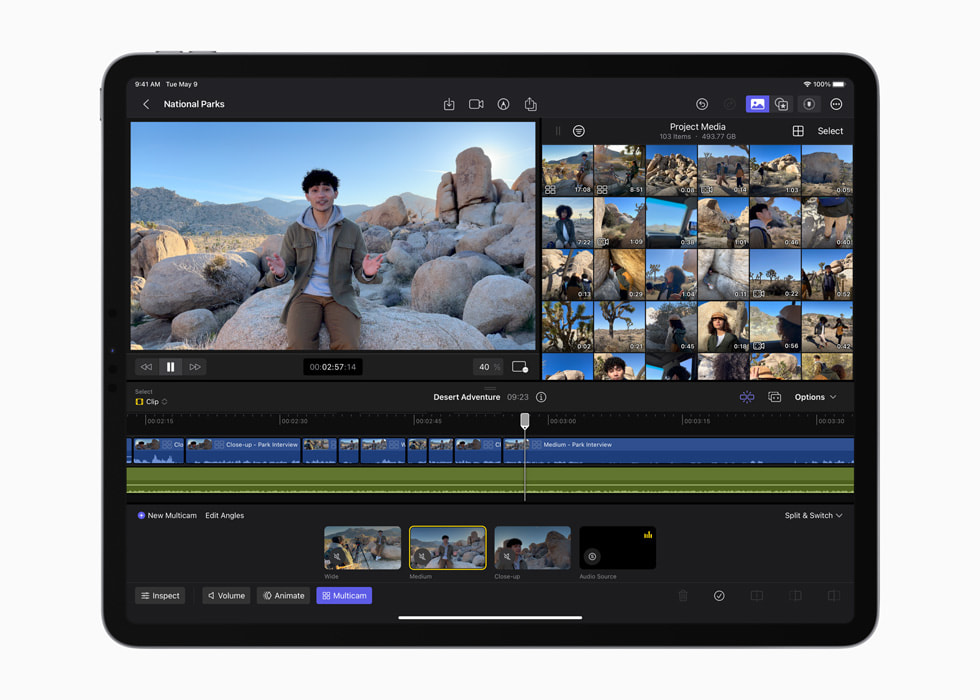
Pro camera mode brings even greater control to the creation process on iPad. Video creators can shoot high-quality video in portrait or landscape orientation, monitor audio and available recording time, and manually control settings like focus, exposure, and white balance. Creators can capture, edit, and publish from a single device while in the field, and on iPad Pro with M2, users can even record in ProRes.3 With multicam video editing, clips can automatically be synchronized and edited together, and users can even switch angles in a multicam clip with just the touch of a finger.
Fast Cut Features with Machine Learning
Final Cut Pro for iPad harnesses the power of Apple silicon and machine learning to speed up time-consuming editing tasks. With Scene Removal Mask, creators can quickly remove or replace the background behind a subject in a clip without using a green screen. Auto Crop adjusts footage for vertical, square, and other aspect ratios, and with Voice Isolation, background noise can easily be removed from audio captured in the field.
Pro Graphics, Effects, and Audio
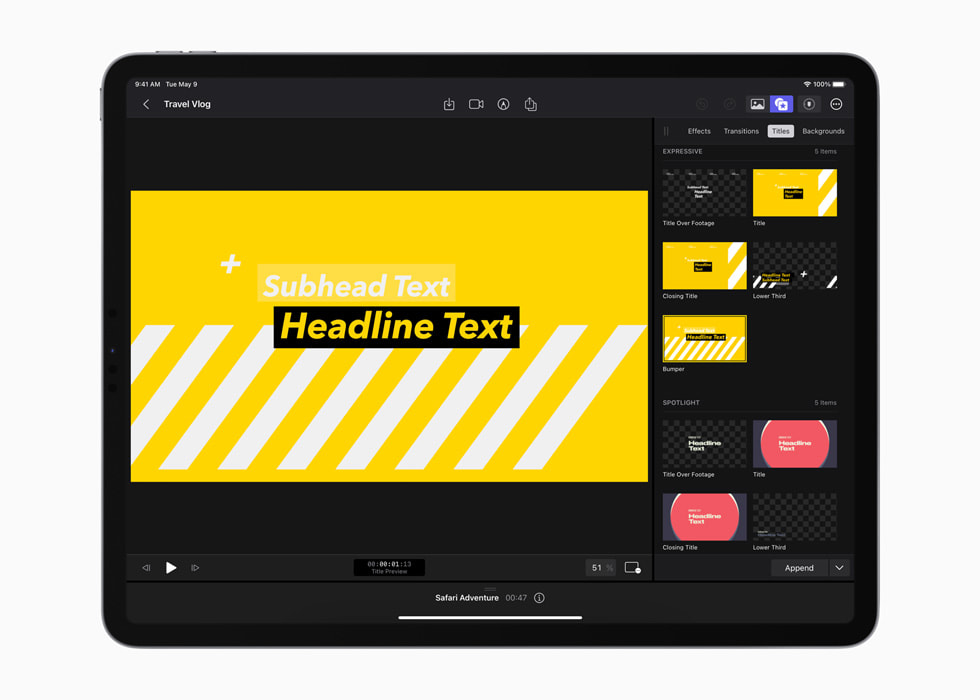
Video creators can choose from a vast library of professional graphics, effects, and audio to enhance their storytelling. These include stunning HDR backgrounds, customizable animated patterns, and professional soundtracks that automatically adjust to the length of a video.
Import and Export
Editors can import supported media from Files or Photos, and save it directly inside a Final Cut Pro project. Final Cut Pro for iPad also supports the ability to import projects created in iMovie for iOS,4 and iPad users can export their Final Cut Pro projects to Mac.5
Logic Pro for iPad
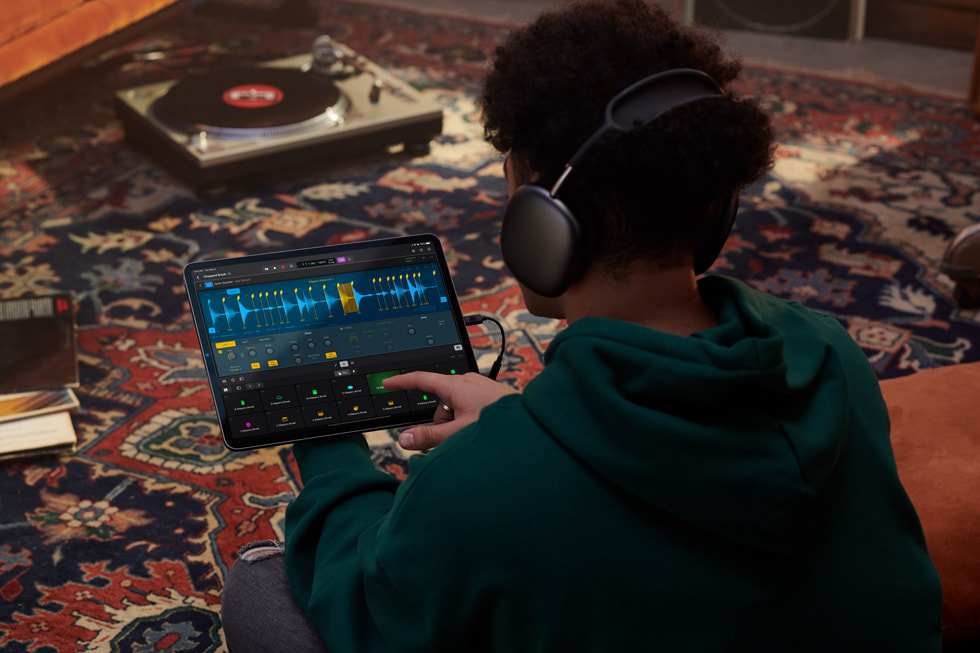
Logic Pro for iPad combines the power of Logic Pro with the portability of iPad to unlock an all-in-one professional music creation app. With Multi-Touch gestures, music creators can play software instruments and interact naturally with controls, as well as navigate complex projects with pinch-to-zoom and swipe-to-scroll. Plug-in Tiles put the most useful controls at the creator’s fingertips, making it easy to quickly shape sounds. With the built-in mics on iPad, users can capture voice or instrument recordings, and with five studio-quality mics on iPad Pro, users can turn virtually any space into a recording studio. Creators can also make precision edits and draw detailed track automation with Apple Pencil, and connect a Smart Keyboard Folio or Magic Keyboard to utilize key commands that speed up production.
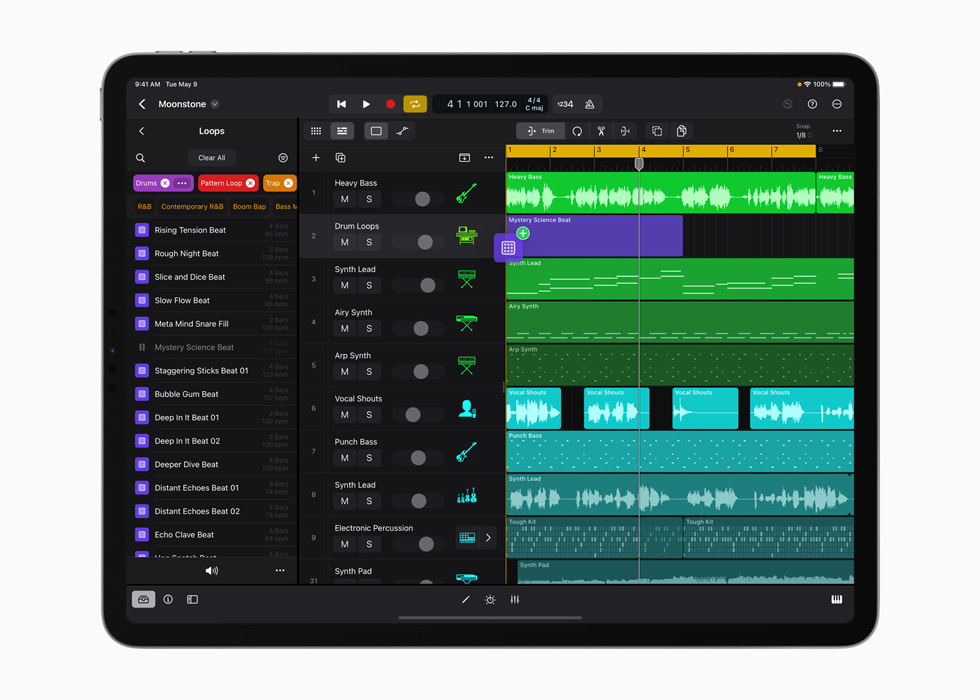
All-New Sound Browser
An all-new sound browser uses dynamic filtering to help music creators discover the perfect sound whenever inspiration strikes. The sound browser displays all available instrument patches, audio patches, plug‑in presets, samples, and loops in a single location, and users can tap to audition any sound before loading it into a project to save time and stay in their creative flow.
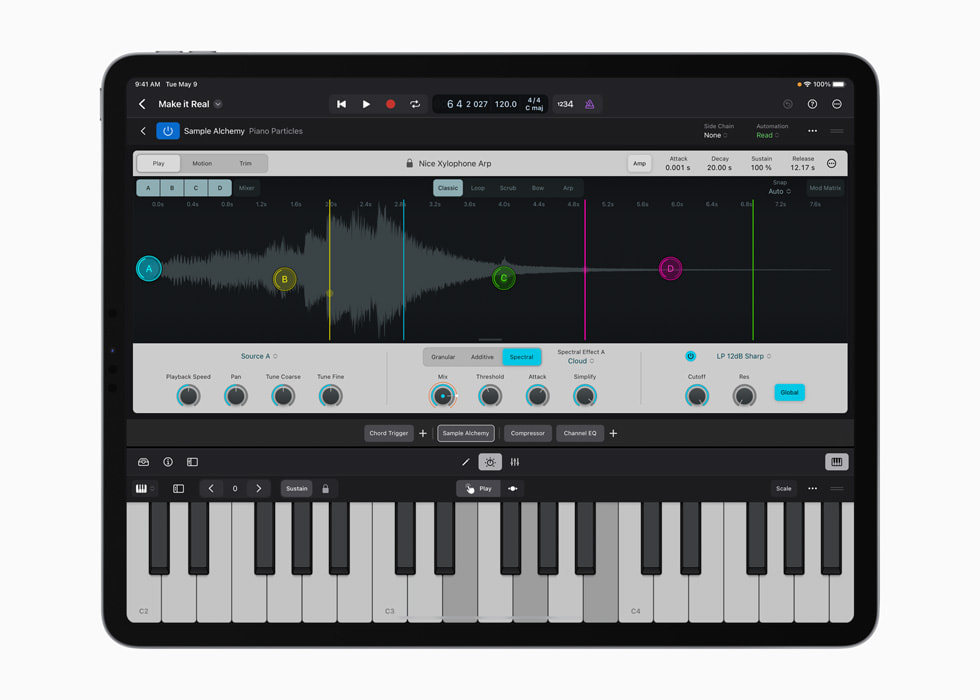
Professional Instruments and Effects Plug-Ins
Creators can shape the sonic qualities of their music with over 100 powerful instruments and effects plug-ins in Logic Pro. Effects like vintage EQs, compressors, and reverbs let users tweak and fine-tune their tracks. With Multi-Touch, creators can play instruments using a variety of play surfaces. Logic Pro on iPad comes with a massive collection of realistic-sounding instruments and powerful synths including Sample Alchemy — a new sample manipulation instrument that can transform any audio sample with the tap of a finger.
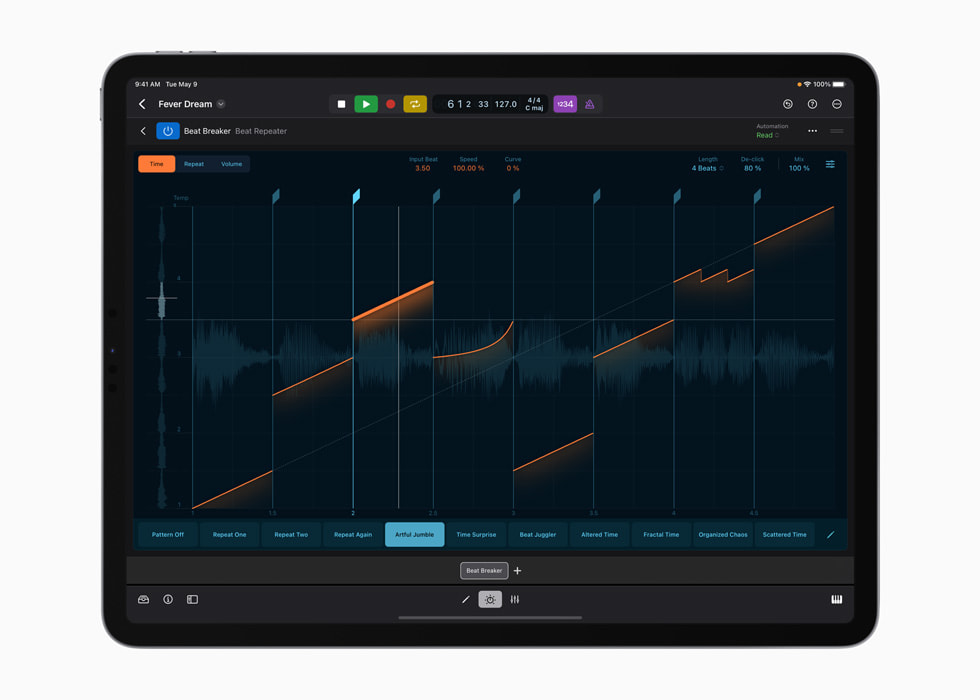
Beat Making and Production Tools
Producers can chop and flip samples, program beats and bass lines, and craft custom drum kits with a set of beat making and production tools. Beat Breaker, a new time and pitch-morphing plug-in, lets music creators swipe and pinch to radically reshape and shuffle sounds. Quick Sampler can chop and transform audio samples into entirely new playable instruments, and Step Sequencer lets users program drum patterns, bass lines, and melodies, and even automate plug‑ins with just a few taps. Drum Machine Designer enables the creation of custom drum kits by applying samples and unique plug‑ins to any drum pad. With Live Loops, users can capture inspiration and quickly build arrangements by mixing and matching musical loops.
Pro Mixer
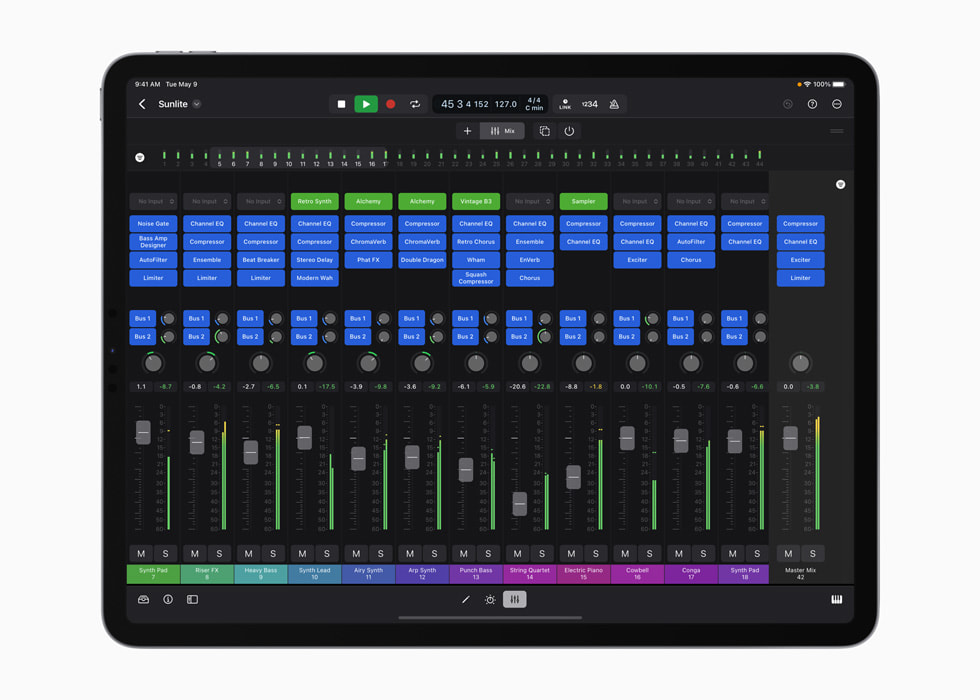
A full-featured mixer — complete with channel strips, volume faders, pan controls, plug‑ins, sends, and precise automation — gives users everything they need to create a professional mix entirely on iPad. Multi-Touch enables creators to mix intuitively and move multiple faders at once, and the mixer meter bridge lets them quickly navigate an overview of track levels, all from iPad.
Import and Export
Logic Pro for iPad supports roundtrip capabilities, making it easy to move projects between Logic Pro for Mac and iPad.6 iPad users can export their finished songs in a variety of compressed and lossless audio formats, as well as individual audio track stems. Music creators can make a soundtrack in Logic Pro for iPad and export it into Final Cut Pro for iPad — providing incredible flexibility for working across music and video. Logic Pro for iPad also supports the ability to open projects created in GarageBand for iOS, so users can take their music to the next level with pro features and workflows.7
Pricing and Availability
Starting Tuesday, May 23, Final Cut Pro and Logic Pro for iPad will each be available on the App Store for $4.99 (US) per month or $49 (US) per year with a one-month free trial.8 Final Cut Pro is compatible with M1 chip iPad models or later, and Logic Pro will be available on A12 Bionic chip iPad models or later. Final Cut Pro for iPad and Logic Pro for iPad require iPadOS 16.4. For more information, visit apple.com/final-cut-pro-for-ipad and apple.com/logic-pro-for-ipad.
Originally published at Apple
Source: Cyberpogo
For enquiries, product placements, sponsorships, and collaborations, connect with us at [email protected]. We'd love to hear from you!
Our humans need coffee too! Your support is highly appreciated, thank you!