aster.cloud aster.cloud
  • /
  • Platforms
    • Public Cloud
    • On-Premise
    • Hybrid Cloud
    • Data
  • Architecture
    • Design
    • Solutions
    • Enterprise
  • Engineering
    • Automation
    • Software Engineering
    • Project Management
    • DevOps
  • Programming
    • Learning
  • Tools
  • About
  • /
  • Platforms
    • Public Cloud
    • On-Premise
    • Hybrid Cloud
    • Data
  • Architecture
    • Design
    • Solutions
    • Enterprise
  • Engineering
    • Automation
    • Software Engineering
    • Project Management
    • DevOps
  • Programming
    • Learning
  • Tools
  • About
aster.cloud aster.cloud
  • /
  • Platforms
    • Public Cloud
    • On-Premise
    • Hybrid Cloud
    • Data
  • Architecture
    • Design
    • Solutions
    • Enterprise
  • Engineering
    • Automation
    • Software Engineering
    • Project Management
    • DevOps
  • Programming
    • Learning
  • Tools
  • About
  • Programming

How To Use Flask Project As A Python API Application

  • root
  • October 28, 2019
  • 2 minute read

Overview

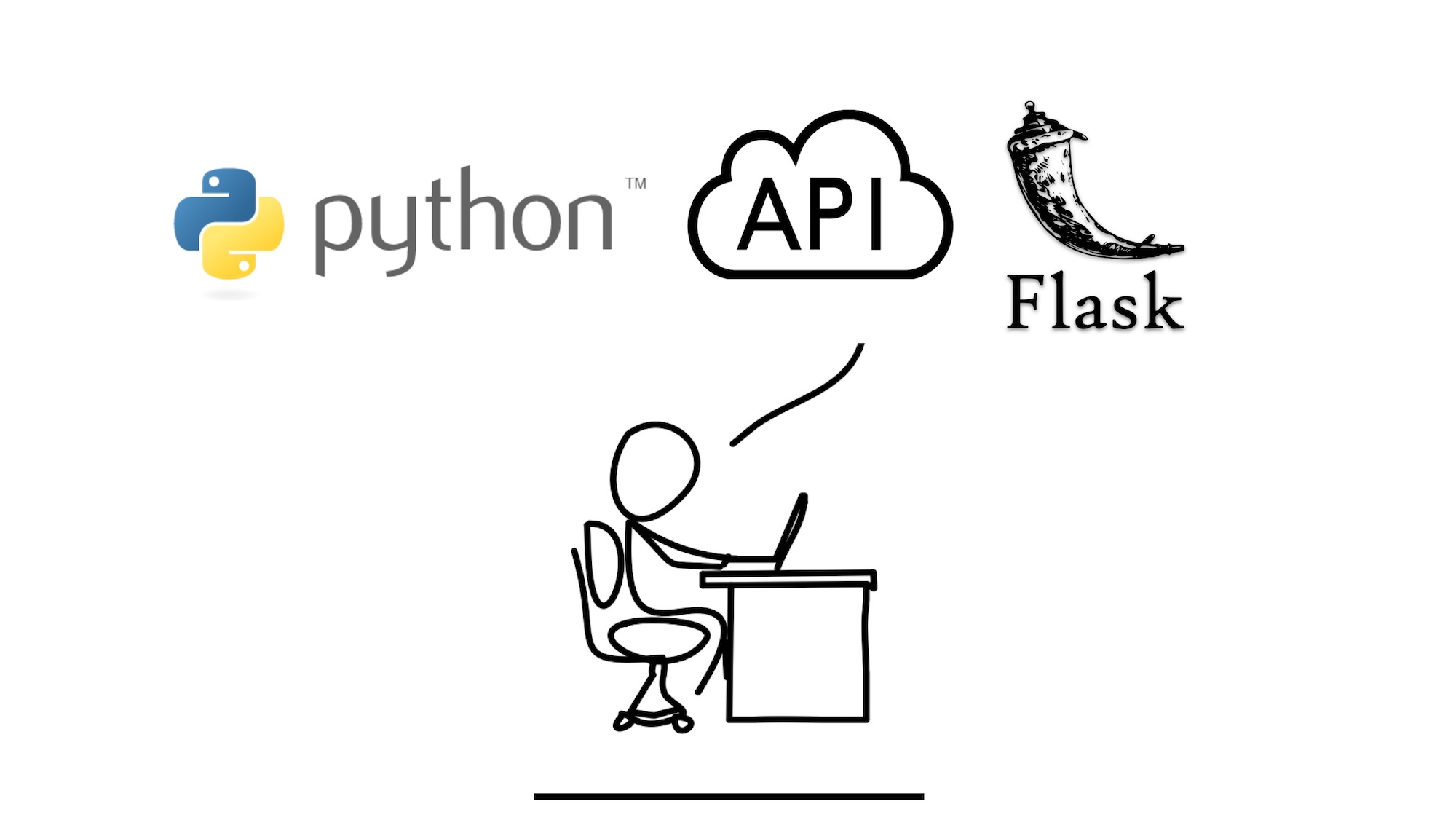
This guide shows how to use the Flask Project as a Python API application. But it can also be used as Web App which is covered in a different tutorial. It shows how to perform GET and POST operations. The code contains a preview setup, it can be further enhanced to call a database or external service.


Partner with aster.cloud
for your next big idea.
Let us know here.


From our partners:

CITI.IO :: Business. Institutions. Society. Global Political Economy.
CYBERPOGO.COM :: For the Arts, Sciences, and Technology.
DADAHACKS.COM :: Parenting For The Rest Of Us.
ZEDISTA.COM :: Entertainment. Sports. Culture. Escape.
TAKUMAKU.COM :: For The Hearth And Home.
ASTER.CLOUD :: From The Cloud And Beyond.
LIWAIWAI.COM :: Intelligence, Inside and Outside.
GLOBALCLOUDPLATFORMS.COM :: For The World's Computing Needs.
FIREGULAMAN.COM :: For The Fire In The Belly Of The Coder.
ASTERCASTER.COM :: Supra Astra. Beyond The Stars.
BARTDAY.COM :: Prosperity For Everyone.

Prerequisites

  • Python, Virtual Environment, Pip and Flask has been installed.
  • Refer to this guide on how to install the requirements.


Application Structure

geek_flask_api

├── api

│   ├── __init__.py

│   └── res

│       ├── __init__.py

│       └── sample_res.py

├── venv

├── requirements.txt

└── runserver.py


Steps

Note that you can also perform this steps using an IDE of your choice. An example would be PyCharm.

01. Create the application directory and create the flask project.

mkdir geek_flask_api


02. Create the “geek_flask_api/runserver.py” which will be the root or main entry point of the API application.

geek_flask_api/runserver.py

# -*- coding: utf-8 -*-
# Start Flask with default web server

from api import application
application.run(host='127.0.0.1', port=8080, debug=True)


03. Create the Python file, “geek_flask_api/api/__init__.py” and set the content as follows. This will create the root Flask application.

geek_flask_api/api/__init__.py

# -*- coding: utf-8 -*-
from flask import Flask
application = Flask(__name__)

import api.res.sample_res


Note that the sample_res is not yet created.


04. Create the “res” directory which will contain the REST endpoints. Create the following python script, “geek_flask_api/api/res/__init__py” and “geek_flask_api/api/res/sample_res.py”
geek_flask_api/res/api/__init__.py

# Empty


geek_flask_api/res/api/sample_res.py

# -*- coding: utf-8 -*-

import datetime
from api            import application
from flask          import jsonify, request


@application.route('/system-info', methods=['GET'])
def get_system_info():
  info = \
    {
      'name'        : 'geek-flask-api'
      , 'version'   : '1.0.0.'
      , 'date_time' : datetime.datetime.now()
    }

  return jsonify(info)


@application.route('/users/add', methods=['POST'])
def add_user():
  username = request.form.get('username')
  password = request.form.get('password')

  print("Form parameters, username={username} and password={password}".format(username=username, password=password))

  # TODO Call service layer function to add the user

  response = \
    {
      'success': True
      , 'input' :
      {
        'username'    : username
        , 'password'  : password
      }
    }

  return jsonify(response)


@application.route('/users/<user_id>', methods=['POST'])
def update_user_info(user_id):
  json_content = request.get_json()

  print("Path param : user_id={user_id}".format(user_id=user_id))
  print("JSON content as dictionary : {json_content}".format(json_content=json_content))

  # TODO Call service layer function to update the user

  response = \
    {
      'success' : True
      , 'input' :
        {
          'user_id'         : user_id
          , 'json_content'  : json_content
        }
    }

  return jsonify(response)


05. In the “sample_res.py” there are 3 path that can be accessed.

[GET] /system-info

— Description   : Retrieve a JSON content with some static info and date-timestamp

— Request       : –NONE–

— Response      : JSON

[POST] /users/add

— Description    : A sample endpoint to submit form parameters to add a User

— Request (Form) :

—- FORM parameter : username

—- FORM parameter : password

— Response    : JSON

[POST] /users/<user_id>

— Description    : A sample endpoint to update the User info using a JSON content

— Request (JSON) :

{

first_name  : “”

, last_name : “”

}

— Response       : JSON


How To Run and Test

01. Activate the Virtual Environment. Optional if not using a Virtual Environment

$ cd geek_flask_api
$ source venv/bin/activate 


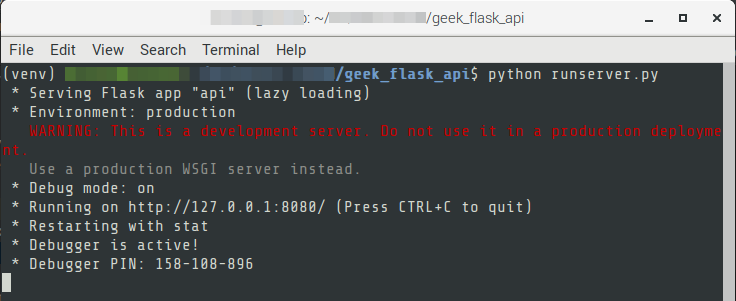
02. Run the Flask api

$ python runserver.py
 

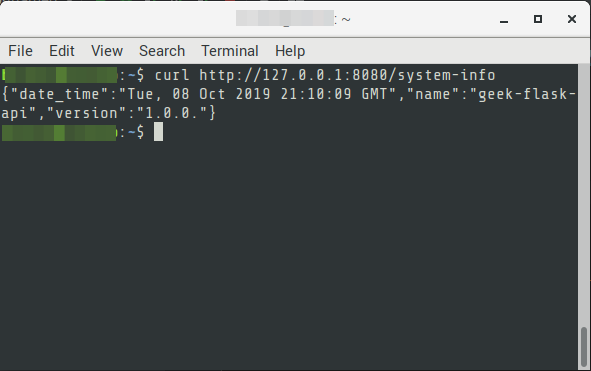
03. Test by calling the “system-info” endpoint.

via cURL

$ curl http://127.0.0.1:8080/system-info
 

via Browser

 

04. The other endpoints can be tested by using cURL or any REST client like Postman.


Read More  How To Setup A Django Web App Project Using CLI

For enquiries, product placements, sponsorships, and collaborations, connect with us at [email protected]. We'd love to hear from you!

Our humans need coffee too! Your support is highly appreciated, thank you!

root

Related Topics
  • API
  • Flask
  • GET
  • post
  • Python
You May Also Like
aster-cloud-sms-pexels-tim-samuel-6697306
View Post
  • Programming
  • Software

Send SMS texts with Amazon’s SNS simple notification service

  • July 1, 2025
aster-cloud-website-pexels-goumbik-574069
View Post
  • Programming
  • Software

Host a static website on AWS with Amazon S3 and Route 53

  • June 27, 2025
View Post
  • Architecture
  • Data
  • Engineering
  • People
  • Programming
  • Software Engineering
  • Technology
  • Work & Jobs

Predictions: Top 25 Careers Likely In High Demand In The Future

  • June 6, 2023
View Post
  • Programming
  • Software Engineering
  • Technology

Build a Python App to Alert You When Asteroids Are Close to Earth

  • May 22, 2023
View Post
  • Programming

Illuminating Interactions: Visual State In Jetpack Compose

  • May 20, 2023
View Post
  • Computing
  • Data
  • Programming
  • Software
  • Software Engineering

The Top 10 Data Interchange Or Data Exchange Format Used Today

  • May 11, 2023
View Post
  • Architecture
  • Programming
  • Public Cloud

From Receipts To Riches: Save Money W/ Google Cloud & Supermarket Bills – Part 1

  • May 8, 2023
View Post
  • Programming
  • Public Cloud

3 New Ways To Authorize Users To Your Private Workloads On Cloud Run

  • May 4, 2023

Stay Connected!
LATEST
  • 1
    Apple unveils groundbreaking MacBook Pro with PROLED XDR Display and Touch for the first time on Mac
    • October 28, 2026
  • 2
    Apple introduces the new 14‑inch MacBook Pro with M6
    • October 27, 2026
  • 3
    Apple unveils new iMac with M6, delivering a major boost in performance and AI capabilities
    • October 27, 2026
  • 4
    IBM and Siemens Collaborate on Research to Advance Nanostack Architecture
    • October 14, 2026
  • 5
    Chinese tech giant Huawei unveils Mate 90 series smartphones with flagship Tau chips adopting logic folding technology
    • October 2, 2026
  • 6
    IBM Acquires Logiq Consulting to Expand Secure Digital Transformation and Cybersecurity Capabilities in the UK
    • September 24, 2026
  • 7
    Accenture and Google Cloud Transform Software Development with Volvo Cars
    • September 22, 2026
  • 8
    Synthetic data could ease people’s concerns about privacy breaches. But who gets to create it?
    • September 15, 2026
  • 9
    Apple Flagship Hardware Launch for September 2026
    • September 10, 2026
  • 10
    Multi-cloud with AWS and Azure just got a whole lot easier thanks to a new interconnect service
    • September 2, 2026
about
Hello World!

We are aster.cloud. We’re created by programmers for programmers.

Our site aims to provide guides, programming tips, reviews, and interesting materials for tech people and those who want to learn in general.

We would like to hear from you.

If you have any feedback, enquiries, or sponsorship request, kindly reach out to us at:

[email protected]
Most Popular
  • 1
    Broadcom eyes security, performance boosts with vDefend and Avi Load Balancer updates
    • August 7, 2026
  • Why real SaaS resilience means breaking free of the hyperscaler
    • August 11, 2026
  • Agentic AI is spurring a ‘fundamental shift’ in cloud infrastructure consumption
    • August 17, 2026
  • 4
    VMware targets ‘three core AI cost drivers’ with new Private AI Cloud service
    • September 2, 2026
  • 5
    Digital sovereignty in the age of AI: You don’t have to choose between control and innovation
    • August 10, 2026
  • /
  • Technology
  • Tools
  • About
  • Contact Us

Input your search keywords and press Enter.