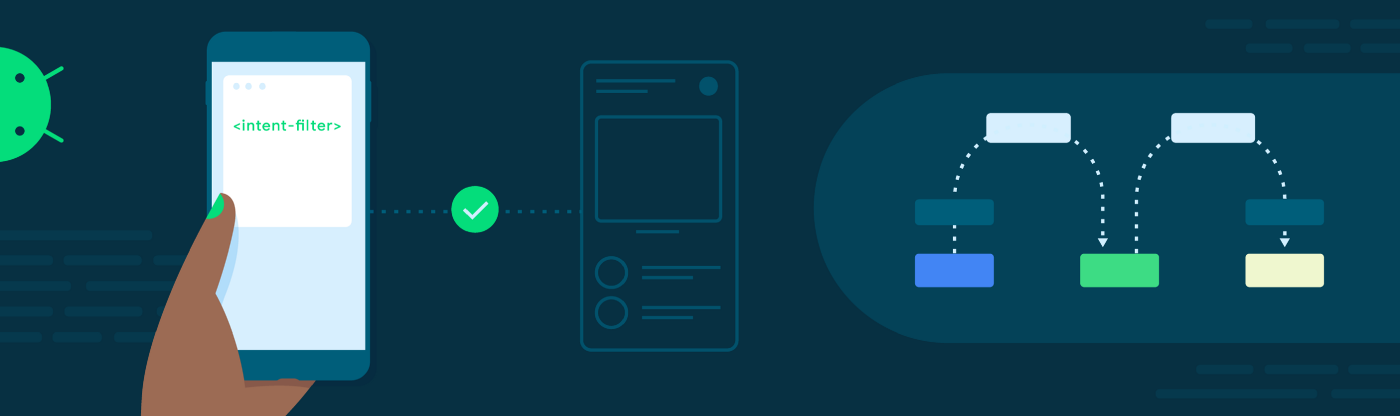
Before Android 13, when an app registered an exported component in its manifest and added an <intent-filter>, the component could be started by any explicit intent — even those that do not match the intent filter. In some circumstances this can allow other apps to trigger internal-only functionality.
This behavior has been updated in Android 13. Now intents that specify actions and originate from external apps are delivered to an exported component if and only if the intent matches its declared <intent-filter> elements.
From our partners:
Counterintuitive
In existing Android versions, there are two ways to deliver an intent to a component (such as an <activity>) where the intent does not match the component’s declared <intent-filter> elements:
- Explicit intents: intents with a component name set will always be delivered to the component, as long as the sender has permission.
- Intent selectors: when setting a matching intent as a selector of the main intent, the main intent will always be delivered.
Developers expected that intent-filters would impact all intents rather than just a subset. In fact we’ve seen a lot of confusion around intent-filters.
A Review
For each of the following questions, you are presented with the following:
- The creation of an intent object, which is passed to startActivity() or sendBroadcast().
- An <intent-filter> element.
Your job is to answer the question: Will the intent match the intent filter?
First, the intent:
// Java
Intent intent = new Intent("foo");
startActivity(intent);

// Kotlin
val intent = Intent(“foo”)
startActivity(intent)
And the intent filter:
<activity android:name=".MyActivity"
    android:exported="true">
    <intent-filter>
        <action android:name="foo" />
    </intent-filter>
</activity>
No!
If an intent does not contain any categories, Android will treat it as if CATEGORY_DEFAULT to all implicit intents passed to startActivity() and startActivityForResult(). Note, this behavior is defined if and only if that intent is used to launch an activity. Intent filters must include CATEGORY_DEFAULT in order to receive implicit activity intents (documentation). Note that this only applies when starting an activity. They do not apply to launching services or sending broadcasts.
To correctly match this example the intent filter should be implemented as follows:
<activity android:name=".MyActivity"
    android:exported="true">
    <intent-filter>
        <action android:name="foo" />
+       <category android:name="android.intent.category.DEFAULT" />
    </intent-filter>
</activity>
How about another one?
Intent:
<receiver android:name=".MyReceiver"
    android:exported="true">
    <intent-filter>
        <action android:name="foo" />
    </intent-filter>
</receiver>
Filter:
<receiver android:name=".MyReceiver"
    android:exported="true">
    <intent-filter>
        <action android:name="foo" />
+       <data android:scheme="https" />
    </intent-filter>
</receiver>
No again!
An intent filter must specify a <data> element to accept intents with data (documentation). To match it should look like this:
<receiver android:name=".MyReceiver"
    android:exported="true">
    <intent-filter>
        <action android:name="foo" />
+       <data android:scheme="https" />
    </intent-filter>
</receiver>
One Risk Improved
In the past year we found one particular pitfall that we think we can help with, making intent filters work in a more intuitive way.
Let’s look at it as an example:
Intent:
-Java-
Intent intent = new Intent("bar");
// Setting an explicit component name
intent.setClassName("com.example",
    "com.example.MyActivity");
startActivity(intent);

-Kotlin-
val intent = Intent(“foo”)
intent.setClassName(“com.example”, "com.example.MyActivity")
startActivity(intent)
Filter:
<activity android:name=".MyActivity"
    android:exported="true">
    <intent-filter>
        <action android:name="foo" />
        <category
            android:name="android.intent.category.DEFAULT" />
    </intent-filter>
</activity>
In existing Android versions, yes — the intent does match the filter! This is because explicit intents don’t need to match declared intent filters. When an app declares an exported component in its manifest and adds an <intent-filter>, the component can be started by any intent — even those that do not match the intent filter! This could have caused vulnerabilities in many apps.
Here is an example we’ve discovered in the wild:
Code of victim app:
object MyIntentHandler {
  fun handleIntent(context: Context, intent: Intent) {
    // Handles all intents of the application
  }
}

class InternalReceiver : BroadcastReceiver() {
  override fun onReceive(context: Context, intent: Intent) {
    // Dispatch all actions to centralized handler
    MyIntentHandler.handleIntent(context, intent)
  }
}

class ExternalReceiver : BroadcastReceiver() {
  override fun onReceive(context: Context, intent: Intent) {
    // Dispatch all actions to centralized handler without checks
    MyIntentHandler.handleIntent(context, intent)
  }
}
Components declared in victim’s manifest:
<receiver
    android:name=".InternalReceiver"
    android:exported="false" >
  <intent-filter>
    <action android:name="com.example.PRIVATE_INTERNAL_ACTION" />
  </intent-filter>
</receiver>

<receiver
    android:name=".ExternalReceiver"
    android:exported="true" >
  <intent-filter>
    <action android:name="com.example.PUBLIC_EXTERNAL_ACTION_1" />
    <action android:name="com.example.PUBLIC_EXTERNAL_ACTION_2" />
  </intent-filter>
</receiver>
The action com.example.PRIVATE_INTERNAL_ACTION is not supposed to be accessible outside of the application, since the receiver that handles it (InternalReceiver) is not exported. However, due to the fact that ExternalReceiver does not check and guard the incoming action, a malicious actor can do the following to trigger internal functionality:
// Set action to the internal action
val intent = Intent("com.example.PRIVATE_INTERNAL_ACTION")

// Set an explicit component name. Before Android 13, this intent
// will always be delivered, even if the action does not match the
// intent filter declared in the manifest.
intent.setClassName("com.example", "com.example.ExternalReceiver")

sendBroadcast(intent)
For apps that target Android 13+ this has now changed. The next section describes these changes.
What’s Changed?
Starting for apps targeting Android 13+ (the intent receiving side), all intents originating from external apps are delivered to an exported component if and only if the intent matches its declared <intent-filter> elements.
One big caveat: If an intent does not specify an action, it passes the intent matching test as long as the filter contains at least one action. This means that you should always handle the case if the incoming intent does not have an action (when intent.getAction() returns null)!
Non-matching intents are blocked. Situations where intent matching is not enforced include the following:
- Intents delivered to components that don’t declare any intent filters
- Intents originating within the same app
- Intents originating from the system and from root.
While this change is great for security reasons — if you were depending on this behavior to make your app interact with another through explicit intents, you may see behavior changes in your app, even if you don’t update to target Android 13.
With these changes, the malicious actor in our previous example can no longer trigger internal functionality of our victim application on Android 13, assuming the victim application is updated to target Android 13. However, it is still strongly recommended to update all exported components to check and only accept actions that are allowed to protect your application when running on older Android versions. Our updated example will be like this:
class ExternalReceiver : BroadcastReceiver() {

  private val allowedActions = listOf(
    "com.example.PUBLIC_EXTERNAL_ACTION_1",
    "com.example.PUBLIC_EXTERNAL_ACTION_2"
  )

  override fun onReceive(context: Context, intent: Intent) {
    // Skip when action is null
    val action = intent.action ?: return

    // Only accept actions that are allowed
    if (!allowedActions.contains(action)) {
      return
    }

    // Dispatch all actions to centralized handler
    MyIntentHandler.handleIntent(context, intent)
  }
}
What should I do?
First, we should note, the enforcement is only enabled if the intent receiving app targets Android 13+. It does NOT affect intents delivered to the same app internally.
Intent sending side
If you are sending explicit intents (intents with an explicit component name set) to another app, ensure that the intent matches the components’ <intent-filter> elements. The matching logic is exactly the same as resolving implicit intents.
When trying to start an activity with a non-matching explicit intent, you will get an immediate ActivityNotFoundException with the message:
Unable to find explicit activity class {component name}; have you declared this activity in your AndroidManifest.xml, or does your intent not match its declared <intent-filter>?
For broadcast receivers and services, there is no obvious signal of failure other than warning logcat messages in the tag “PackageManager”:
Intent does not match component’s intent filter: <intent description>
Access blocked: <component name>
Intent receiving side
Make sure to declare all possible intent filters that your component expects and accepts in AndroidManifest.xml.
Beyond that, if a component only expects explicit intents, consider removing all <intent-filter> elements if no filtering is desired. Components with no intent filters will accept any explicit intent.
Testing
This change is already enabled on Android 13 builds, since Developer Preview 1.
You can toggle this change using the compatibility framework UI in developer options, or by entering the following ADB command in a terminal window:
$ adb shell am compat disable ENFORCE_INTENTS_TO_MATCH_INTENT_FILTERS <package>
Remember that this applies to the app receiving the intent; you cannot disable the change for intents that your app sends to other apps.
Going Forward
Because this change can affect developers even before they target 13, it’s important to investigate this change and coordinate an update soon if you use intents to interact with external apps. For more information, check out our docs that describe intents and intent filters.
By Todd Burner
Source Medium
For enquiries, product placements, sponsorships, and collaborations, connect with us at [email protected]. We'd love to hear from you!
Our humans need coffee too! Your support is highly appreciated, thank you!